Show HN: Doihavejavascriptenabled.com – Does what it says on the tin(doihavejavascriptenabled.com)
doihavejavascriptenabled.com
Show HN: Doihavejavascriptenabled.com – Does what it says on the tin
https://doihavejavascriptenabled.com/
9 comments
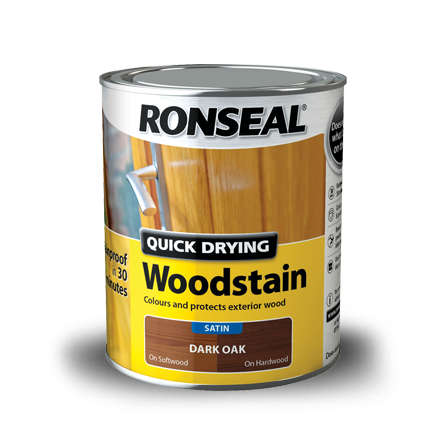
Annoyingly enough, that website doesn't actually show the tin itself, which seems would be the first thing that comes to mind when someone hears the story.
So, here is a image of the famous Ronseal tin: https://www.ronseal.com/media/1442/qd-woodstain_750ml_d-oak-...
And a Google Images search that has some older versions too: https://www.google.com/search?q=Ronseal+Quick+Drying+Woodsta...
So, here is a image of the famous Ronseal tin: https://www.ronseal.com/media/1442/qd-woodstain_750ml_d-oak-...
And a Google Images search that has some older versions too: https://www.google.com/search?q=Ronseal+Quick+Drying+Woodsta...
Inspired by the news that Google Workspace will soon require JS in order to log in, I made this to send our users for diagnosing issues. Nothing fancy.
Here is a website I sometimes use when clients/users of mine are having issues: https://www.whatismybrowser.com/
Has a handy "Copy URL" button that they can use to send you back a replica of the results.
Has a handy "Copy URL" button that they can use to send you back a replica of the results.
Hey, thanks for the share :)
I started https://www.whatismybrowser.com 11 years ago to help me with my clients, and I'm always glad to hear it helps others too!
I'm always open for suggestions for more features too.
I started https://www.whatismybrowser.com 11 years ago to help me with my clients, and I'm always glad to hear it helps others too!
I'm always open for suggestions for more features too.
This would have been an excellent use of a <noscript> tag, but there is none :(
If you had to answer the question "Is JavaScript Disabled?", then <noscript> would have worked fine. But to answer the question "Is JavaScript Enabled?", you'd still have to have at least some amount of JavaScript code, as there is no <yesscript> tag (yet?)
You can have a stylesheet in the <noscript> that adds display: none to other parts of the page.
But I get having javascript change the page not only answers if it's enabled, but working too.
But I get having javascript change the page not only answers if it's enabled, but working too.
I suppose that would be another solution, sure.
If you're curious:
https://www.ronseal.com/the-ronseal-phrase/