In other news, the new Google Drive for Windows also uses wxPython as its Desktop GUI framework (wxPython is a Python wrapper for wxWidgets, a cross platform UI C++ library).
I'd be happy if we migrated to Blazor and it lasted for 10 years. Kudos to AngularJS, which is still on LTS until the end of 2021.
It might as well happen with Blazor, if it's kept further maintained as a part of .NET normal release cycles for years to come, and won't be stripped out in some next major release.
> "TypeScript does use JavaScript constructs but has a lot more in common with C# ... It’s fairer to say that TypeScript is a C# superset, with some JavaScript limitations, which compiles to JavaScript."
Lol. As someone who's reasonable good at C#, when I started learning TypeScript, I made that common mistake of approaching it as something similar to C#. Boy was I wrong, it's a totally different language and philosophy, and the prior knowledge of C# actually serves a bad favor here.
Thanks! I'm totally with you on Electron, as I've mentioned earlier in this thread. Ironically, Electron was turned down because the team didn't like the idea of coping with C++ (required for low-level custom add-ons). WebView2 with C# was also on the table, but that'd be a big overkill IMO. Then, WPF: https://dev.to/noseratio/the-signs-of-wpf-currently-being-on...
Thanks for your thoughts! I've been mostly involved with Electron lately and I'm a believer in all-HTML UI. For this project though, Electron was ruled out.
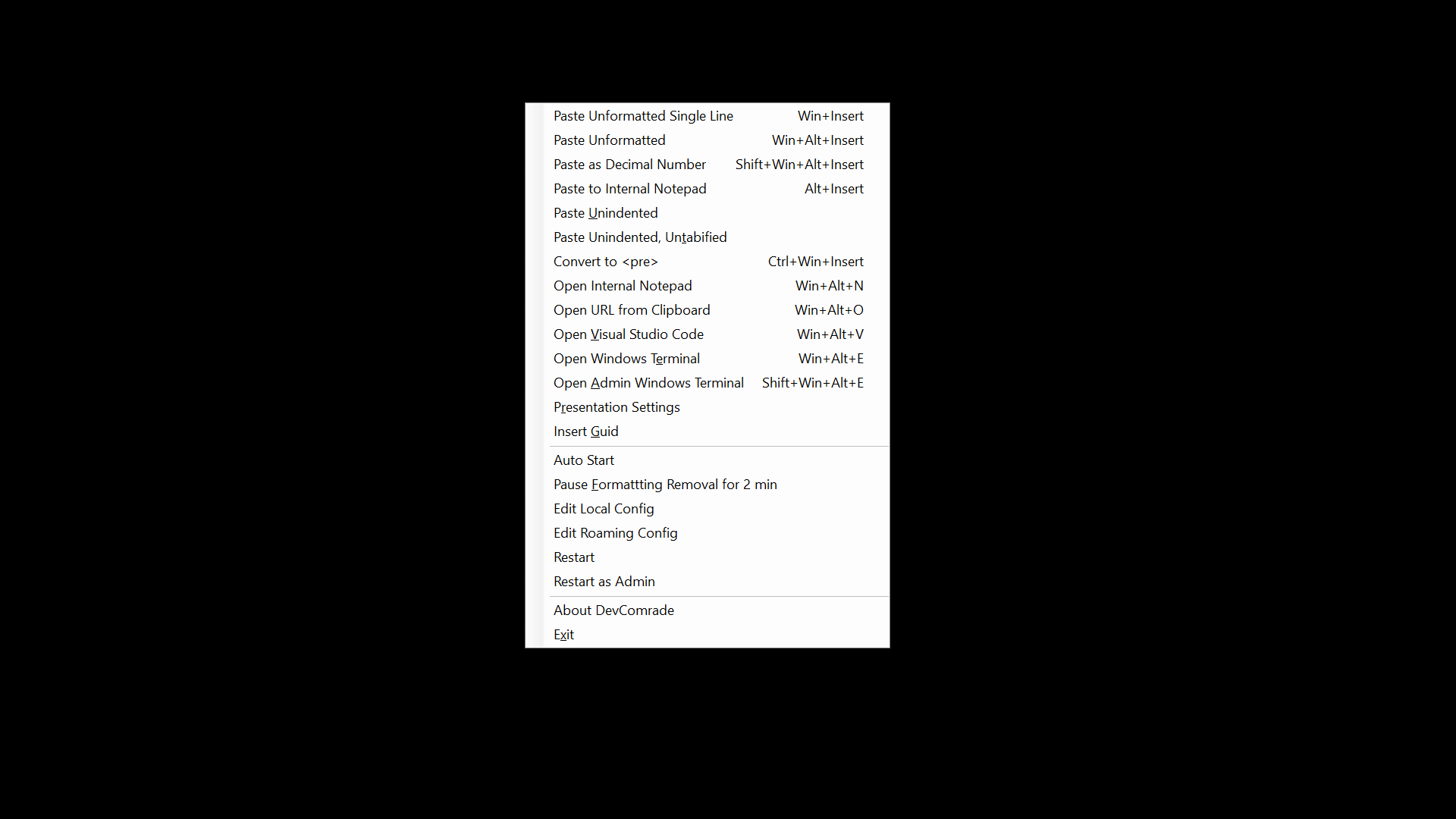
I have an option in the app's tray menu to temporarily disable clipboard formatting stripping (with a timeout), for those rare cases when I actually need to paste rich text.
I was a PureText user for over a decade and I lately (with frequent Win10 updates) I was experiencing problems with some apps, like often I heard the beep but nothing was getting pasted. If it still works great for you, naturally there is no need to switch.
There is one useful feature unique to my app (AFAIK), it's Win+Ins for pasting into a command line. It replaces all line breaks with spaces, so nothing gets automatically executed upon pasting.
I agree with you. I first tried to come up with a universal solution using SendInput API. This shortcut is still there: Win+Shift+Ins, and it works generally well but a tad slow. So eventually I opted to stripping formatting in-place in clipboard. As a compromise, I've added a tray menu item to disable it, when a rich text paste is desired: https://raw.githubusercontent.com/postprintum/devcomrade/mai...
This is an interesting idea (if controlled by a setting). I'm afraid though there is no universal approach to implementing it, which would work across all apps.
Might be one of those legacy poor usability decisions. Still not easy for modern Microsoft to undo, hindered by compatibility concerns and internal bureaucracy.
Same as the infamous "Terminate batch job (Y/N)?" prompt, upon hitting Ctrl+C. Who would every want to continue a .BAT script after trying to stop it? To make it worse, hitting Ctrl+C again cancel that prompt and continues the script. Some lost data because of that.
https://www.google.com/intl/en_au/drive/download/