Ask HN: What tools are you a 10/10 on?
Curious what tools you use that you absolutely adore. For me I sing the praises of slack, calendly, zoom, excel, and triplebyte to anyone who will listen.
172 comments
I use vim (text editor), curl (download from internet (many protocols) and can be piped; can also send), xclip (command-line clipboard access by pipes), dc (calculation), grep, 7z (supports many file formats), and the SQLite command shell. I also use less, bash, gcc, gdb, valgrind, dosbox, Ghostscript, and many others. I also wrote my own programs for some things; for example, I have my own set of programs for dealing with picture files (Farbfeld Utilities), but I also have ImageMagick in case of something that Farbfeld Utilities does not currently do; I have made programs for other things too. (Of course, I use many other programs too.) (Unfortunately, some of them use Unicode even though I do not want them to (others do not have that problem), and sometimes requires writing extra code to work around them (other times I am working only with ASCII and it is not a problem).)
Do you also program in lisp by any chance?
All of the parens and I can see why you would say that, but no lisper would use Vim!
From http://www.paulgraham.com/pfaq.html
  What editor do you use?

  vi.
No; I mainly program in C. (I do use other programming languages too.)
curl and ffmpeg are pretty good. real swiss army knives.
Have you tried libvips? I've found it much more pleasant to use than ImageMagick. And the maintainer has insanely short response time
+1 for vi, I emacs is hard to use and I don't want to tote some customization file around to every box I log into :-)
If they're remote boxes, you can Emacs over SSH using TRAMP. You'll take your configurations to each new server.
Math, English, computers, TCP/IP, Wikipedia, willingness to change my mind when evidence shows I was wrong, coreutils, C, ssh, Hypothesis, gzip, Markdown, HTML, SQL, 8-bit AVRs, vise-grips, rsync, JS, zipfiles, less, Audacity, kitchen knives (steel and zirconia), CSS, wget, PNG, TeX, solder braid, SVG, PostScript, ffmpeg, LuaJIT, Tor, qemu, mpv, xxd, Arduino, yt-dlp, graphviz, Jupyter, netpbm, ImageMagick, and Numpy.
I'd say 9/10 on Python, SQLite, Git, Emacs, Inkscape, Vim, screen, Bash, Lua, GCC, Audacity, Debian, Octave, Docker, R, Bitcoin, GDB, Matplotlib, OCaml, and Gnumeric; Linux previously belonged to that list but has gotten dramatically worse over the last 25 years, even more noticeably than Python.
New candidates include zstd, Rust, Golang, STM32, RISC-V, lzip, Sympy, PARI/GP, Wayland, systemd, Guix, and XPra.
Excel, Zoom, and Slack are proprietary, and I know better than to invest my time in proprietary tools; I made that mistake already last millennium and lost my entire investment in Borland C++, Visual C++, MFC, Quattro Pro, DR-DOS, 4DOS, Visual Basic, Ultrix, AIX, SunOS 4, INFORMIX-OnLine, VMS, Epsilon, and an in-house source-control system that's blessedly forgotten today.
I'd say 9/10 on Python, SQLite, Git, Emacs, Inkscape, Vim, screen, Bash, Lua, GCC, Audacity, Debian, Octave, Docker, R, Bitcoin, GDB, Matplotlib, OCaml, and Gnumeric; Linux previously belonged to that list but has gotten dramatically worse over the last 25 years, even more noticeably than Python.
New candidates include zstd, Rust, Golang, STM32, RISC-V, lzip, Sympy, PARI/GP, Wayland, systemd, Guix, and XPra.
Excel, Zoom, and Slack are proprietary, and I know better than to invest my time in proprietary tools; I made that mistake already last millennium and lost my entire investment in Borland C++, Visual C++, MFC, Quattro Pro, DR-DOS, 4DOS, Visual Basic, Ultrix, AIX, SunOS 4, INFORMIX-OnLine, VMS, Epsilon, and an in-house source-control system that's blessedly forgotten today.
Oh, I forgot GNU Units, which I often use as my calculator in preference to Python or Emacs.
[deleted]
Linear might be the best-made software I've seen in a decade.
Raycast is phenomenal; a perfect drop-in replacement for like 8 different tools I used to use.
Airtable is really amazing, and their API is sososo close to making it a solid database replacement for super small personal projects.
Superhuman could do a lot more to make email managable, but going back to the Gmail interface makes it clear how much of a 10x improvement it is.
Raycast is phenomenal; a perfect drop-in replacement for like 8 different tools I used to use.
Airtable is really amazing, and their API is sososo close to making it a solid database replacement for super small personal projects.
Superhuman could do a lot more to make email managable, but going back to the Gmail interface makes it clear how much of a 10x improvement it is.
I've got a lot of customizations built in Alfred, but Raycast intrigues me. Have you used Alfred to the point where you can compare the two?
The Verge did a comparison: https://www.theverge.com/23170431/raycast-how-to-macos-searc...
Yup, I was a die-hard Alfred user with tons of custom automations. Haven't looked back for even a second. I was shocked; I've never had a piece of software replace something I depended on so easily.
I have seen airtable available at work, but have never used it. What do you use it for, and what do you mean its close to being a solid database replacement?
This definitely isn't the main usecase; it's mostly used as a spreadsheet application.
But, I use it for a few random tools.
I have an app I made that shows schedules. Rather than using a DB and building out an admin interface myself and giving people access to it, it just pulls from the Airtable DB.
I also often use it to export data to, so having signups or things like that go into Airtable rather than a DB.
I could use a DB for all of these, but Airtable's UI is super nice and makes it really pleasant to edit (vs a crappy form I set up)
But, I use it for a few random tools.
I have an app I made that shows schedules. Rather than using a DB and building out an admin interface myself and giving people access to it, it just pulls from the Airtable DB.
I also often use it to export data to, so having signups or things like that go into Airtable rather than a DB.
I could use a DB for all of these, but Airtable's UI is super nice and makes it really pleasant to edit (vs a crappy form I set up)
Emacs. I have this irrational love for it that no other computer program has ever come close to. Full of warts indeed? Insignificant details no man so in love would heed!
That you in such a fundamental way can make it your own puts a smile on my face. It enables me to specify how _I_ want to converse with my editor. With my computer. With my digital muse.
I love you, emacs.
(I say this as a vimmer for 15 years before switching)
That you in such a fundamental way can make it your own puts a smile on my face. It enables me to specify how _I_ want to converse with my editor. With my computer. With my digital muse.
I love you, emacs.
(I say this as a vimmer for 15 years before switching)
PostgreSQL, one of the few tools that has been worth all the time I put into learning it.
I use Emacs for literally everything. There is no substitute.
I'm interested to know what your "everything" means. I assume it handles the following: text editing, email, rss, IRC, file/folder management, music.
Not OP, but yes to everything, and more.
Everything but music :-)
+ org-mode
+ org-babel
+ magit
Anki. For pretty much everything from learning/memorizing to creating notes/references to creating reading queues to creating quick latex snippets for copy pasting.
Byobu as a tmux frontent and as a collaborative editor/terminal environment.
guake terminal
linux mint more generally
total commander, keepassxc, and dropsync on android
Byobu as a tmux frontent and as a collaborative editor/terminal environment.
guake terminal
linux mint more generally
total commander, keepassxc, and dropsync on android
- Todoist. Been using it for years and it's critical to my workflow.
- 1Password.
- Raycast. Recent convert from Alfred. It's amazing. Lots of nice improvements from Alfred.
- ZSH w/fzf and lots of fun plugins (https://github.com/iloveitaly/dotfiles/blob/master/.zsh_plug...)
- Texts app. Without this I'd lose track of 90% of texts. Huge productivity boost.
- Dash. Saves me lots of time looking up documentation and has advanced snippet support.
- 1Password.
- Raycast. Recent convert from Alfred. It's amazing. Lots of nice improvements from Alfred.
- ZSH w/fzf and lots of fun plugins (https://github.com/iloveitaly/dotfiles/blob/master/.zsh_plug...)
- Texts app. Without this I'd lose track of 90% of texts. Huge productivity boost.
- Dash. Saves me lots of time looking up documentation and has advanced snippet support.
Could you say more about Raycast vs Alfred? I've got lots of customizations built into Alfred, so switching always feels like a big lift and I use it so much it would be a major disruption to so many workflows. But Raycast does look very nice, so I often think about making the switch.
tagging you as someone who my be a good test userfor my upcoming tickets cli app then, if you don't mind :)
Nginx: static hosting, proxy pass, grpc pass, direct socket passthrough, custom modules, tls oid parsing, tls session tickets , horizontal scale out, regex mappings, lua, etc ... There is a lot to this "simple" tool...
Everything is great about NGINX (features, source code, performance) but the DSL can be pretty painful. The C module API is not exactly intuitive either.
I find starting with a NGINX generator a necessity, one you have a template to add/modify it's a lot easier.
The app Everything, it’s search as it should be on windows.
I've found my general file
organization suffered with this but my naming of files improved dramatically! Great tool.
use it pretty regularly
Electric drill with torque selector.
I'm still surprised how much more I use my impact driver than my drill (with torque selector).
I used to only use a drill, under the theory that I merely had to select an appropriate torque level to avoid stripping the screw, so why use two tools? And yet, even with an appropriately sized pilot hole, I would have to put a suspicious amount of force into it to keep the bit from jumping. One day I realized: Sure, you can't lower the torque on an impact driver, but the impact action means it doesn't need to apply as much torque as a drill does to do the same job. It is seemingly calibrated to the perfect amount of torque to keep the bit from jumping, and the impact action does the rest without you having to apply undue force - it can just take a couple seconds longer is all. I was dismissing the right tool for the job due to an unwarranted confidence in my own understanding of the tradeoffs involved in the physics.
Ok, you convinced me.
Then again, I sometimes use a drill hammer to hang up pictures, just because it’s easier to extract from the cupboard.
Then again, I sometimes use a drill hammer to hang up pictures, just because it’s easier to extract from the cupboard.
Oil-impulse driver for the best of both worlds.
absolutely necessary
Hi, here's my list:
- Total Commander (file management)
- Everything search (find stuff on my pc)
- Emacs (whatever I do in plain text)
- Faststone Capture (screen capture, image annotations)
- Autohotkey (various shortcuts and automation, scripting)
- Outlook (email)
- MyLifeOrganized (task management)
- Dynamics 365 for Sales (it's CRM)
- Office 365 (word, excel etc.).
Typora for oncall notes - it seems to be the one markdown writing app that lets me paste screenshots in so they will save to disk and render inline with the notes I'm typing.
That is a killer feature!
https://chezmoi.io for dotfile management. I'm the author but I use chezmoi across all my machines.
I was sceptical of changing my dotfile management strategy (it's worked fine for a decade), but after trying chezmoi on a single machine, I spent an evening migrating all my machines to it as well.
10/10.
10/10.
What are the benefits of using chezmoi over just using Git?[0][1]
[0] https://www.atlassian.com/git/tutorials/dotfiles
[1] https://github.com/RichiH/vcsh
Edit: finding the answer to my own question:
https://www.chezmoi.io/comparison-table/
[0] https://www.atlassian.com/git/tutorials/dotfiles
[1] https://github.com/RichiH/vcsh
Edit: finding the answer to my own question:
https://www.chezmoi.io/comparison-table/
Remote shell execution?
Outlook (the desktop native app). Evolution comes vaguely close, but other than that? Every single client, desktop or native, just seemed insufficient. Especially if you need your calendar to be integrated into the email client.
- vim: same editor & keybindings on every machine
- postman: api testing
- saleae log analyzer with logic2: protocol analysis, message decoding, etc
- saleae log analyzer with logic2: protocol analysis, message decoding, etc
Zotero. It's like a open-source second brain for me, and saved me a lot of boring reference management by hand.
Try Obsidian
I feel like they fill separate niches. I really enjoy Obsidian for notetaking, but the Zotero collector for web browsers that saves and organizes all your references is a godsend. Granted, this feature might be in Obsidian but I'm not too familiar with the plugin landscape for it.
if you like obsidian and zotero, try logseq!
I second this. I use it with Working Copy app to sync notes to a git repo.
Zotero rules. Actively encourages me to research.
React. I can build anything in it with great test coverage and code reuse.
Definitely Alfred for Mac [1]
[1] https://www.alfredapp.com/
[1] https://www.alfredapp.com/
Not sure if OS fits into the 'tool' category but for me it was FreeBSD where I finally found home after trying various Linux distributions, OpenSolaris, Mac OS X and Windows.
I tried to gather some of the reasons 'Why?' I prefer FreeBSD instead of other OSes but I probably did not covered everything that it brings:
- https://vermaden.wordpress.com/2020/09/07/quare-freebsd/
From 'smaller' tools I definitely appreciate that these exist (and use them daily):
- POSIX /bin/sh shell for scripts - zsh shell and its completions - firefox with plugins - transmission - geany editor - also use nvi/vim daily - deadbeef audio player - mpv multimedia player - gimp and inkscape for various graphics related stuff - caja file manager (from MATE) - thunar file manager for its bulk rename feature - xnview image browser for finding similar images - audacity for simple audio modifications - rsync for its versatility in transferring/updating files - wine and dosbox for allowing 'alien' executables run with native speed on FreeBSD - ZFS Boot Environments with beadm(8) for bulletproof upgrades - Jails containers for flexible, easy and fast separated environments
Probably I forgot about something - but these are most important.
Regards.
I tried to gather some of the reasons 'Why?' I prefer FreeBSD instead of other OSes but I probably did not covered everything that it brings:
- https://vermaden.wordpress.com/2020/09/07/quare-freebsd/
From 'smaller' tools I definitely appreciate that these exist (and use them daily):
- POSIX /bin/sh shell for scripts - zsh shell and its completions - firefox with plugins - transmission - geany editor - also use nvi/vim daily - deadbeef audio player - mpv multimedia player - gimp and inkscape for various graphics related stuff - caja file manager (from MATE) - thunar file manager for its bulk rename feature - xnview image browser for finding similar images - audacity for simple audio modifications - rsync for its versatility in transferring/updating files - wine and dosbox for allowing 'alien' executables run with native speed on FreeBSD - ZFS Boot Environments with beadm(8) for bulletproof upgrades - Jails containers for flexible, easy and fast separated environments
Probably I forgot about something - but these are most important.
Regards.
The more I use a tool the more I become aware of its warts and the more they start to irritate me. Lots of things which I used to sing the praises of have lost their magic to me. Vim, i3, linux distributions (arch and later slackware), the unix shell in general, various browsers, weechat/irc, android apps such as Transportr and Episodes (both in fdroid), programming languages (python and C), hell even websites and communities (such as this one), and many more things are tools that at one point I would've raved about, and while I still like them, their various sets of unfixable flaws keep me from fully enjoying them and recommending them whenever the topic comes up.
I assume this is the way everything eventually goes. Currently I'm over the moon with Lua (pun intended), as I think it's a very neat little language housing a ton of power and expressiveness in an impressively tight package. I haven't been able to use it since I last tried Löve2d over 6 years ago, as I have actively been trying to but haven't gotten a chance to properly use it again, so I'm sure I'll get over it eventually.
I assume this is the way everything eventually goes. Currently I'm over the moon with Lua (pun intended), as I think it's a very neat little language housing a ton of power and expressiveness in an impressively tight package. I haven't been able to use it since I last tried Löve2d over 6 years ago, as I have actively been trying to but haven't gotten a chance to properly use it again, so I'm sure I'll get over it eventually.
Rather than Excel, I'd rather use Lotus Improv or Quantrix (wish that Flexisheet was in a usable state)
Macromedia Freehand is a tool I've been using since v1 of Altsys Virtuoso on my NeXT Cube --- currently running it on Windows, I'll probably give up drawing on the computer and switch to paper and pen and pencil when it no longer runs
Really miss NeXT/OPENstep, and don't find Mac OS X comfortable at all (miss the Unix Expert checkbox). Really miss PenPoint and its intensely notebook-oriented, object-oriented, component-centric UI --- the high-water mark of my user interface experience was the year in college where I used an NCR-3125 running Go Corp.'s PenPoint as a mobile device, and a NeXT Cube w/ a Wacom ArtZ graphics tablet and Microtek ScanMaker 600ZS for input.
These days I'm mostly modeling in 3D using OpenSCAD (which I'd like to find a better tool than --- ideally one which can write out text files as part of 3D modeling), but I'm kind of stuck w/ OpenSCAD 'cause I use BlockSCAD as the front-end.
Macromedia Freehand is a tool I've been using since v1 of Altsys Virtuoso on my NeXT Cube --- currently running it on Windows, I'll probably give up drawing on the computer and switch to paper and pen and pencil when it no longer runs
Really miss NeXT/OPENstep, and don't find Mac OS X comfortable at all (miss the Unix Expert checkbox). Really miss PenPoint and its intensely notebook-oriented, object-oriented, component-centric UI --- the high-water mark of my user interface experience was the year in college where I used an NCR-3125 running Go Corp.'s PenPoint as a mobile device, and a NeXT Cube w/ a Wacom ArtZ graphics tablet and Microtek ScanMaker 600ZS for input.
These days I'm mostly modeling in 3D using OpenSCAD (which I'd like to find a better tool than --- ideally one which can write out text files as part of 3D modeling), but I'm kind of stuck w/ OpenSCAD 'cause I use BlockSCAD as the front-end.
Nothing is 10/10 really. Some parts come close:
- I enjoy using ctrlp.vim (and similiar). Fuzzy search in general is just faster to use.
- git add -p is gives you a great feeling of control
- the combination of tmux, ssh, grep and so on give you power and provide the flow-state feeling
- Google Search albeit its problems still provides massive productivity gains
- CI tools listening to pushes are fun and magical
- I enjoy using ctrlp.vim (and similiar). Fuzzy search in general is just faster to use.
- git add -p is gives you a great feeling of control
- the combination of tmux, ssh, grep and so on give you power and provide the flow-state feeling
- Google Search albeit its problems still provides massive productivity gains
- CI tools listening to pushes are fun and magical
> - git add -p is gives you a great feeling of control
Along the same lines of great control: git rebase -i
Along the same lines of great control: git rebase -i
[deleted]
AppGrid (light MacOS window manager) https://github.com/mjolnirapp/AppGrid
WireGuard (shameless plug - https://wireguard.how/)
JetBrains everything
1Password
Debian (not my desktop environment, but still)
WireGuard (shameless plug - https://wireguard.how/)
JetBrains everything
1Password
Debian (not my desktop environment, but still)
+1 for Jetbrains
Mac apps MeetingBar and itsycal to keep on top of remote meetings
- Notepad++ (as a general text editor/manipulator, I have a separate IDE).
- Google Maps (don't know if that really qualifies as a "tool", but it's one of the highest-utility things I know, either way).
- Discord (have never used the public side of it, but for private comms for a small group of friends keeping in touch and gaming, it's proven an incredibly effective solution).
- Paint.NET (I don't stretch it, but as a "better Paint" for very basic image manipulation, it just works).
Those are the ones I'm particularly fond of. I do use other tools heavily that I like but don't evoke as much appreciation - Visual Studio, VS Code, Chrome, Excel, Google Docs, Outlook, Teams - I'm not sure if those are good-but-not-great or I just take them for granted too much.
- Google Maps (don't know if that really qualifies as a "tool", but it's one of the highest-utility things I know, either way).
- Discord (have never used the public side of it, but for private comms for a small group of friends keeping in touch and gaming, it's proven an incredibly effective solution).
- Paint.NET (I don't stretch it, but as a "better Paint" for very basic image manipulation, it just works).
Those are the ones I'm particularly fond of. I do use other tools heavily that I like but don't evoke as much appreciation - Visual Studio, VS Code, Chrome, Excel, Google Docs, Outlook, Teams - I'm not sure if those are good-but-not-great or I just take them for granted too much.
Anything by Jetbrains. Takes so much crap out of my day.
- Webstorm (I switch languages often and I like to use the same keyboard shortcuts to navigate and search functions, types etc. I’d prefer to pay a team to add core features instead of messing around with plugins).
- Excel (I see this as just an advanced calculator. Basic pivot tables and charts).
- SQLite (I start with this and then move to a SQL server if it cannot keep up with write throughput. I use it to “reduce distributed state” so that I can understand everything with just a function stack trace. I often find data modelled in 2nd or 3rd normal form tables beats “how should I nest this data” in a general language as you can use SQL to produce many tabular views from the same scalar values).
- Javascript (Since I read “The good parts” I find JSON and modern JS as a scripting language much more productive than anything else for small or disposable projects. Closures, event loop and async/await built in by default, global distribution in browsers, JIT produces machine code that gets you closer to a compiled language performance than any other dynamic language).
- Typed languages (I used to dislike types because I felt they got in the way and what’s the point? Now I see them as a tool to get extremely fast iteration loops as your editor will tell you if all the things snap together magnetically in less than one second. Great for breaking things apart and reconnecting them. I work on many code bases, and all that implicit type data in your head disappears when you leave a dynamic code base for a few weeks. Also having a spec for messages your server sends and receives allows you to auto generate docs).
- Sublime (so snappy to start I use it as a general scratch pad).
- Regular expressions (sometimes there is no substitute. I like that there is a little string matching machine and notation that is the same in every language, and that you can rapidly iterate outside of the code base in a web editor then paste it into the program).
- Preview (extremely fast to open and zoom into vector based graphics like PDFs).
- PDF’s (in a world where every app that reads and writes doc-like-data wants to lock you in, being able to export to PDF will at least allow you to read your content without the app far into the future. Spotlight on macOS will index the text allowing for search).
- Pen and paper (just being able to see your thoughts and then refining them or finding new branches of thought is a huge improvement over trying to keep everything in your mind. The computer is often too distracting for this).
- Excel (I see this as just an advanced calculator. Basic pivot tables and charts).
- SQLite (I start with this and then move to a SQL server if it cannot keep up with write throughput. I use it to “reduce distributed state” so that I can understand everything with just a function stack trace. I often find data modelled in 2nd or 3rd normal form tables beats “how should I nest this data” in a general language as you can use SQL to produce many tabular views from the same scalar values).
- Javascript (Since I read “The good parts” I find JSON and modern JS as a scripting language much more productive than anything else for small or disposable projects. Closures, event loop and async/await built in by default, global distribution in browsers, JIT produces machine code that gets you closer to a compiled language performance than any other dynamic language).
- Typed languages (I used to dislike types because I felt they got in the way and what’s the point? Now I see them as a tool to get extremely fast iteration loops as your editor will tell you if all the things snap together magnetically in less than one second. Great for breaking things apart and reconnecting them. I work on many code bases, and all that implicit type data in your head disappears when you leave a dynamic code base for a few weeks. Also having a spec for messages your server sends and receives allows you to auto generate docs).
- Sublime (so snappy to start I use it as a general scratch pad).
- Regular expressions (sometimes there is no substitute. I like that there is a little string matching machine and notation that is the same in every language, and that you can rapidly iterate outside of the code base in a web editor then paste it into the program).
- Preview (extremely fast to open and zoom into vector based graphics like PDFs).
- PDF’s (in a world where every app that reads and writes doc-like-data wants to lock you in, being able to export to PDF will at least allow you to read your content without the app far into the future. Spotlight on macOS will index the text allowing for search).
- Pen and paper (just being able to see your thoughts and then refining them or finding new branches of thought is a huge improvement over trying to keep everything in your mind. The computer is often too distracting for this).
> JIT produces machine code that gets you closer to a compiled language performance than any other dynamic language).
Ahem... luajit is still the king here.
Ahem... luajit is still the king here.
The insane iteration speed and productivity that the JavaScript ecosystem enables for developers is often underestimated on HN. No-Bullshit package management which is enclosed in your working directory and won't interfere with your OS is just one example. It's really great as long as you vet your packages a bit. The fact that it also runs in the browser is really really great. It has enabled companies I worked at to quickly build tools and get non-technical staff use them in a simple way.
People hates a lot over Regex for its syntax but honestly there's so much great tooling out there it makes it really easy working with it even if you only know the basic of it
MacBook M1 Max (lacks CUDA, but still the best laptop overall if you need xcodebuild)
ssh
I use it all the time to connect to my home server, works like a charm !
I use it all the time to connect to my home server, works like a charm !
This. SSH is one hell of a gateway drug to get people into linux ;-)
Like a swiss army knife.
Like a swiss army knife.
Perl (for the tasks I use it for). For chopping up text files and pulling out the pieces you want, it's the best, even today.
(Note well: No, I don't use it for big programs. No, I don't use it for anything fancy.)
(Note well: No, I don't use it for big programs. No, I don't use it for anything fancy.)
I believe that, although Perl is a bit confusing. (I sometimes use awk, although awk lacks some features.)
PHP, Mobaxterm, VSCode, Firefox Devtools -- I that /anything/ python can do, you can do in PHP and faster. I might be a old fart, but I can make all kinds of stupid shell applets, desktop GUIs (Did you know that PHP has SDL support using FFI :V), hacky scripts to do the cash flow for a point of sale system using serial and tcp based daemons. Hell I once wrote a rather nice IRCd in PHP a few years go.
Mobaxterm is a treat to work with in windows and really improves my workload when working on several servers at the same time that I need to bash out some commands on.
Mobaxterm is a treat to work with in windows and really improves my workload when working on several servers at the same time that I need to bash out some commands on.
nano editor - ideal combination of simplicity of use and standard features ( just enough for comprehensive editing ). Available on all Linuxes . I always find vim/vi difficult to start with …
> Available on all Linuxes
Always horribly outdated for some reason though. The latest builds are particularly nice.
Always horribly outdated for some reason though. The latest builds are particularly nice.
There are dozens of us, dozens! If I'm gonna edit some random config file I want simplicity and ease of use, if I'm doing more substantial editing I'm not gonna be using a terminal editor for it.
A hammer; I used to help my dad and grandpa build extensions and various other wooden things on our houses, and still to this day I can get a nail into a bit of timber with two whacks quite reliably.
CygWin.
Due to my work for clients I have to spend 90% of my time in Windows. First thing I do on a new client is to crap out every telemetry MS has and then I install CygWin, only then I can get to work.
Due to my work for clients I have to spend 90% of my time in Windows. First thing I do on a new client is to crap out every telemetry MS has and then I install CygWin, only then I can get to work.
give wsl2 a shot... I use it for most of my work on windows... (that + windows terminal)
No thank you, it doesn't do what I need. Also since is a virtual machine is slower than native CygWin utilities.
Linear, Raycast, Figma and Safari are the only tools fast enough in my daily use for me to really love. Slack seems to be improving and we’re making serious speed gains at Loops.
Ninite. Make it easy to install softwares on Windows.
Fusion 360 for CAD modelling. I used Autocad before but nowadays I don't need that level of complexity.
Notepad++. Lightweight and simple text editor.
Fusion 360 for CAD modelling. I used Autocad before but nowadays I don't need that level of complexity.
Notepad++. Lightweight and simple text editor.
Raycast. It’s a joy to use and build extensions for.
Also Supabase, especially due to being open-source (but im still waiting for their dashboard to be on GitHub so I can fix a few pet peeves…)
Also Supabase, especially due to being open-source (but im still waiting for their dashboard to be on GitHub so I can fix a few pet peeves…)
> waiting for their dashboard to be on GitHub
It's on! https://github.com/supabase/supabase/tree/master/studio
See announcement last year: https://supabase.com/blog/2021/11/30/supabase-studio
Thanks for the shoutout, and I agree that Raycast is amazing
It's on! https://github.com/supabase/supabase/tree/master/studio
See announcement last year: https://supabase.com/blog/2021/11/30/supabase-studio
Thanks for the shoutout, and I agree that Raycast is amazing
Ah I somehow missed that. Thanks a lot!
Many, however Inkscape is somewhat magical to me because while I have no talent (nor real interest) for drawing, it always enables me to quickly obtain something adequate.
Can you expand a bit? I've been meaning to go through "Drawing on the right side of the brain" [0] for years, but still haven't done so. How does Inkscape help? Isn't it just a set of "pencils and brushes" if you will?
[0] https://www.amazon.com/Drawing-Right-Side-Brain-Definitive/d...
[0] https://www.amazon.com/Drawing-Right-Side-Brain-Definitive/d...
I use it, maybe once a year since 2008 or so, in order to create illustrations for technical documentations, however I found myself playing with it.
It is way more than a set of pencils and brushes, as it eases up many fundamental actions (managing which object is over/under another, scaling/rotating something up/down, aligning...) in an (IMHO) intuitive way.
Suggestion: install it and progressively explore embedded tutorials ( https://inkscape.org/learn/ ).
It is way more than a set of pencils and brushes, as it eases up many fundamental actions (managing which object is over/under another, scaling/rotating something up/down, aligning...) in an (IMHO) intuitive way.
Suggestion: install it and progressively explore embedded tutorials ( https://inkscape.org/learn/ ).
While MacOS gets a lot of deserved flak, there are two features/pieces of software that I am always missing on linux:
- Spotlight, i.e. the search bar, and
- Preview, i.e. the image/pdf/document viewer and editor. It's significantly more feature rich than most pdf readers, allows editing pictures with significantly more tools than paint, allows you to add a signature to sign documents. Absolutely great piece of software.
- Spotlight, i.e. the search bar, and
- Preview, i.e. the image/pdf/document viewer and editor. It's significantly more feature rich than most pdf readers, allows editing pictures with significantly more tools than paint, allows you to add a signature to sign documents. Absolutely great piece of software.
Heirloom ex-vi: https://github.com/n-t-roff/heirloom-ex-vi
Plus an fvwm2 config built for it: http://trout.me.uk/screenshot4.png
(http://trout.me.uk/X11/)
Plus an fvwm2 config built for it: http://trout.me.uk/screenshot4.png
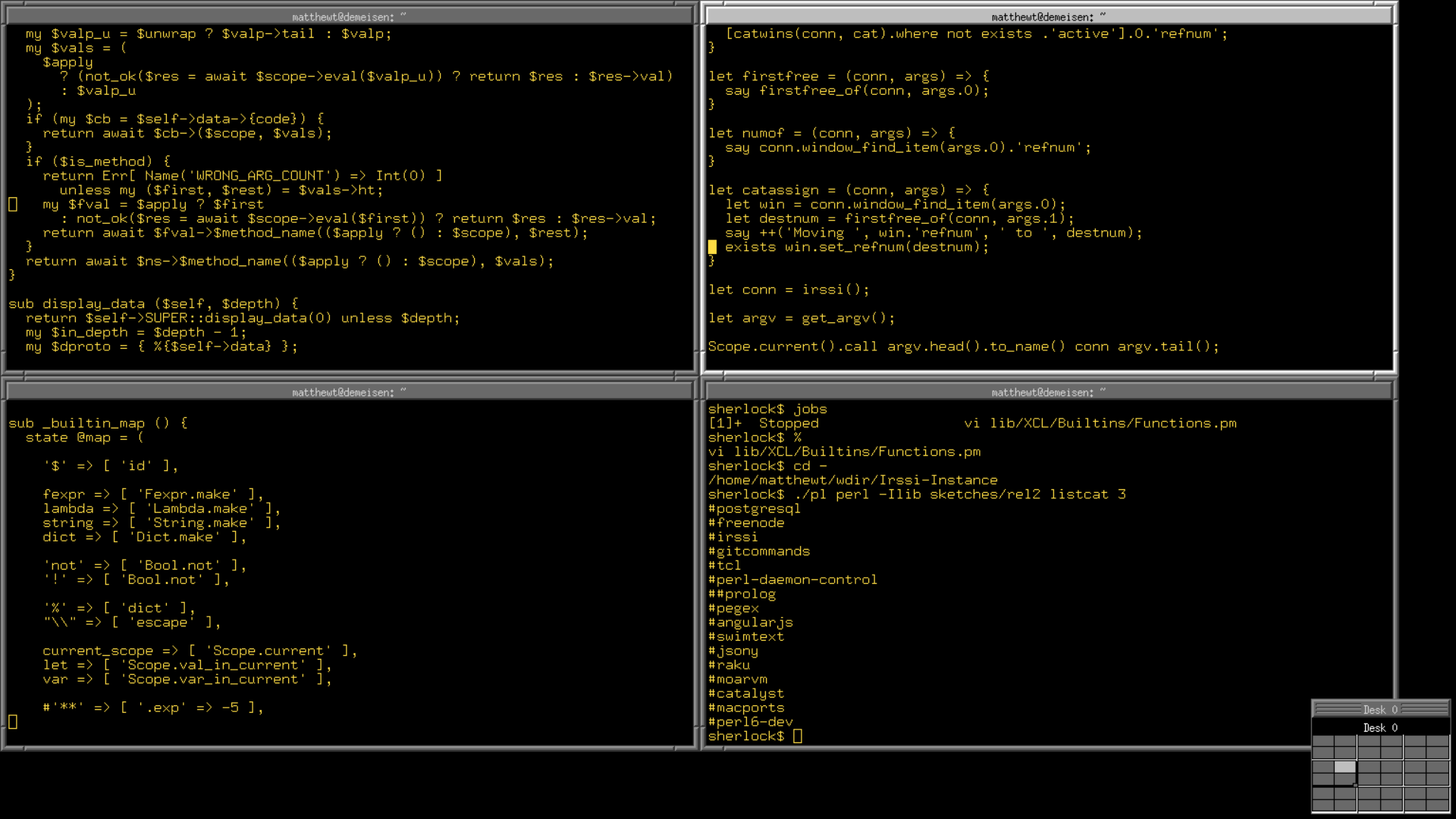
(http://trout.me.uk/X11/)
Gitup, naive macOS git GUI. Use it for almost everything. Use terminal if I need to undo commits.
Bear, macOS/iOS markdown note taking app.
Trello, still nothing in the market that beats Trello’s UX for small project management.
1Password, used together with Apple Keychain, mainly for things that require 2fa.
Bamboo. Very old iPad only sketching app by Wacom. Lacks the infinite canvas of modern sketching apps, but the sketching UX is unmatched.
Concept, for when Bamboo is not enough.
Bear, macOS/iOS markdown note taking app.
Trello, still nothing in the market that beats Trello’s UX for small project management.
1Password, used together with Apple Keychain, mainly for things that require 2fa.
Bamboo. Very old iPad only sketching app by Wacom. Lacks the infinite canvas of modern sketching apps, but the sketching UX is unmatched.
Concept, for when Bamboo is not enough.
Thank you for the Gitup recommendation. The GUI provides a great visualization of highly branched repositories.
Hammer.
With one, everything gets to be a nail.
With one, everything gets to be a nail.
OBS Studio, useful beyond livestreaming.
Inkscape is quite good for FOSS, and vector-based drawings are awesome.
FFMpeg for all your media conversion and manipulation needs.
Inkscape is quite good for FOSS, and vector-based drawings are awesome.
FFMpeg for all your media conversion and manipulation needs.
Two that weren't mentioned: Autocad and Sketchup. An emacs for CAD and the most intuitive 3D software by far.
Tools I use: https://github.com/slowernews/notebook/blob/master/on-toolbo...
Tools I use: https://github.com/slowernews/notebook/blob/master/on-toolbo...
Superhuman. Livegrep. Basically nothing else? Almost all other software is so slow as to be unusable or made for such narrow usecases that I cannot use it.
I love Zig but this post isn't about programming languages and even if it's super great it's clearly beta software and you hit problems related to that regularly.
I love Zig but this post isn't about programming languages and even if it's super great it's clearly beta software and you hit problems related to that regularly.
Notepad++, vim, git and everything from voidtools
Np++ and vim both for editing files, specifically np++ for doing some quick and dirty edits along with comparing files and vim for when I do more complex stuff.
git for keeping a history of notes, along with normal git usage.
And everything to find any file that I need.
While not 10/10, I use ghidra quite a bit.
Np++ and vim both for editing files, specifically np++ for doing some quick and dirty edits along with comparing files and vim for when I do more complex stuff.
git for keeping a history of notes, along with normal git usage.
And everything to find any file that I need.
While not 10/10, I use ghidra quite a bit.
Notion.
It's my:
- TODO list & GTD (getting things done) system
- Journal
- Daily planner
- Meeting agenda tracker
- collection of small databases (places I want to go, recipe tracker, etc.)
- outlining tool
- iterative writing tool
- idea notebook
- note taking app
- scrap book
- personal wiki
- personal small project tracker
- gift wishlist I can share publicly
The spartan formatting tools and opinionated constrained layout options allow me to focus on the content, and not get distracted by the squirrels.
It's my:
- TODO list & GTD (getting things done) system
- Journal
- Daily planner
- Meeting agenda tracker
- collection of small databases (places I want to go, recipe tracker, etc.)
- outlining tool
- iterative writing tool
- idea notebook
- note taking app
- scrap book
- personal wiki
- personal small project tracker
- gift wishlist I can share publicly
The spartan formatting tools and opinionated constrained layout options allow me to focus on the content, and not get distracted by the squirrels.
Notion does a lot of things right, but it's hardly going to be a 10/10 for me whilst they don't fix the performance, it's pretty awful, idk about the Mac native app but at least the web and "native" Windows app it feels very unresponsive, and I heard it's similar in mobile.
if I apt show notion on linux, it comes up with a tiling window manager. are you talking about something else?
They mean https://notion.so
Favourite apps on f-droid
Newpipe - listening to youtube in background (music, podcasts)
Aard2 - offline wiktionary
Forget me not - flashcards for learning foreign words
Hacker's keyboard - keyboard with arrow keys, ctrl, etc.
K9 Mail - comfy mail client, no oauth support yet
Material files, Simple gallery
Night light - screen color temperature control
Newpipe - listening to youtube in background (music, podcasts)
Aard2 - offline wiktionary
Forget me not - flashcards for learning foreign words
Hacker's keyboard - keyboard with arrow keys, ctrl, etc.
K9 Mail - comfy mail client, no oauth support yet
Material files, Simple gallery
Night light - screen color temperature control
Tmux, to the point where I don’t get how others live without it. It IS my workflow.
I wish tmux-resurrect would be rock-solid.
They say if you want something done right, do it yourself: https://www.getflookup.com/about
PyCharm made my Python projects more fun to work on.
Just recently, I started learning Ruby and also love RubyMine. I guess all JetBrains IDEs are like that.
Just recently, I started learning Ruby and also love RubyMine. I guess all JetBrains IDEs are like that.
Ansible
Once you understand the core concepts (modules, templating, etc) writing the code is a treat.
It's like writing pseudocode that actually does things
Once you understand the core concepts (modules, templating, etc) writing the code is a treat.
It's like writing pseudocode that actually does things
No matter how many software tools I bounce around for my whole life, nothing can beat Vim as my text editor and zsh (or even bash) as the terminal. Sadly enough, my life began on MacOS (now I mainly use Arch) but I still have almost every keyboard shortcut, a deep knowledge of AppleScript and all the other small quirks of the OS in the back of my mind. The best way to learn how to use an OS is to want to do something that you aren't allowed to do on it without doing a little bit of secret tinkering ;)
Debian and centos ( before it’s stopped to be free )
Google Calendar (integrated with ToDoist), Git, VSCode, MySQL Workbench and Excel are some tools I am using these days on daily basis.
Obsidian.
Saved my ass at my new job. [:a gazillion of interconnected pieces of information to absorb in my small brain, in no time]
> Saved my ass at my new job.
How come?
How come?
SQLYog for databases on Windows. I couldn't find any other DB tool on any other platform that's as good as this one.
some Windows-only things I have no real complaints with: Directory Opus, Henry++'s simplewall, Autoruns, cygwin, StrokesPlus, 7+ Taskbar Tweaker, Veeam Agent, RBTray, InterAccel, ClickMonitorDDC, https://github.com/Freaky/Compactor
I'm not really 10/10 on anything, but Krita is excellent. The only thing that bothers me about it is the text tool.
Maybe an 8 or 9, but:
- VS Code
- Multipass - https://multipass.run/
- VS Code
- Multipass - https://multipass.run/
Maybe few, but the top ones for me are
1. Hammerspoon
2. KarbinerElements
3. Nvim
4. BitWarden
Nix/NixOS, Tailscale, lazygit
AKU drill, AKU impact wrench, AKU circular saw, eccentric grinder. Woodwork is my hobby.
CUE(lang) as a proper language for config & schemas, much better than the alternatives
NixOS, ffmpeg, neovim, swaywm, zfs, home-manager, ImageMagick, yt-dlp, bash, fish
UBlock Origin
Jupyter Notebooks
ITerm2
https://gchq.github.io/CyberChef/
oh my zsh
ripgrep
Muse App
Slack
Electric Power Washer
Jupyter Notebooks
ITerm2
https://gchq.github.io/CyberChef/
oh my zsh
ripgrep
Muse App
Slack
Electric Power Washer
- RipGrep for searching local repos and things
- Obsidian for taking and finding notes
- BitWarden for storing passwords
- Obsidian for taking and finding notes
- BitWarden for storing passwords
7zip, VS Code, Beyond Compare, imagemagick, foobar2000, VideoLan, simplewall
Xyplorer - File Manager replacement for Windows (using everyday since ~2008)
KeePassXC + KeePass2Android
Tailscale
Todo : Remember the Milk
Notes : Joplin
PW : Keepass
Sync : Syncthing
GPT-3. Saves so much time on stuff that's mentally exhausting.
How did you use it?
It's easily wired into my terminal, so there's some console commands I use for stuff.
1. Explain like I'm 5: I can copy out parts of an academic/technical paper and find out what all the big words really mean. It cuts out lots of details.
2. Parse documents from one format to another. Copywriting team puts stuff in a Google Sheet, which produces artifacts like """ when copied out. These are converted into a json format with our own "custom markdown". Problem is we have two platforms who developed the markdown their own way, e.g. team A does color as <color="#123456"> and team B does it as [#123456]. It's tedious to do it manually, but perfect for GPT-3.
3. Text highlights for karaoke lyrics.
4. I run a side project at http://random-character.com 80% of the work is translating attributes like "brave" into something more detailed. My brain translates it to "He doesn't fear death and is happy to get into fights"
GPT-3 will define it as "He loved to fight. His favorite game was to seek out the most powerful being he could find and challenge them. He had no fear of death, only a joy for the challenge, and the thrill of victory. He would always say he would never have enough of fighting, and his friends agreed."
5. Make poems out of a given topic or content, useful for writing code reviews.
6. Write something in the tone of another person or character.
1. Explain like I'm 5: I can copy out parts of an academic/technical paper and find out what all the big words really mean. It cuts out lots of details.
2. Parse documents from one format to another. Copywriting team puts stuff in a Google Sheet, which produces artifacts like """ when copied out. These are converted into a json format with our own "custom markdown". Problem is we have two platforms who developed the markdown their own way, e.g. team A does color as <color="#123456"> and team B does it as [#123456]. It's tedious to do it manually, but perfect for GPT-3.
3. Text highlights for karaoke lyrics.
4. I run a side project at http://random-character.com 80% of the work is translating attributes like "brave" into something more detailed. My brain translates it to "He doesn't fear death and is happy to get into fights"
GPT-3 will define it as "He loved to fight. His favorite game was to seek out the most powerful being he could find and challenge them. He had no fear of death, only a joy for the challenge, and the thrill of victory. He would always say he would never have enough of fighting, and his friends agreed."
5. Make poems out of a given topic or content, useful for writing code reviews.
6. Write something in the tone of another person or character.
The one tool I didn't see already mentioned is checkvist.
Pixelmator Pro. Biggest bang for the buck image editor for macOS.
• GridPane
• Notepad++
• VS Code
• Github
• Random Wikipedia Page on New Browser Tab
• 1Password
• Asana
• ShipStation
• Google Voice (since 2010, which oddly hasn't been killed by Google yet)
• Notepad++
• VS Code
• Github
• Random Wikipedia Page on New Browser Tab
• 1Password
• Asana
• ShipStation
• Google Voice (since 2010, which oddly hasn't been killed by Google yet)
Redgate SQL Toolkit. Great for schema updates and deploys.
Oh man I didn't list it but Redgate makes SSMS like 1000x better.
tmux
bash
vim
strings (stupid useful for poking at a binary without cracking it open with gdb)
tree
traceroute
netcat
tcpdump
10/10 is a high bar:
Excel
awk
AWS CDK. Many many hours of my life
Sublime Text.
Ublock Origin
Can't imagine surfing web without it!
Skimfeed
Amazing news aggregator
Slack
Best for teams communication
Can't imagine surfing web without it!
Skimfeed
Amazing news aggregator
Slack
Best for teams communication
Neovim, git, Python, KeepassXC
Ublock origin
Fish shell
VSCode
Anki
Django.
Aeropress, Roam Research.
SQLite, OBS, 7-Zip, ZFS.
Intellij stuff, Docker.
Hubspot is a god send
Photoshop, Blender.
Taskwarrior!
Blender
Krita
GIMP
Bitwarden
piHole
Chrome
OneNote
Notepad++
Vscode
Inkscape
Krita
GIMP
Bitwarden
piHole
Chrome
OneNote
Notepad++
Vscode
Inkscape
Hm, can you elaborate on what piHole has been good for? Did you set it up with an actual Raspberry Pi?
> Hm, can you elaborate on what piHole has been good for?
Pihole is a network-wide ad blocker. So, if you have pihole running on your local network, you can visit a website without an ad-blocking extension and expect to see on ads. This is especially useful for mobile devices, like the iPhone, that doesn't have ad-blocking capabilities for Safari, Firefox, or Chrome.
> Did you set it up with an actual Raspberry Pi?
Piholes are usually installed on Raspberry Pis.
Pihole is a network-wide ad blocker. So, if you have pihole running on your local network, you can visit a website without an ad-blocking extension and expect to see on ads. This is especially useful for mobile devices, like the iPhone, that doesn't have ad-blocking capabilities for Safari, Firefox, or Chrome.
> Did you set it up with an actual Raspberry Pi?
Piholes are usually installed on Raspberry Pis.
napping
1Password, all day every day