My personal fight against the modern laptop [video](youtube.com)
youtube.com
My personal fight against the modern laptop [video]
https://www.youtube.com/watch?v=Fzmm87oVQ6c
66 comments
The new thinkpad keyboards are absolutely shitty. I am happy that more people are complaining about it. The classic thinkpad keyboard had nice ergonomic aspects. You can touch-type the function keys without looking down, because they are all grouped in four. The arrow keys are proper sized buttons (even the macbook has it wrong). There is a slight curvature on each key's surface that makes it easy for the finger to feel the borders. All of these are missing in the new keyboards. This chiclet design is the worst thing to happen for the thinkpads.
> You can touch-type the function keys without looking down, because they are all grouped in four.
This is true. The new Fkeys are not grouped.
> The arrow keys are proper sized buttons (even the macbook has it wrong).
This is false, look at the linked image[1] and tell me that the arrow keys are different on the new keyboard.
> There is a slight curvature on each key's surface that makes it easy for the finger to feel the borders.
This is also false. The chicklet keys are slightly concave and the island layout makes it extremely easy to feel the borders of each key.
> All of these are missing in the new keyboards.
Again, this is false.
> This chiclet design is the worst thing to happen for the thinkpads.
This is subjective. I have both keyboards, and I like the new style better. I'm a linux user and I use vim. I've probably pressed the Fkeys 10s of times in the years I've owned either laptop. The entire row could be removed and I probably wouldn't even notice.
It's fine if you don't like the new keyboard, but the reasons you are giving are simply not true.
[1] https://i.ytimg.com/vi/ksPFqBdMikM/maxresdefault.jpg
This is true. The new Fkeys are not grouped.
> The arrow keys are proper sized buttons (even the macbook has it wrong).
This is false, look at the linked image[1] and tell me that the arrow keys are different on the new keyboard.
> There is a slight curvature on each key's surface that makes it easy for the finger to feel the borders.
This is also false. The chicklet keys are slightly concave and the island layout makes it extremely easy to feel the borders of each key.
> All of these are missing in the new keyboards.
Again, this is false.
> This chiclet design is the worst thing to happen for the thinkpads.
This is subjective. I have both keyboards, and I like the new style better. I'm a linux user and I use vim. I've probably pressed the Fkeys 10s of times in the years I've owned either laptop. The entire row could be removed and I probably wouldn't even notice.
It's fine if you don't like the new keyboard, but the reasons you are giving are simply not true.
[1] https://i.ytimg.com/vi/ksPFqBdMikM/maxresdefault.jpg

Caveat: I'm entirely going off your image[1]. I have neither laptop.
>> The arrow keys are proper sized buttons (even the macbook has it wrong).
> This is false, look at the linked image[1] and tell me that the arrow keys are different on the new keyboard.
Looks like the old laptop has a different height for Left, Right, and Down compared to Up, PageUp, PageDown. Is that really the case? If so, that'd be a pretty noticeable difference for a user of the original design.
>> There is a slight curvature on each key's surface that makes it easy for the finger to feel the borders.
> This is also false. The chicklet keys are slightly concave and the island layout makes it extremely easy to feel the borders of each key.
Just going off the shadow from your image, there's a marked and well-defined difference between the concavity. If my fingers were used to that concavity, I'd be unhappy with the much, much flatter design.
Arguing that he's propagating falsehoods is overshooting. That said, I thought it was pretty bad-ass you had both laptops and took a photo for us.
[1] https://i.ytimg.com/vi/ksPFqBdMikM/maxresdefault.jpg
>> The arrow keys are proper sized buttons (even the macbook has it wrong).
> This is false, look at the linked image[1] and tell me that the arrow keys are different on the new keyboard.
Looks like the old laptop has a different height for Left, Right, and Down compared to Up, PageUp, PageDown. Is that really the case? If so, that'd be a pretty noticeable difference for a user of the original design.
>> There is a slight curvature on each key's surface that makes it easy for the finger to feel the borders.
> This is also false. The chicklet keys are slightly concave and the island layout makes it extremely easy to feel the borders of each key.
Just going off the shadow from your image, there's a marked and well-defined difference between the concavity. If my fingers were used to that concavity, I'd be unhappy with the much, much flatter design.
Arguing that he's propagating falsehoods is overshooting. That said, I thought it was pretty bad-ass you had both laptops and took a photo for us.
[1] https://i.ytimg.com/vi/ksPFqBdMikM/maxresdefault.jpg
> Just going off the shadow from your image, there's a marked and well-defined difference between the concavity. If my fingers were used to that concavity, I'd be unhappy with the much, much flatter design.
They are a little less concave than the older keys, but they aren't flat. The lighting in that picture isn't the same for both laptops. [1] is a better angle.
> That said, I thought it was pretty bad-ass you had both laptops and took a photo for us.
It's not my photo, though I do have a t420s and an x230, just not an x220 :-)
[1] http://blog.lenovo.com/images/uploads/blog/CS12KBD_180degree...
They are a little less concave than the older keys, but they aren't flat. The lighting in that picture isn't the same for both laptops. [1] is a better angle.
> That said, I thought it was pretty bad-ass you had both laptops and took a photo for us.
It's not my photo, though I do have a t420s and an x230, just not an x220 :-)
[1] http://blog.lenovo.com/images/uploads/blog/CS12KBD_180degree...

> This is false, look at the linked image[1] and tell me that the arrow keys are different on the new keyboard.
Notice the difference between the old and new keyboards, in the ratio of the difference between the touchable area of the arrow keys (up and down) with the control key. Also in the old keyboard, on the top of the down arrow key, there is a line which will help feel the difference in the keys. In the new keyboard, that plastic line on the down key is moved to the bottom. If I keep the finger in the keyboard, it is not easy for me to feel if I am in the up key or the down key without looking at the keyboard. This is my personal thing and you may not feel the same.
> The chicklet keys are slightly concave
The keyboard that I tried is almost flat. Even if it was slightly concave, they are no way close to the original curviness in the classic keyboard. Even in your image you can see that. That curvature is clearly feel-able for my fingers.
> This is subjective.
Agreed. All these are subjective. I just stated my opinion. We don't have to agree :) I did a typing test and I was able to reach about 100 words per minute in the old keyboard but could go only up to 80 words or so. I was using the old keyboard for long. It is possible that I would have reached the same speed with the chiclet keyboard too if I had spent more time, but I have lost interest with the new keyboard by then.
Notice the difference between the old and new keyboards, in the ratio of the difference between the touchable area of the arrow keys (up and down) with the control key. Also in the old keyboard, on the top of the down arrow key, there is a line which will help feel the difference in the keys. In the new keyboard, that plastic line on the down key is moved to the bottom. If I keep the finger in the keyboard, it is not easy for me to feel if I am in the up key or the down key without looking at the keyboard. This is my personal thing and you may not feel the same.
> The chicklet keys are slightly concave
The keyboard that I tried is almost flat. Even if it was slightly concave, they are no way close to the original curviness in the classic keyboard. Even in your image you can see that. That curvature is clearly feel-able for my fingers.
> This is subjective.
Agreed. All these are subjective. I just stated my opinion. We don't have to agree :) I did a typing test and I was able to reach about 100 words per minute in the old keyboard but could go only up to 80 words or so. I was using the old keyboard for long. It is possible that I would have reached the same speed with the chiclet keyboard too if I had spent more time, but I have lost interest with the new keyboard by then.
Funnily enough the curvature was the reason I didn't like Thinkpad before.
Now, after moving to chiclet, I find Thinkpad keyboards (especially T series) to be the best on the market.
Now, after moving to chiclet, I find Thinkpad keyboards (especially T series) to be the best on the market.
I have both and can't really say which one i like most, they are both great.
There are however a lot of cheap ideapads and lenovo chromebooks with really awful chiclet keyboards. Avoid at all cost!
There are however a lot of cheap ideapads and lenovo chromebooks with really awful chiclet keyboards. Avoid at all cost!
My Thinkpad keyboard still has the function keys grouping (Esc-F1-F2-F3-F4 F5-F6-F7-F8 F9-F10-F11-F12 Home-End-Insert-Delete). I think it's only the first generation of chiclet keyboards (the one used in T430) that didn't have it, and they fixed it later.
Have you actually tried the new keyboards?
The X240 chiclet keyboard is excellent, I enjoy every moment of typing on it. The only better keyboards are the mechanical ones, which are way too thick for a laptop.
(And function keys ARE grouped in four!!!)
The X240 chiclet keyboard is excellent, I enjoy every moment of typing on it. The only better keyboards are the mechanical ones, which are way too thick for a laptop.
(And function keys ARE grouped in four!!!)
> (And function keys ARE grouped in four!!!)
Ah, looks like just the 30 series lacked the grouping, they brought it back on the 40 series.
Ah, looks like just the 30 series lacked the grouping, they brought it back on the 40 series.
Maybe, but the new MacBook Pro keyboard is so loud I have been banned from the bedroom with my laptop. (TouchBar is also terrible.) What a disaster.
That's funny. I remember my audiophile pals back in the day ooo'ing and ahhh'ing over the old mbp's keyboard being satisfyingly quiet-but-not-silent.
Really? I can understand someone complaining about a keyboard with Cherry MX Blue switches, but a laptop? :D
This talk expresses many of my concerns with desktop & laptop hardware over the last few years.
Recently however, Apple has changed their hardware design philosophy from a fairly open platform to a more proprietary and disposable one. They’ve eliminated the ability to change or upgrade components. The 3rd generation MacBooks have a battery that is glued in place, the memory is soldered directly to the logic board. Later models would come with the hard drive soldered down as well.
Lyle Wiens of iFixIt, said it best in 2012
> "When Apple dropped the MacBook Air to $999 in 2010 to match the price point of the MacBook, they gave users a clear choice: the thin, light, and un-upgradeable MacBook Air or the heavier, longer lasting, [upgradable], more rugged, and more powerful MacBook. Same price, two very different products. At the time, I wasn’t very happy with the non-upgradeable RAM on the MacBook Air, but I respected that Apple had given their users a choice. It was up to us: Did we want a machine that would be stuck with 2GB of RAM forever? Would we support laptops that required replacement every year or two as applications required more memory and batteries atrophied?"
Consumers overwhelmingly voted yes, and the Air grew to take 40 percent of Apple’s notebook sales by the end of 2010.
This sort of vendor-lock down and planned-obsolecence has bothered me to such an extent that the next laptop I buy won’t be Apple hardware.
Meanwhile, Apple has secured an oligopoly in the market, they have such a dominant position with hardware manufacturers that they seem to be squeezing competitors out of getting access to top-quality components (or their competitors don’t care about quality). These manufacturers seem to be building computers with “Apples’ scraps and leftovers”.
Put simply; I don’t see any manufacturers building laptops at the same level of quality that Apple does, and yet, I can’t buy a product that is so tightly controlled, and designed to be obsolete in two years.
Recently however, Apple has changed their hardware design philosophy from a fairly open platform to a more proprietary and disposable one. They’ve eliminated the ability to change or upgrade components. The 3rd generation MacBooks have a battery that is glued in place, the memory is soldered directly to the logic board. Later models would come with the hard drive soldered down as well.
Lyle Wiens of iFixIt, said it best in 2012
> "When Apple dropped the MacBook Air to $999 in 2010 to match the price point of the MacBook, they gave users a clear choice: the thin, light, and un-upgradeable MacBook Air or the heavier, longer lasting, [upgradable], more rugged, and more powerful MacBook. Same price, two very different products. At the time, I wasn’t very happy with the non-upgradeable RAM on the MacBook Air, but I respected that Apple had given their users a choice. It was up to us: Did we want a machine that would be stuck with 2GB of RAM forever? Would we support laptops that required replacement every year or two as applications required more memory and batteries atrophied?"
Consumers overwhelmingly voted yes, and the Air grew to take 40 percent of Apple’s notebook sales by the end of 2010.
This sort of vendor-lock down and planned-obsolecence has bothered me to such an extent that the next laptop I buy won’t be Apple hardware.
Meanwhile, Apple has secured an oligopoly in the market, they have such a dominant position with hardware manufacturers that they seem to be squeezing competitors out of getting access to top-quality components (or their competitors don’t care about quality). These manufacturers seem to be building computers with “Apples’ scraps and leftovers”.
Put simply; I don’t see any manufacturers building laptops at the same level of quality that Apple does, and yet, I can’t buy a product that is so tightly controlled, and designed to be obsolete in two years.
>Put simply; I don’t see any manufacturers building laptops at the same level of quality that Apple does, and yet, I can’t buy a product that is so tightly controlled, and designed to be obsolete in two years.
Dell has been making laptops of equal or better quality for a couple years, now.
The XPS line is absolutely stunning.
Dell has been making laptops of equal or better quality for a couple years, now.
The XPS line is absolutely stunning.
Not quite. I have a 2015 13" Macbook Pro and returned an XPS 13 to buy a Thinkpad x250. As much as I want to root for the underdogs I have to admit that Apple is on a league of its own.
Would you care to elaborate a bit?
In terms of build quality, the 2015+ XPS line is comparable (at least) to any Mac laptop offering.
In terms of build quality, the 2015+ XPS line is comparable (at least) to any Mac laptop offering.
Screen hinge is a big deal to me. My '14 rMBP can be opened while on a desk with one hand and the screen never moves even during furious typing, and I really like that. I work with someone who just got a 13" XPS and his screen wobbles quite a bit.
I am replying to you on an XPS 13 (model # 9350) and there is zero wobble.
Computers are on the end of a long road to becoming appliances. Apple has been at the forefront of this. My Macbook Pro is glued together, hard or impossible to upgrade, etc. It's also been an excellent laptop, impervious to being dropped (many times) and is far from obsolete 3 years after I purchased it. Were I to resell it now I'd still get most of my purchase cost back.
I'll never understand this. If you want value for money why even look at apple? Never mind nuances like planned obsolescence.
Depends on what model. I think the 2017 MacBook and MacBook Pro's are overpriced, but I'd say the MacBook Air post-2012 is still possibly the best laptop on the market for many people.
For $999 you now get 8 gigs of RAM, SSD that is faster than most competitors, a trackpad that is better than any competitors', and by quite some distance, the best battery life on any laptop. I get something like 20 hours when I'm reading PDFs or using emacs indoors, and about 12 hours of web browsing.
There's less QA issues than most newer laptops with the Air since Apple has been making it for years, and it's still one of the lightest laptops in the field without compromising on too much. The resale value is also higher compared to equivalent laptops because of the 'Apple' brand, so that offsets the buying price to an extent.
Coming to the OS, while it's far from perfect, it's not a privacy nightmare like Windows nor a battery drain like Linux. Linux on a desktop is something I like, but on laptops they still suck a lot of battery life compared to MacOS.
TL;DR: If your idea of a laptop is a portable device that runs smoothly, handles low to medium level workload and lasts(literally) all day, the Air is a solid pick.
For $999 you now get 8 gigs of RAM, SSD that is faster than most competitors, a trackpad that is better than any competitors', and by quite some distance, the best battery life on any laptop. I get something like 20 hours when I'm reading PDFs or using emacs indoors, and about 12 hours of web browsing.
There's less QA issues than most newer laptops with the Air since Apple has been making it for years, and it's still one of the lightest laptops in the field without compromising on too much. The resale value is also higher compared to equivalent laptops because of the 'Apple' brand, so that offsets the buying price to an extent.
Coming to the OS, while it's far from perfect, it's not a privacy nightmare like Windows nor a battery drain like Linux. Linux on a desktop is something I like, but on laptops they still suck a lot of battery life compared to MacOS.
TL;DR: If your idea of a laptop is a portable device that runs smoothly, handles low to medium level workload and lasts(literally) all day, the Air is a solid pick.
My current MacBook has over 2,000 hours use. I probably paid an extra $500 to get it over a similar dell, so it's cost me 25 cents an hour more. What did I get for that?
1) The ability to run 3 operating systems, and the best laptop operating system, MacOSX. I mostly run MacOSX, but still write shell scripts, use Unix applications, and occasionally run Windows 10 when I have an application that's not on the Mac, but only under protest because MacOSX is so good.
2) Excellent build quality, I've dropped it numerous times without a chip, crack or problem.
3) Retina screen, high resolution that is easy on my eyes, no tiny fonts or misshapen images. Plus while I have Retina on my main screen I'm coding on two 24 inch monitors connected to it.
4) Magsafe.
5) Excellent ergonomics. Trackpad, keyboard are top notch.
6) Far fewer worries about viruses.
7) Far from being quickly obsolescent, Apple computers retain their value far better and longer than other manufacturers. Mine is three years old and I'm no where near considering replacing it.
8) etc. etc
I bill $85 an hour. Has my productivity been enhanced more than 1/4 of 1%? Way more. Have I gotten more work because of the quality of my projects? you betcha.
Any professional who requires a computer to do their job should always buy the best possible computer to do it with. The extra cost is trivial in comparison to professional wages, the benefits in higher performance are always easily justifiable.
If you work a minimum wage job, sure, get the cheapest computer that meets your needs, that makes sense to.
1) The ability to run 3 operating systems, and the best laptop operating system, MacOSX. I mostly run MacOSX, but still write shell scripts, use Unix applications, and occasionally run Windows 10 when I have an application that's not on the Mac, but only under protest because MacOSX is so good.
2) Excellent build quality, I've dropped it numerous times without a chip, crack or problem.
3) Retina screen, high resolution that is easy on my eyes, no tiny fonts or misshapen images. Plus while I have Retina on my main screen I'm coding on two 24 inch monitors connected to it.
4) Magsafe.
5) Excellent ergonomics. Trackpad, keyboard are top notch.
6) Far fewer worries about viruses.
7) Far from being quickly obsolescent, Apple computers retain their value far better and longer than other manufacturers. Mine is three years old and I'm no where near considering replacing it.
8) etc. etc
I bill $85 an hour. Has my productivity been enhanced more than 1/4 of 1%? Way more. Have I gotten more work because of the quality of my projects? you betcha.
Any professional who requires a computer to do their job should always buy the best possible computer to do it with. The extra cost is trivial in comparison to professional wages, the benefits in higher performance are always easily justifiable.
If you work a minimum wage job, sure, get the cheapest computer that meets your needs, that makes sense to.
Yeah, I had done web development for a bit on Windows, but when I got my Macbook 2 years ago it really took off not having to wrestle with cygwin and short battery life. I'm still a student but I have a part-time well-paying job right now that's partially thanks to a great OS and hardware.
all laptops are pretty cheap if you have a decent job, I don't think that plays into value for money. I'd go with a cheap dell with linux every time, and if you want it beefed up buy a more expensive dell. I always buy 2nd hand too, way cheaper, fungible as there are so many floating around if you need spare parts it's easy.
If you are a graphics designer perhaps retina display matters, as a developer which you also seem to be I don't ever think "wow the font rendering is holding me back".
And linux has few viruses etc.
If you are a graphics designer perhaps retina display matters, as a developer which you also seem to be I don't ever think "wow the font rendering is holding me back".
And linux has few viruses etc.
I don't want to waste my time dicking around with drivers and other such noise - I want to get on with my tasks. An operating system linked to s fixed set of hardware provides me exactly this.
My time is worth far more to me than the cost of a Macbook.
My time is worth far more to me than the cost of a Macbook.
This. I'd wager that the entire set of hardware and software tools most of us use to make a year's worth of income could be purchased with two weeks of income (or less). The laptop being the majority of it. That's pretty astounding.
So yah, did I just drop ~$2,500 on a new MBP? Yes. Did I enjoy spending it? No, but I also want the thing to "just fucking work" and it's a tiny fraction of my income considering my last Apple laptop lasted me almost 4 years... before I dropped it.
So yah, did I just drop ~$2,500 on a new MBP? Yes. Did I enjoy spending it? No, but I also want the thing to "just fucking work" and it's a tiny fraction of my income considering my last Apple laptop lasted me almost 4 years... before I dropped it.
> I want to get on with my tasks. An operating system linked to s fixed set of hardware provides me exactly this.
I get the same thing from [ThinkPenguin](https://www.thinkpenguin.com/), though the OS isn't linked to the hardware in any way --- they just choose free-software compatible hw.
I get the same thing from [ThinkPenguin](https://www.thinkpenguin.com/), though the OS isn't linked to the hardware in any way --- they just choose free-software compatible hw.
>I don't want to waste my time dicking around with drivers and other such noise
Are you implying that PC laptops require you to "dick around with drivers?"
If so, you are basing your logic on non-facts.
Driver updates have been integrated with Windows Update for at least 5 years, now.
Are you implying that PC laptops require you to "dick around with drivers?"
If so, you are basing your logic on non-facts.
Driver updates have been integrated with Windows Update for at least 5 years, now.
My 2008 mbp has represented the best VFM of any machine i have owned, I only stopped using it last year. For an x220 that i got off ebay. But my point is that mbps did represent fantastic vfm
He's right about the new keyboards on ThinkPads - fortunately I use mine with dock and external keyboard most of the time, but every time I am forced to use it without dock it's infuriating how much worse the keyboard is compared to older models.
Some of us like the new Thinkpad keyboards.
Yup, I love my keyboard on my Thinkpad Yoga 15. Though since it's a 15 inch laptop, my fn keys are grouped by 4, I have a full num pad, and the key spacing feels correct. I went through four laptops before this one and kept returning them because either their keyboard was literally poop and didn't pick up the spacebar all the time, or the screen was so flimsy I didn't trust it in a backpack. The HP Spectra was really nice, but it was too small and the keyboard was the worst. They've improved the keyboard a tiny bit since then, but it's still mediocre, especially for a premium model.
Personally I'd like a heavy and large desktop that fits in a typical backpack complete with batteries, with a thin ultrabook like wireless screen+keyboard, detachable like the surface. I know i'm in a very tiny minority, but eventually with streaming solutions like the TPCast for Vive it might be viable (you can diy a 12volt desktop from 18650s, but probably not a good wireless hdmi yet). Or if not, hopefully when we get lighter and less obvious AR goggles.
I'm very aware it's a pretty impractical idea but i find it fun to think about :)
I'm very aware it's a pretty impractical idea but i find it fun to think about :)
If it's already in a backpack, why would you need a wireless connection to the HMD?
Understandable, though, if you want to sit the pack down but still use the system.
Probably what would be better would be some kind of wireless datalink to the HMD, and have the video processing on the HMD itself (instead of sending frame/interframe data - just send the data to render the frame, and let the HMD do the processing - essentially moving the video card to the HMD - this would, though, still require more than a bit of bandwidth, but maybe not as much as HDMI?).
Understandable, though, if you want to sit the pack down but still use the system.
Probably what would be better would be some kind of wireless datalink to the HMD, and have the video processing on the HMD itself (instead of sending frame/interframe data - just send the data to render the frame, and let the HMD do the processing - essentially moving the video card to the HMD - this would, though, still require more than a bit of bandwidth, but maybe not as much as HDMI?).
Yes, basically have it somewhat stealthy, where i would use the laptop as a laptop and sit the backpack anywhere in the room. And moving the video card to the HMD wouldn't make that much sense for me because that's the main desktop part i would like to stay desktop class.
And I think Google and Microsoft are hoping to get a version of this with hololens and tango, where they run machine models and cloud resources when needed and just get the results/models to run on the mobile devices. Still very much in its infancy though.
And I think Google and Microsoft are hoping to get a version of this with hololens and tango, where they run machine models and cloud resources when needed and just get the results/models to run on the mobile devices. Still very much in its infancy though.
Something like that was my day dream when the original iPod came out. I even emailed sjobs suggesting it.
Glad to know i wasn't the only one :)
yeah, it feels like in 2010, you had awesome mac and pc options. Snow Leopard was perhaps the best OS ever.
I really liked the fluid looking UI, the bulb-like window control buttons and the nice glass effects. Modern macOS GUI is not that interesting or nice to work with.
[1] http://cdn.redmondpie.com/wp-content/uploads/2009/08/MacOSXS...
[1] http://cdn.redmondpie.com/wp-content/uploads/2009/08/MacOSXS...
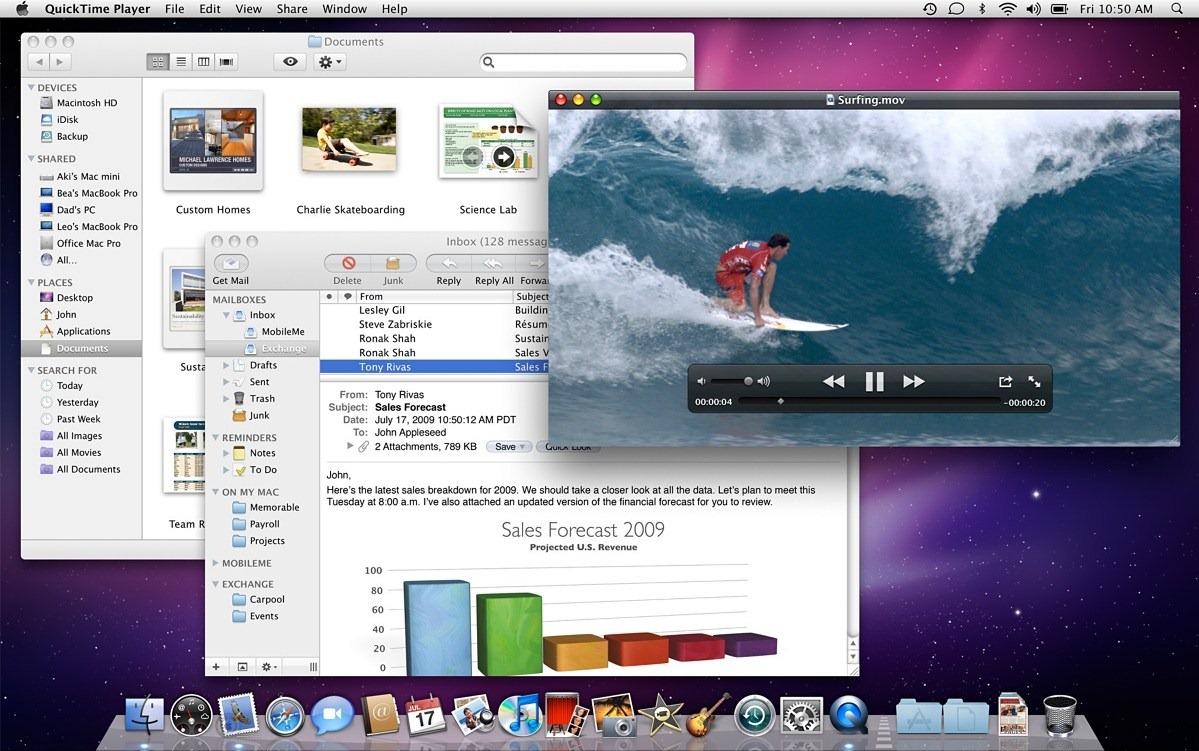
Snow Leopard was so stable. I went months at a time without restarting or having major bugs. I wish we could get that reliability back.
(12:46) ~/src/landedcost/main-site/app/utils [vikram7119-master] $ uptime
12:47 up 15 days, 17:26, 4 users, load averages: 2.09 2.15 1.95
Sierra has been an absolute rock for me.
My last reboot was due to an OS update.
Sierra has been an absolute rock for me.
My last reboot was due to an OS update.
This I don't get either. I've ran linux for years with in this order:
* slackware
* redhat
* debian
All were on home-built PCs that had no special insight into them, and were very much not top of the range. They have been media servers and a desktop, on 24x7. None had stability issues, ever.
* slackware
* redhat
* debian
All were on home-built PCs that had no special insight into them, and were very much not top of the range. They have been media servers and a desktop, on 24x7. None had stability issues, ever.
>> yeah, it feels like in 2010, you had awesome mac and pc options. Snow Leopard was perhaps the best OS ever.
If I could have a 2010 15" Unibody Macbook Pro running Snow Leopard but with today's retina screen, CPU/chipsets and ports (and maybe more battery in place of the optical), I would be SO happy with that setup.
If I could have a 2010 15" Unibody Macbook Pro running Snow Leopard but with today's retina screen, CPU/chipsets and ports (and maybe more battery in place of the optical), I would be SO happy with that setup.
I really wish they still made the x61(t)s. :( Nothing currently available at any price really holds a candle to them. :(
Yeah, I moved from an x61t that had a cracked motherboard, after however many years, to a thinkpad yoga 12 with stylus and touchscreen. After about a week of use, I was in the bath, and I wanted to do something with my laptop, and I reached over and typed something into chromium. I didn't realize that the new yoga's don't have flow through keyboards! My laptop was ruined by the water from the wetness of my hand! Now the laptop is fixed, and a few months later I can say, the screen hurts my eyes (never had that problem before), the feet on the bottom have all come unglued, battery life is acceptable but not great, battery cannot be hotswapped, that's for sure, but mostly, I feel that this new yoga just doesn't have the sex appeal of the x61t. I could hold that x61t from any corner (probably how the motherboard eventually cracked) and the laptop just felt balanced and solid. There was no creaking of plastic on plastic, no hollow "softness"... I don't know, that laptop just was so perfect, and the yoga 12 feels like they just didn't put as much love into it. When I turn on the LEDs unter the keyboard ( a new feature ) light leaks out of some keys around the edges, while not leaking out from other keys, and the leaks shine brighter than the screen, again hurting my eyes. The power and volume keys on the right edge are hard to feal, so I have to look at them to use them, hardly convenient. There are all sorts of extra bright leds on the keyboard like the FN lock light. I've taken to turning off the fn keys because that LED drives me crazy. And the new flat powerconnector is total shit when I want to change from laptop to tablet mode. I have to unplug it and replug it! Why move from a connector that could rotate "automatically" to one that gets all twisted up and will have to be replaced in a year or two? And the keyboard that is supposed to lock in tablet mode makes weird crackling noises when transitioning from one mode to the other. And the RAM is hard wired onto the motherboard and cannot be upgraded.
All this in a laptop which cost more than the x61t. WTF :( I want my real thinkpad back!
All this in a laptop which cost more than the x61t. WTF :( I want my real thinkpad back!
Oh, and I forgot one of my biggest gripes. There are no arrow keys in tablet mode! How the fuck am I supposed to read in tablet mode without arrow keys? Constantly reach out and touch and drag the screen? Are you kidding me?
I also forgot, that I had to UPDATE THE EUFI/BIOS to get the fan to work after ACPI resume! The origional EUFI/BIOS was actually broken.
this video gave me multiple hack-gasms, it is like hacker-porn.
You are not on reddit, here's the link: https://www.reddit.com/r/unixporn/