Apple kills the non-Touch Bar MacBook Pro(engadget.com)
engadget.com
Apple kills the non-Touch Bar MacBook Pro
https://www.engadget.com/2019/07/09/apple-macbook-air-macbook-pro-updates/
396 comments
I blame this mostly on Apple's human interface guidelines:
https://developer.apple.com/design/human-interface-guideline...
Scroll down to "Design Considerations": "Use the Touch Bar as an extension of the keyboard and trackpad, not as a display."
But what I really want is for the touch bar to be a display and input device for things normally elsewhere: time, date, maybe CPU usage, etc. This to me is not a hardware problem, but one with policy.
Edit: what I really want is for Apple to let people experiment with new hardeware, rather than impose their vision on how it should be used. Unlike many others I don't actually hate the touch bar and see some potentials, but not if Apple restricts its use.
https://developer.apple.com/design/human-interface-guideline...
Scroll down to "Design Considerations": "Use the Touch Bar as an extension of the keyboard and trackpad, not as a display."
But what I really want is for the touch bar to be a display and input device for things normally elsewhere: time, date, maybe CPU usage, etc. This to me is not a hardware problem, but one with policy.
Edit: what I really want is for Apple to let people experiment with new hardeware, rather than impose their vision on how it should be used. Unlike many others I don't actually hate the touch bar and see some potentials, but not if Apple restricts its use.
Personally, I feel as though Apple got it wrong in the HIG. It is a display and it can't be treated as an extension of the keyboard (in a useful manner) given its lack of tactile differentiation. If Apple doesn't want people to look at it like a display, and the content of it is dynamic such that I don't know what the bar represents, then you can't fulfill the HIG. If Apple had an in-OS feedback mechanism that asked users, once a month, if they found Touch Bar useful or an impediment and then also collected number of keystrokes (opt-in) in that month my guess is the distribution of users who interact with their computer primarily through keyboard input will respond that the Touch Bar is an impediment. Those largely clicking for a majority or interaction would likely find it useful. Either way Apple got it wrong by assuming users would always find it better than giving buyers the option without.
Doesn't Apple itself use it as a terrible little mini-display in some multimedia apps, like Logic, to show a ridiculous multi-track "view" on the damn touchbar itself? Like several individual tracks all squished together? And they talk about "human interface" ?
It's not just a view, it's a control. There's a difference between sticking random, non-interactive information in the Touch Bar and having it be a contextually dynamic control.
[deleted]
Checkout Pock - https://pock.dev
Haptic Touchbar also helps a bit (but I am not going to buy it) https://www.haptictouchbar.com
This looks really cool. Thanks!
Why on earth do I need to tap twice to adjust the screen brightness? I couldn't find a way to just have two increase/decrease buttons. Why can't I adjust how long the touchbar stays active for? Why does it disappear at all? I can't imagine the touchbar would exist in its current form if Steve were alive.
You don't need to tap twice. Put your finger down on the button and just drag; yeah your finger isn't actually touching the visible slider that opened up, but it work anyway, and the slider will collapse itself again automatically a second after you let go.
Turns out if you do a small rightwards/leftwards swipe on the brightness or volume buttons, then you can increase or decrease them by one notch without opening the slider.
It’s not an intuitive or discoverable command.
It’s not an intuitive or discoverable command.
Genuinely curious about the intuitive part: I found it intuitive because it’s a similar gesture in iOS (control centre). In addition, many other gestures on force touch trackpad such as peek-and-pop, are similar to iOS. I can carry my habit from iPhone to Mac without giving it much thought. In fact, to me it feels natural and expected behaviour after being used to the gestures in general. I don’t have a touchbar (still using 2015 rPro), and I agree about discoverability part — no way I’d have tried to swipe on a button.
So my question: once you discovered that you could do a swipe gesture, did you find yourself using it often?
So my question: once you discovered that you could do a swipe gesture, did you find yourself using it often?
Yeah, but that's still two gestures instead of one.
You don't need to tap then swipe, just swipe.
Hey ravenstine, this was 1000% the same frustrations I had with brightness and volume.
The best fix for this for me (the sliding was still a pain) has been to customize the touchbar like this:
In keyboard settings:
1. Change "Touch Bar Shows" to "Expanded Control Strip"
2. Add the 3 button volume and the 2 button brightness controls.
This setup behaves the most like the functional keys for me and has been the best at alleviating frustrations.
I still hope Apple nukes the touch bar though, it's the worst aspect of the Macbook aside from the missing I/O ports.
The best fix for this for me (the sliding was still a pain) has been to customize the touchbar like this:
In keyboard settings:
1. Change "Touch Bar Shows" to "Expanded Control Strip"
2. Add the 3 button volume and the 2 button brightness controls.
This setup behaves the most like the functional keys for me and has been the best at alleviating frustrations.
I still hope Apple nukes the touch bar though, it's the worst aspect of the Macbook aside from the missing I/O ports.
My issue more is, if not looking and you press the wrong one (brightness/volume), you have to either wait for it to go away and try again or move your hand to clear it.
I feel that if you do the press and slide, the interface shouldn’t change to a slider (that needs to fade away).
I feel that if you do the press and slide, the interface shouldn’t change to a slider (that needs to fade away).
FYI you can press and drag on the brightness/volume buttons to make adjustments immediately, no need for a second touch
I'm not complaining about the drag. I'm complaining that I have to tap once to open the slider and then drag it. Whereas it was easier just to have two buttons, one for increment, and one for decrement, that I could just tap or hold down.
Right - you don't have to let go and then grab the slider after it opens. You can just press and hold then slide left or right to move the slider immediately.
I guess there's a still tradeoff: this way you need to move your finger around, but you can immediately skip to exactly the level you want. With holding a button down you have to time it to get to the right spot instead.
Personally I like the slider better but that's just my opinion.
I guess there's a still tradeoff: this way you need to move your finger around, but you can immediately skip to exactly the level you want. With holding a button down you have to time it to get to the right spot instead.
Personally I like the slider better but that's just my opinion.
I understand why some people like the slider, but as someone who can type without looking, I'm used to being able to navigate with my fingers up to the brightness and volume controls without having to pay close attention. Now I have to look down in order to hit the right area of the touchbar.
I don't mind since it's barely below the bottom of the screen, but if you're in the middle of something it does mean taking your eyes off it.
If that bugs you enough to bother with a workaround, you could try something like this using HammerSpoon: https://gist.github.com/spinscale/fd82f00da29447990f27f36b3f...
If that bugs you enough to bother with a workaround, you could try something like this using HammerSpoon: https://gist.github.com/spinscale/fd82f00da29447990f27f36b3f...
Just put your finger on the icon and slide it one way or the other. You don't have to wait or tap more than once.
Edit for clarity: when you do this, your finger is not actually "on" the slider handle itself. The slider shows up in its usual place, which is offset from where your finger is. But the sliding still adjusts it.
It's a shame that this is not intuitive or discoverable. Its much more efficient but I had to have someone tell me about it.
Edit for clarity: when you do this, your finger is not actually "on" the slider handle itself. The slider shows up in its usual place, which is offset from where your finger is. But the sliding still adjusts it.
It's a shame that this is not intuitive or discoverable. Its much more efficient but I had to have someone tell me about it.
It sucks that it drags away my focus away from what I’m doing, and has me leave my typing position. Having a fun slider as a visual indicator when there already is a visual indicator on screen doesn’t make up for this inefficiency.
I just tried what you said. That's slightly better, but it's overall a downgrade from having actual buttons. Thanks for the tip, though!
If you hold the brightness button on the Touch Bar you can slide your finger left and right to adjust the brightness so it’s one (long) press. Same with volume.
And if you don't want to wait for a long press, you can do one or more quick swipe to the left or the right, and it do the same as a press on the previous buttons.
There's a preference "Touch Bar Shows" -- change it to "Expanded Control Strip". That makes them work like the actual keys used to. I barely notice its a touchbar and not the old keys now (absurd of course, I'd prefer to have an actual choice).
You can touch and slide the finger to adjust brightness and volume.
I don't want to touch and then slide. I want to touch or hold once and either increment or decrement those properties. That was possible with the old keys. Now I have to tap and then perform an action, even though my touchbar has plenty of real-estate.
[deleted]
99% of my interactions with the touch bar was pressing it accidentally with my right pinky.
Fortunately I got an external keyboard.
Fortunately I got an external keyboard.
It could have worked so much better as a display above the function keys. An extra long-and-thin screen that showed stuff and happened to be touch enabled.
App specific stuff, window-manager customisable stuff, all kinds of things. This would have given app developers an opportunity to do stuff with it that you can't do on a PC.
Developers could have liked it instead of feeling mightily pissed off and betrayed by the company they had given so much money to over the years.
App specific stuff, window-manager customisable stuff, all kinds of things. This would have given app developers an opportunity to do stuff with it that you can't do on a PC.
Developers could have liked it instead of feeling mightily pissed off and betrayed by the company they had given so much money to over the years.
I agree with all this. However, even though I still use Macs for everything, it's been clear to me for a while that Apple 'Pro' users are not tech people. There is a big difference in keyboard necessity between a developer and any 'Pro' user. Key travel, actually having real keys, are all a big deal to devs.
I think Apple lost their function and form way a while ago. It's never coming back. The new Mac Pro is the latest example of this. I bought a 2018 MB Pro 13" last year and the touch bar is a waste of space in my mind. We see now that Apple is ditching the scissor keys, but regardless, their design decisions for a while have just been wanting to have something look cool instead of a balance of looking good and functioning great.
I think Apple lost their function and form way a while ago. It's never coming back. The new Mac Pro is the latest example of this. I bought a 2018 MB Pro 13" last year and the touch bar is a waste of space in my mind. We see now that Apple is ditching the scissor keys, but regardless, their design decisions for a while have just been wanting to have something look cool instead of a balance of looking good and functioning great.
The Mac Pro is the perfect example of function over form. It’s big, not that beautiful and expandable like crazy. Did you mean the MacBook Pro?
I thought the mac pro wasn't super expandable. No spinning drives possible, miniscule flash drive space, no pcie power plugs.
Although apple doesn’t publicise the fact all that much on the new Mac Pro coming later this year, it does actually have two SATA ports and some 8 pin power connectors. Apple don’t provide the necessary “cage” to mount the drives (at least as far as we know so far), but third parties have already announced some products that mount internally and use these ports to connect a bunch of disks.
As for power, I believe the two MPX bays provide dual 8pin connectors for up to an extra 300 watts, so should support most power hungry pci-e card designs.
Honestly though, if you can afford this machine it’s not like really any of this matters, this isn’t exactly a hobbyist computer people are going to buy and upgrade themselves all that much.
As for power, I believe the two MPX bays provide dual 8pin connectors for up to an extra 300 watts, so should support most power hungry pci-e card designs.
Honestly though, if you can afford this machine it’s not like really any of this matters, this isn’t exactly a hobbyist computer people are going to buy and upgrade themselves all that much.
Thank you, that does sound a little more hopeful.
(It does matter to me, I have owned several mac pro towers and wouldn't touch the trash can with a 10-foot pole)
(It does matter to me, I have owned several mac pro towers and wouldn't touch the trash can with a 10-foot pole)
Just to make sure we are on the same page, the parent poster said the “new Mac Pro”.
https://www.apple.com/mac-pro/
They haven’t announced the maximum amount of flash drive space you can get from them (and I wouldn’t pay Apple prices for it anyway), but you can get 4TB of overpriced SSD storage on the current iMac Pro.
https://www.apple.com/mac-pro/
They haven’t announced the maximum amount of flash drive space you can get from them (and I wouldn’t pay Apple prices for it anyway), but you can get 4TB of overpriced SSD storage on the current iMac Pro.
but they said:
"Storage Configure up to 4TB of SSD storage"
(You can get that from a single 2.5" ssd right now on amazon)
Sort of underspec'd when you consider the 1.5tb of RAM you can configure.
"Storage Configure up to 4TB of SSD storage"
(You can get that from a single 2.5" ssd right now on amazon)
Sort of underspec'd when you consider the 1.5tb of RAM you can configure.
Would you really want a lot of internal storage space on it? Wouldn’t you want a separate redundant external very fast SAN?
The touchscreen is even worse on laptops. Windows is a horrible touch screen OS, the interface itself is a mismatch of operating systems seemingly going back to Windows 95.
MacOS wouldn’t fare any better as a touch screen OS.
MacOS wouldn’t fare any better as a touch screen OS.
Windows is a tolerable touch OS because at least it has a touch mode. Linux (GTK+3 at least) is a lot better of course, even though this does involve a bit of a disadvantage for pure keyboard+mouse users.
I really don't know why Apple doesn't do the typical Apple thing here: make it a $600 add-on item. If they can transform 3.5mm headphone jacks into a huge upsell opportunity, I don't know why they'd miss out on that opportunity for something like the Touch Bar. People can then have their standard keyboard with function keys AND an external controller if they make use of an application that would make it useful.
That's exactly what they did. When they introduced the Macbook with touch bar in 2016, they raised prices by $700.
If you check the lates "innovations" you see almost all of those are like that (previous version was better).
- magsafe vs new charger
- ports on 2015 MBP vs now
- keyboard on 2015 vs now
- physical keys vs touchbar
The only improvement that is really an improvement is CPU speed and memory, which I could not care less about. In the same timeframe (2015 to 2019) Apple went from the most innovative company to the 17th position.
https://timesofindia.indiatimes.com/gadgets-news/apple-is-no...
- magsafe vs new charger
- ports on 2015 MBP vs now
- keyboard on 2015 vs now
- physical keys vs touchbar
The only improvement that is really an improvement is CPU speed and memory, which I could not care less about. In the same timeframe (2015 to 2019) Apple went from the most innovative company to the 17th position.
https://timesofindia.indiatimes.com/gadgets-news/apple-is-no...
Agreed, the Touch Bar is a hassle at best. They should at least make it optional.
Yeah, in my opinion actually Asus has gone in better direction with placing touch screens inside the touch bar. That makes more sense imho and doesn't reduce keyboard capabilities/make it weird to use.
and here I am always on the look out for a good external keyboard that has separate buttons for volume, brightness, and more. This is because on the desk top front Apple long ago decided that multi-key combinations was better than separate keys for some functions and too many vendors followed suit.
Agreed. I don't use them often but I made sure to program discrete volume/media/brightness controls into my keyboard.
Touchbar has been used effectively by Zoom. Only app that I use and love using touchbar with right now.
Probably don't want to advertise using Zoom right now LOL
I didn't know what this refers to. Apparently Zoom has a vulnerability where someone can send you a web link and if you click on it, it will start the camera immediately, allowing them to see you.
https://news.ycombinator.com/item?id=20387298
https://news.ycombinator.com/item?id=20387298
It's worse than that, IMHO. The zoom client installs a web server that remains after zoom is uninstalled with the ability to reinstall zoom.
[deleted]
[deleted]
This thread is going to dissolve into a pile-up on the Touch Bar, so I wanna jump in front of this.
Readers of this site are mostly “hackers,” however mutated or dumbed-down that term has become over the years, correct? Everyone here has their windows and spaces just so, a full complement of shortcuts and trackpad gestures, and if they're serious about the Macintosh tools like TextExpander.
As standard as GUIs are, we've all experienced a moment of disorientation when borrowing another person's computer. The more experienced and skilled that other person is, the greater that disorientation due to the amount of “hacking” they've done on their own environment.
So how come this impulse stops at the Touch Bar?
I've hacked the hell out of mine. I've mapped inscrutable keyboard commands like cmd-opt-ctrl-D to context sensitive buttons, included globals for quick terminal visors and development tools and password managers… it's slick as hell and I hate giving it up when I occasionally opt for the external keyboard at home.
The Touch Bar is amazing, you just need to hack the damn thing. Yeah, Apple should have done a better job making it more useful out of the box, but it's possible to do some really wild stuff with it.
map your Caps Lock key to Escape and go to town. https://github.com/vas3k/btt-touchbar-presets
Readers of this site are mostly “hackers,” however mutated or dumbed-down that term has become over the years, correct? Everyone here has their windows and spaces just so, a full complement of shortcuts and trackpad gestures, and if they're serious about the Macintosh tools like TextExpander.
As standard as GUIs are, we've all experienced a moment of disorientation when borrowing another person's computer. The more experienced and skilled that other person is, the greater that disorientation due to the amount of “hacking” they've done on their own environment.
So how come this impulse stops at the Touch Bar?
I've hacked the hell out of mine. I've mapped inscrutable keyboard commands like cmd-opt-ctrl-D to context sensitive buttons, included globals for quick terminal visors and development tools and password managers… it's slick as hell and I hate giving it up when I occasionally opt for the external keyboard at home.
The Touch Bar is amazing, you just need to hack the damn thing. Yeah, Apple should have done a better job making it more useful out of the box, but it's possible to do some really wild stuff with it.
map your Caps Lock key to Escape and go to town. https://github.com/vas3k/btt-touchbar-presets
I’m not sure why you couldn’t do the same with the Fn keys instead.
What you’d lose in being able to look down and see what a key does at the moment, you’d gain in having more tactile response allowing for easier pressing without looking.
Also, when I find an inscrutable keyboard shortcut I use frequently, I simply remap it. There are enough KB shortcut combos possible that running out of keyboard shortcuts is rarely an issue. And bonus, you can touch type those shortcuts in.
What you’d lose in being able to look down and see what a key does at the moment, you’d gain in having more tactile response allowing for easier pressing without looking.
Also, when I find an inscrutable keyboard shortcut I use frequently, I simply remap it. There are enough KB shortcut combos possible that running out of keyboard shortcuts is rarely an issue. And bonus, you can touch type those shortcuts in.
That's a good point, and I did do exactly that in the pre-Touch Bar days as I had no use for most of the "media keys."
What the Touch Bar gives me is context sensitivity, different suites of commands on a per-app basis. Evidently I'm just lacking the mental agility of remembering that F2 is "open responsive desktop mode" in Safari and "clean build cache" in Xcode.
As for the arguments of touch-typists here, I'm a touch typist and don't look at the keyboard either, but the idea behind the Touch Bar is that it's just within visual range of the screen. Bumping it half a centimeter higher would make it even more so.
What the Touch Bar gives me is context sensitivity, different suites of commands on a per-app basis. Evidently I'm just lacking the mental agility of remembering that F2 is "open responsive desktop mode" in Safari and "clean build cache" in Xcode.
As for the arguments of touch-typists here, I'm a touch typist and don't look at the keyboard either, but the idea behind the Touch Bar is that it's just within visual range of the screen. Bumping it half a centimeter higher would make it even more so.
But why encourage people to look down when typing anything?
Basically everyone learns to type without looking at some point which is the ideal zone you want users in (a one-to-one connection with the machine, eyes straight, hands down).
Context switching the UI in a computer interface, often randomly depending on the app, while requiring the user to look down to use it is terrible UX. This whole technology screams ‘because we can’ (aka there was space to do it) rather than developers needed help with anything.
The worst part was including Escape key into it, which is where most of the complaints come from as it’s a critical part of modern OS and browser interfaces - not just vim/emacs.
By including the escape key it went from a voluntary / side interface for certain use-cases (complex music, photo, or editing apps for example) to becoming part of the primary keyboard/HCI itself which is where it crossed the line from a mediocre idea into a bad idea.
Basically everyone learns to type without looking at some point which is the ideal zone you want users in (a one-to-one connection with the machine, eyes straight, hands down).
Context switching the UI in a computer interface, often randomly depending on the app, while requiring the user to look down to use it is terrible UX. This whole technology screams ‘because we can’ (aka there was space to do it) rather than developers needed help with anything.
The worst part was including Escape key into it, which is where most of the complaints come from as it’s a critical part of modern OS and browser interfaces - not just vim/emacs.
By including the escape key it went from a voluntary / side interface for certain use-cases (complex music, photo, or editing apps for example) to becoming part of the primary keyboard/HCI itself which is where it crossed the line from a mediocre idea into a bad idea.
Also, Touch Bar is located above keyboard, so your own hands obscure the view. It would make much more sense to put lcd display in place of touchpad, like Razer did in their concept laptop[1], or Asus in theirs [2].
[1] https://www.theverge.com/circuitbreaker/2018/1/9/16866206/ra...
[2] https://www.engadget.com/2018/06/05/asus-zenbook-pro-15-scre...
[1] https://www.theverge.com/circuitbreaker/2018/1/9/16866206/ra...
[2] https://www.engadget.com/2018/06/05/asus-zenbook-pro-15-scre...
Why label literally any button? Just number them all, and if a pilot can't remember that button F81 means "gear down" well that's user error.
Hitting a function button is not "typing" in any real sense anyway, use being so relatively infrequent. Can you really hit F8 consistently, without looking?
Maybe the doctrinaire solution would be to delete the function keys, if "thou shalt not look at keys" is the ultimate commandment. But that's incompatible with legacy needs.
Back in the pre-GUI days when use of the function keys was far more prevalent, software would sometimes ship with cardboard overlays to indicate which key did what action. The touchbar is bringing that old idea into the 21st century.
I would have preferred they scaled it back and include physical Esc and power keys on either side, but in other ways it presents a real improvement in computing UX which is too rare these days.
Hitting a function button is not "typing" in any real sense anyway, use being so relatively infrequent. Can you really hit F8 consistently, without looking?
Maybe the doctrinaire solution would be to delete the function keys, if "thou shalt not look at keys" is the ultimate commandment. But that's incompatible with legacy needs.
Back in the pre-GUI days when use of the function keys was far more prevalent, software would sometimes ship with cardboard overlays to indicate which key did what action. The touchbar is bringing that old idea into the 21st century.
I would have preferred they scaled it back and include physical Esc and power keys on either side, but in other ways it presents a real improvement in computing UX which is too rare these days.
F8 is right next to F9, which is super important for loading autosaves in Bethesda Softworks' games, so thats a big affirmative over here.
The main question was can you hit F8 without looking? Assuming your point was you can because you've become familiar with hitting F9 on a keyboard from your experience with Bethesda games, a better question would be: can you hit the F8 key without looking on a MacBook Pro (without Touch Bar), the laptop in question with an OS that doesn't play Bethesda games?
I think the fn keys are the only ones I havent memorized - because I havent needed to for any applications.
If I played a game requiring something like that I'd learn it quick.
I previously bought an all-black mech keyboard with no key labels which looked sleek but I didn't like it, swaped the keycaps out two days later. Switching to a new keyboard is probably a good time to keep them until you get used to it!
If I played a game requiring something like that I'd learn it quick.
I previously bought an all-black mech keyboard with no key labels which looked sleek but I didn't like it, swaped the keycaps out two days later. Switching to a new keyboard is probably a good time to keep them until you get used to it!
Damn, you are too good. I don't think I could.
I'm a touch typist, but never used the F keys enough to not have to look down. I think a lot of the TB hate is because the ESC key was removed and people just don't like change.
I've used Macbook Pros with the same keyboard for years and can reliably hit the volume buttons, display brightness, keyboard brightness, etc. without looking.
But that’s a solved problem. It’s a toolbar. It’s way more flexible, and you don’t need to look away from the screen, and your hands stay in their normal typing/tracking position.
The touchbar is basically a toolbar that Apple has moved to the least accessible part of the entire laptop.
The touchbar is basically a toolbar that Apple has moved to the least accessible part of the entire laptop.
I am a touch typist. I never look down at the keyboard, ever. The only time the Touch Bar is involved is when I accidentally switch tabs because the Touch Bar buttons trip even while you're pressing the 2 or 3 key on the keyboard, and then I'm lost in a different tab than the one I was working on in the first place.
Is there a preset that never shows anything on the touch bar, ever, except for the Escape key and the "global" brightness/volume buttons? Can this be done in, like, five seconds?
If not, then I might Frisbee this computer straight out the window. If so, I would love to know how.
Is there a preset that never shows anything on the touch bar, ever, except for the Escape key and the "global" brightness/volume buttons? Can this be done in, like, five seconds?
If not, then I might Frisbee this computer straight out the window. If so, I would love to know how.
System Preferences > Keyboard > Customize Touch Bar (at bottom). Drag off buttons you don't want, drag on buttons you do.
Not 5 seconds, but probably less than a minute.
Not 5 seconds, but probably less than a minute.
This works for "global" buttons but VSCode, Firefox, etc. put their junk on their anyway. I want all of it gone. Some applications so conveniently let you turn them off (VSCode is one of them, now that I've looked)--it's absolutely ridiculous that I have to do it for every application and I want it all to GTFO, globally. How does one do that?
EDIT: So I found it - if, in the Keyboard preferences pane, you pick "Expanded Control Strip" instead of "App Controls", apps can't awfulify the touch bar. I now have haptically null touch points that do what I expect a Mac's top row to do, which is worse than having keys that do what I expect a Mac's top row to do, but it isn't as bad as it was at the start of the day.
EDIT: So I found it - if, in the Keyboard preferences pane, you pick "Expanded Control Strip" instead of "App Controls", apps can't awfulify the touch bar. I now have haptically null touch points that do what I expect a Mac's top row to do, which is worse than having keys that do what I expect a Mac's top row to do, but it isn't as bad as it was at the start of the day.
Yes, his is how I have mine, roughly (I kept the playback controls for spotify)
Prefernces > Keyboard > Customize control strip (bottom of first tab)
There's a strange GUI for like dragging stuff in and out... I don't remember how it works exactly..
but it is very close to 5 seconds.
Prefernces > Keyboard > Customize control strip (bottom of first tab)
There's a strange GUI for like dragging stuff in and out... I don't remember how it works exactly..
but it is very close to 5 seconds.
I can't type on the keyboard without accidentally triggering the Touch Bar. I really wanted to hack it, but wow is it annoying. I have to relearn typing because of it.
If there was a small gap between the top of the physical keyboard and the touch bar, that might be enough to prevent false taps. Or I have to hack the Touch Bar to figure out where I'm accidentally hitting it, and don't put any buttons there.
I'm also triggering false taps on the Touch Pad, which never used to happen. I suspect if there was another gap between the bottom of the physical keyboard and the top of the Touch Pad, this wouldn't happen.
If there was a small gap between the top of the physical keyboard and the touch bar, that might be enough to prevent false taps. Or I have to hack the Touch Bar to figure out where I'm accidentally hitting it, and don't put any buttons there.
I'm also triggering false taps on the Touch Pad, which never used to happen. I suspect if there was another gap between the bottom of the physical keyboard and the top of the Touch Pad, this wouldn't happen.
I'm in this exact situation. I've been using this newer Macbook Pro with a touch bar and the larger more sensitive touch pad and it's been a huge hassle. I believe it's related to how people type but I've been typing this way for 30 years and it's not going to change now because of one device deciding to do things differently. I'm not even that picky about keyboards, give me a $20 cheap logitech keyboard every day over this crap.
I don't get this - wouldn't you just accidentally press the F-keys if the touch bar wasn't there?
Also, when my fingers are on home row, I can't even reach the touch bar without overextending/completely flattening my hand, which is hard to accidentally do while typing (and I have larger than normal hands).
Also, when my fingers are on home row, I can't even reach the touch bar without overextending/completely flattening my hand, which is hard to accidentally do while typing (and I have larger than normal hands).
The Touch Bar is very sensitive and picks up accidental touches. F-keys require pressing down.
Personally, I tend to unconciously rest my hands spread out over the keyboard when I'm not typing. My thumbs are down by the space bar, and my fingers on top of the Touch Bar.
Personally, I tend to unconciously rest my hands spread out over the keyboard when I'm not typing. My thumbs are down by the space bar, and my fingers on top of the Touch Bar.
Exactly this. Didn't even realize I did this until I spent 5 minutes trying to log in to my new MacBook while the user name/password fields kept resetting -- I was accidentally brushing the escape button.
No, it takes less pressure to active the touch bar than physical keys.
I touch type therefore don't look at my hands while using a Mac. It doesn't matter how much I can hack/mod a screen I simply am not looking at, because it distracts from the screen I am looking at. I'd find a customizable "touch bar" below the dock I can use with my mouse more useful than where it is currently located.
I think the Touch Bar is an interesting tool with plenty of potential. My objection is that I'm forced to forego physical function keys to get it. When I'm stepping through code, I want physical keys with tactile feedback.
I would be thrilled if Apple offered an alternate "developer's configuration" with a row of physical function keys and a Touch Bar above it. There is plenty if room; they'd only need to shrink the almost comically oversized touchpad (which would still be plenty large).
I would be thrilled if Apple offered an alternate "developer's configuration" with a row of physical function keys and a Touch Bar above it. There is plenty if room; they'd only need to shrink the almost comically oversized touchpad (which would still be plenty large).
I think this configuration would have made the most sense as a first version of the feature in general. Let people get used to having it above the function keys, and find uses for it. If it's a well-received feature, maybe maybe at some point in the future move it down and replace the function keys.
Maybe it depends on how you type and rest your hand over the keyboard. For me I've had a macbook pro with touch bar for the last 6+ months and it hasn't gotten better at all. But in all honesty it's not just the touch bar, it's also the extra sensitive touchpad. For example you may notice extra spaces int his message or spaces in the middle of the words, that because of the touch pad, I think (I can't even be sure of what's going on but I've never had any typing issues like this in the past 30+ years since I've been using computers, starting with really crappy non-PC 8 bit computer keyboards all the way to fancy gamer keyboards).
It's not getting better over time, it's forcing me to constantly have to correct my spelling so now I just keep typing at a minimum on this computer and I'm waiting to get rid of this crappy device at the earliest possibility.
It's not getting better over time, it's forcing me to constantly have to correct my spelling so now I just keep typing at a minimum on this computer and I'm waiting to get rid of this crappy device at the earliest possibility.
I also had a lot of trouble with my work-supplied 2017 MBP. I found the touchbar completely useless and never got used to it. It would randomly experience crashes or lags, a problem I never had with the old function keys when I changed the brightness, altered the keyboard backlight, or modified the volume.
Even worse, the keys seemed to be laid out in a way that my touch typing couldn't adapt to -- every time I worked off of that keyboard, I would make constant typos and type significantly slower than on any other keyboard I've ever used.
Switched back to a 2015 and I couldn't be happier. Battery life is better, too.
I also received a touchbar Mac for work and within a week handed it back in exchange for a slightly older Mac without one. I realized I need a physical escape key. Getting the buttons back felt like an upgrade.
If they added the bar above the f-row everyone would love it. As it is they fucked up a lot of workflows.
Caps Lock is already mapped to Control.
Same here. But I've used https://github.com/tekezo/Karabiner-Elements to map the key under touch bar's esc to esc.
I've also used the same program to disable touch bar esc. This way there are no accidental presses. I did it by mapping esc to 'vk_none' for the 'no product name' device, which is how Karabiner sees touch bar.
I still dislike the keyboard because of its failure rate, but the layout is ok for me now.
I've also used the same program to disable touch bar esc. This way there are no accidental presses. I did it by mapping esc to 'vk_none' for the 'no product name' device, which is how Karabiner sees touch bar.
I still dislike the keyboard because of its failure rate, but the layout is ok for me now.
I also have Caps Lock mapped to Command (Ctrl). And since my biggest use of the Esc key is when using Vim, I simply press Caps Lock + [ ( Ctrl + [ ) to switch to Normal Mode. So only my right pinky leaves the home row.
I have the MBP "Escape" (without the Touch Bar), but if I did have the Touch Bar this would avoid 90% of the issues involving not having a hardware Esc key for me.
I have the MBP "Escape" (without the Touch Bar), but if I did have the Touch Bar this would avoid 90% of the issues involving not having a hardware Esc key for me.
I don't mind the touch bar, I don't get why they couldn't of kept the old keyboard which was more reliable and the Function Keys.
I'm writing this on a MBP purchased earlier this year that has nothing but room for both with it's oversized trackpad that is nothing but a waste of space to me. I get more out of a trackball personally, but even if I am exclusively using the trackpad, I don't need all this wasted space, it is even bigger than my phone.
I like physical keys, I can get used to them and never have to look down to use them. You cannot deliver the same experience with a touch-anything (at least not in 2019).
I'm writing this on a MBP purchased earlier this year that has nothing but room for both with it's oversized trackpad that is nothing but a waste of space to me. I get more out of a trackball personally, but even if I am exclusively using the trackpad, I don't need all this wasted space, it is even bigger than my phone.
I like physical keys, I can get used to them and never have to look down to use them. You cannot deliver the same experience with a touch-anything (at least not in 2019).
I think 'hacker' is too generic. Fiddling with the OS is just one form of hacking. Not every hacker enjoys doing that. One aspect of hacking the OS is dealing with the breakage when you end up with a system state that isn't part of some devs text matrix. I think a 'Pro' or 'Workstation' or similar badge should mean that the system is conservative from a UX standpoint, and delivers on performance and reliability. Maybe Apples gamble was that this new UX would cause a revolution in productivity.
I'm with you. BetterTouchTool introduced me to some pretty cool possibilities with the Touch Bar and it's just been even more awesome as I've customized it more. On top of that, it motivated me, for some reason, to try and get DooM running on it just for shits and giggles even though it's mostly unplayable.
Or... Just get a damn touchscreen and use existing tools
I applaud this sentiment.
I use emacs reasonably often and I reached out to Mitsuharu Yamamoto about touchbar support in emacs and sadly never heard back.
The ability to bind arbitrary emacs functions to the touchbar, programmatically, would be a killer feature.
I use emacs reasonably often and I reached out to Mitsuharu Yamamoto about touchbar support in emacs and sadly never heard back.
The ability to bind arbitrary emacs functions to the touchbar, programmatically, would be a killer feature.
Quoting the Emacs web site:
"To improve the use of proprietary systems is a misguided goal. Our aim, rather, is to eliminate them. We include support for some proprietary systems in GNU Emacs in the hope that running Emacs on them will give users a taste of freedom and thus lead them to free themselves."
"To improve the use of proprietary systems is a misguided goal. Our aim, rather, is to eliminate them. We include support for some proprietary systems in GNU Emacs in the hope that running Emacs on them will give users a taste of freedom and thus lead them to free themselves."
Not sure what point you're trying to make, but the person I contacted maintains a mac-specific port of emacs which adds nice features that GNU emacs lacks and won't add because of politics.
So I'm not concerned about GNU zealotry and how it relates to the touchbar.
So I'm not concerned about GNU zealotry and how it relates to the touchbar.
I was making the point that this would never get to Emacs mainline. But sure, no reason why it couldn't end up in a fork, but the fork is not going to give you the same "taste of freedom" ;)
If I wanted less functionality in exchange for more freedom I'd run Hurd ;) Emacs isn't any less free with touchbar support.
There are two huge low-hanging fruit that Apple could do to make the Touch Bar better and appease (some of) the haters.
First, add half a centimeter of clearance between the touch bar and the number keys. I've never once accidentally hit the Touch Bar, but one of my close coworkers does all the time, after years with this, so I can't deny that it's an issue.
Second, allow users the ability to map any keyboard shortcut or menu item to a Touch Bar button. This would work similarly to how any menu item can be mapped to a keyboard shortcut in the System Preferences.
First, add half a centimeter of clearance between the touch bar and the number keys. I've never once accidentally hit the Touch Bar, but one of my close coworkers does all the time, after years with this, so I can't deny that it's an issue.
Second, allow users the ability to map any keyboard shortcut or menu item to a Touch Bar button. This would work similarly to how any menu item can be mapped to a keyboard shortcut in the System Preferences.
The bigger and most immediate thing they can do is put a physical Escape key back on. It would violate their Holy Symmetry or whatever, but it'd fix the number-one problem with the thing.
The idea of shifting it up a little is a good one. But at that point they might as well shift it even more and put back the hardware function keys, too. I don't think they can move it without effectively conceding that it's not the winning solution that they want to position it as.
The idea of shifting it up a little is a good one. But at that point they might as well shift it even more and put back the hardware function keys, too. I don't think they can move it without effectively conceding that it's not the winning solution that they want to position it as.
If they added it _but also didn't steal the fn row_, I'd be all for it. But losing known, solid functionality for the opportunity to maybe hack together something useful is not a fair trade.
> map your Caps Lock key to Escape
Then where will I map my ctrl key? Apple stupidly put the fn key in the corner and i can't map ctrl to it.
Then where will I map my ctrl key? Apple stupidly put the fn key in the corner and i can't map ctrl to it.
Karabiner can map it to Esc on its own, but to Ctrl if you combine it with another key. Best of both worlds.
I will never ever buy a MacBook Pro if they don't get rid of the TouchBar. The sheer arrogance of Apple to think they know better than their customers infuriates me. I only use a 2018 MacBook Pro because work supplied it, and because my 2015 MacBook battery was dying and the only option the IT department gave me was to upgrade to the 2018 model.
I may simply go back to Windows at home if that's the case, and will use a Windows Laptop at work if possible. Seriously, fuck Apple for this arrogance.
I may simply go back to Windows at home if that's the case, and will use a Windows Laptop at work if possible. Seriously, fuck Apple for this arrogance.
I'm in agreement with your eloquent response.
The touch bar is an unacceptable gimmick for me, a solution in search of a non-existent problem (my physical escape key is doing just fine). I'm also not going to buy Bluetooth headphones, just because they decided to drop support for standard headphone jacks.
The right to repair and extend my personal computer is another. It's common human decency, which apparently is not a priority at Apple anymore.
Sadly, this seems to be a symptom of a larger systemic issue among most large/"successful" tech companies - sheer arrogance and lack of respect for users ("useds").
The touch bar is an unacceptable gimmick for me, a solution in search of a non-existent problem (my physical escape key is doing just fine). I'm also not going to buy Bluetooth headphones, just because they decided to drop support for standard headphone jacks.
The right to repair and extend my personal computer is another. It's common human decency, which apparently is not a priority at Apple anymore.
Sadly, this seems to be a symptom of a larger systemic issue among most large/"successful" tech companies - sheer arrogance and lack of respect for users ("useds").
I really don't see the problem with any of this stuff.
I like physical escape keys, I really don't want expensive Bluetooth headphones, and I like having a headphone jack on my phone. I also like being able to repair and upgrade my equipment.
So what do I do? I don't buy Apple stuff.
Then I read discussions like this one and chuckle at all the people griping about all these things, and then continuing to buy and use stuff from the most hacker-unfriendly company on the planet. It's almost like they want to suffer.
Thankfully, Apple is not a monopoly, or even close to one, and there's lots of alternatives (which of course have their own downsides, but not for basic stuff like these issues), so none of this stuff bothers me, and I wonder what anti-consumer action they'll take next to piss people off so I can laugh about it.
I like physical escape keys, I really don't want expensive Bluetooth headphones, and I like having a headphone jack on my phone. I also like being able to repair and upgrade my equipment.
So what do I do? I don't buy Apple stuff.
Then I read discussions like this one and chuckle at all the people griping about all these things, and then continuing to buy and use stuff from the most hacker-unfriendly company on the planet. It's almost like they want to suffer.
Thankfully, Apple is not a monopoly, or even close to one, and there's lots of alternatives (which of course have their own downsides, but not for basic stuff like these issues), so none of this stuff bothers me, and I wonder what anti-consumer action they'll take next to piss people off so I can laugh about it.
Part of the thing you'll see on forums like this towards apple is the fact that there is a disproportionate number of developers who for one reason or another need to use MacOS professionally, such as developing iOS apps. A lot of us use Macs because we have to in order to target Apple platforms with our products.
They may not have a monopoly, but they do control ~40-50% of the smartphone market in the West and force developers to use MacOS to target their phones. In other markets like pro media production, they absolutely have a monopoly on machines.
A lot of us are frustrated by the fact that with each generation, Apple has made an inferior product that costs more money at every tier of their Mac catalog. Even if we're not paying for the machines, we have to go through the rigamarole of repair delays and thermal throttling under load even on the "pro" machines.
They may not have a monopoly, but they do control ~40-50% of the smartphone market in the West and force developers to use MacOS to target their phones. In other markets like pro media production, they absolutely have a monopoly on machines.
A lot of us are frustrated by the fact that with each generation, Apple has made an inferior product that costs more money at every tier of their Mac catalog. Even if we're not paying for the machines, we have to go through the rigamarole of repair delays and thermal throttling under load even on the "pro" machines.
>there is a disproportionate number of developers who for one reason or another need to use MacOS professionally, such as developing iOS apps. A lot of us use Macs because we have to in order to target Apple platforms with our products.
Then you need to stop whining and use the tool you have to use to do your job.
I don't like Windows, but there aren't many jobs out there where I don't have to use it in some capacity. Luckily, I get to do my development in Linux, but I still have to use Windows for Office applications, Outlook email, running Linux VMs, etc., so I can't get away from it entirely. It's one of the things I put up with so I can make a living, just like I also have to put up with a commute, getting up in the morning, etc.
If you don't like developing iOS apps, then move into another line of work. I don't have any interest in developing Windows apps in C#, so I don't go into that field, and stick with work which lets me do at least some of my work in Linux. But to be fair, if I was forced to choose between writing C# .NET Windows 10 apps and cleaning toilets for a living, I'd take the Windows job.
>A lot of us are frustrated by the fact that with each generation, Apple has made an inferior product that costs more money at every tier of their Mac catalog.
That's their entire business model: sell fancy-looking stuff at inflated prices to non-technical people that they're able to operate, and who also are willing to spend a lot of money on that image and that brand name. It's like getting a job as a Bentley mechanic and complaining that Bentleys aren't as practical as a Toyota or F150.
Then you need to stop whining and use the tool you have to use to do your job.
I don't like Windows, but there aren't many jobs out there where I don't have to use it in some capacity. Luckily, I get to do my development in Linux, but I still have to use Windows for Office applications, Outlook email, running Linux VMs, etc., so I can't get away from it entirely. It's one of the things I put up with so I can make a living, just like I also have to put up with a commute, getting up in the morning, etc.
If you don't like developing iOS apps, then move into another line of work. I don't have any interest in developing Windows apps in C#, so I don't go into that field, and stick with work which lets me do at least some of my work in Linux. But to be fair, if I was forced to choose between writing C# .NET Windows 10 apps and cleaning toilets for a living, I'd take the Windows job.
>A lot of us are frustrated by the fact that with each generation, Apple has made an inferior product that costs more money at every tier of their Mac catalog.
That's their entire business model: sell fancy-looking stuff at inflated prices to non-technical people that they're able to operate, and who also are willing to spend a lot of money on that image and that brand name. It's like getting a job as a Bentley mechanic and complaining that Bentleys aren't as practical as a Toyota or F150.
I'd like to add to the above, about using Outlook: I truly despise using Outlook for my email. It's truly horrible. It's so incredibly slow and buggy and I have to frequently kill it and restart it so it'll show me my emails and there's even a very noticeable lag between my typing and the characters showing up on the screen. I can't believe people pay for this turd.
But it's just one of the things I have to put up with for the job, like many other annoyances, and overall things are pretty good which is why I'm still here. Thankfully my job doesn't entail a large amount of email. So I don't understand why people complain so much about Macs; if you don't like it, don't buy it, but if you're being given it for work, that's why it's called "work": it's not supposed to be fun. If Outlook started causing me so much trouble that it was impairing my work performance, I'd bring it up with my management and let them deal with it. If they didn't, I'd just continually remind them of how much of my time is being wasted by it so they don't think I'm slacking off.
But it's just one of the things I have to put up with for the job, like many other annoyances, and overall things are pretty good which is why I'm still here. Thankfully my job doesn't entail a large amount of email. So I don't understand why people complain so much about Macs; if you don't like it, don't buy it, but if you're being given it for work, that's why it's called "work": it's not supposed to be fun. If Outlook started causing me so much trouble that it was impairing my work performance, I'd bring it up with my management and let them deal with it. If they didn't, I'd just continually remind them of how much of my time is being wasted by it so they don't think I'm slacking off.
Yeah, sorry for the grumpy rant..
It is a bit hypocritical (or masochistic) for me to complain about Apple products while still using them, albeit older models.
One reason why I'm frustrated is that I fondly remember the era of Apple ][. To quote, "Wozniak's open-architecture design and the Apple II's multiple expansion slots permitted a wide variety of third-party devices, including peripheral cards such as serial controllers, display controllers, memory boards, hard disks, networking components, and realtime clocks."
Recent trends seem to be an affront to the spirit of personal computing, and that's what I'm lamenting essentially.
It is a bit hypocritical (or masochistic) for me to complain about Apple products while still using them, albeit older models.
One reason why I'm frustrated is that I fondly remember the era of Apple ][. To quote, "Wozniak's open-architecture design and the Apple II's multiple expansion slots permitted a wide variety of third-party devices, including peripheral cards such as serial controllers, display controllers, memory boards, hard disks, networking components, and realtime clocks."
Recent trends seem to be an affront to the spirit of personal computing, and that's what I'm lamenting essentially.
The GP is literally throwing out the reasons s/he won't buy a MacBook... in the same way that you did. What don't you understand?
do you use Linux and don’t need access to let’s say Adobe software? Or do you use windows and don’t mind being actively spied on?
MacOS and Apples seemingly honest dedication to privacy are the only reason I use Apple hardware.
Apart from hackintosh type solutions I don’t see a way to have both.
MacOS and Apples seemingly honest dedication to privacy are the only reason I use Apple hardware.
Apart from hackintosh type solutions I don’t see a way to have both.
I use Windows, and I'm not actively spied on (at least by MS, my employer is another matter). Enterprise editions of Windows don't have spyware (nor would it work behind corporate firewalls, or on closed networks).
At home, I use Linux. No, I don't "need" access to Adobe software. I do my work at work, using the tools they provide me.
>MacOS and Apples seemingly honest dedication to privacy
Seemingly. You can get real privacy if you use Linux, and you can use it on all kinds of hardware.
At home, I use Linux. No, I don't "need" access to Adobe software. I do my work at work, using the tools they provide me.
>MacOS and Apples seemingly honest dedication to privacy
Seemingly. You can get real privacy if you use Linux, and you can use it on all kinds of hardware.
I love my 2012 Mac Book Pro (okay, my employer's). They OK'd buying a new one, but honestly, I still haven't found a good reason to switch out for a new one, except the weight (I bike in to work, and those extra pounds are a drag)
That's where I will end but it makes me sad because my 2013 Macbook Air is without a doubt the best machine I've owned in my 20 years as a software developer. Everything about the hardware is pleasant and I mostly like the OS. I would love to just carry on but as it is currently, I find myself researching alternatives. That is time I would rather spend being productive.
For me, MS Office is the only reason I use Mac OS. If it were available on Linux, I would move tomorrow.
“I may simply go back to Windows at home if that's the case, and will use a Windows Laptop at work if possible. Seriously, fuck Apple for this arrogance”
If only Windows was better. My home MacBook just broke after 6 years and I am looking for a replacement. At work I have Dell and Surface devices and after weighing everything I still think a new MacBook is the best of all. They are worse than the 2015 models but still better than everything else on the market once you look at hardware and OS. Just my personal opinion.
In general it seems there is a trend to making things worse for whatever reason. The new MacBooks are worse than the ones a few years ago and Windows 10 is worse than 7. They should just have added WSL, HyperV and other goodies to Windows 7 and left the UI alone and it would be a better OS.
If only Windows was better. My home MacBook just broke after 6 years and I am looking for a replacement. At work I have Dell and Surface devices and after weighing everything I still think a new MacBook is the best of all. They are worse than the 2015 models but still better than everything else on the market once you look at hardware and OS. Just my personal opinion.
In general it seems there is a trend to making things worse for whatever reason. The new MacBooks are worse than the ones a few years ago and Windows 10 is worse than 7. They should just have added WSL, HyperV and other goodies to Windows 7 and left the UI alone and it would be a better OS.
I am in agreement with you that my current MBP will be my last if my only options in the future are with that damn, silly, expensive gimmick so eloquently called the touch bar.
I'm still salty about the magsafe.
MagSafe was nice, but I'm a big fan of being able to use an industry standard $30 charger with 60W USB-C, 3x USB-A ports, and a removable charging cable.
Having to replace a whole $80 proprietary charging brick because the cable connection frayed was a pretty shitty deal.
Having to replace a whole $80 proprietary charging brick because the cable connection frayed was a pretty shitty deal.
I have collected 4 magsafe chargers from the various companies I've worked at because when I returned my laptop or got an extra, they never asked for the chargers back. It was very convenient, but now that I'm on the 2018 USB-C one, I have to throw all of them away via e-waste because I have literally no use for them.
You could try eBay or Craigslist for those.
Since Apple never licensed out MagSafe, the market has been full of poorly built counterfeits rather than anything from reputable manufacturers. That’s another thing I don’t miss.
Anyway, I’d bet there’s still some market for used MagSafe chargers to be used with older macs whose chargers have frayed.
Since Apple never licensed out MagSafe, the market has been full of poorly built counterfeits rather than anything from reputable manufacturers. That’s another thing I don’t miss.
Anyway, I’d bet there’s still some market for used MagSafe chargers to be used with older macs whose chargers have frayed.
there exist magsafe to usb3 converters.
Is it impossible to have a removable Magsafe cable?
Probably not, but Apple never made one.
The option we have now are magnetic breakaway USB-C nubs, but I've been hesitant to jump on that train because of stories about them breaking off in ports, short circuiting, or failing to connect properly. And especially if you have a 15" MBP with the 87W power brick, I don't think they can handle that amount of power.
Eventually I hope to see some well made versions of that from known good vendors, but even things like Griffin BreakSafe have crappy reviews right now.
The option we have now are magnetic breakaway USB-C nubs, but I've been hesitant to jump on that train because of stories about them breaking off in ports, short circuiting, or failing to connect properly. And especially if you have a 15" MBP with the 87W power brick, I don't think they can handle that amount of power.
Eventually I hope to see some well made versions of that from known good vendors, but even things like Griffin BreakSafe have crappy reviews right now.
Hah, the new Macbook laptop with only USB-C connectors: Slimmer and weights 2Kg less. But now you have to take with you 3kg of USB-C to everything (hdmi, mini-DP, USB-A, thunderbolt, ethernet, MicroSD, SD) adapters, each one costing you $15 at least. Oh, and this "feature" costs you $100 extra on the new MacBook laptop.
I hate Apple.
I hate Apple.
Same. When I bought the MacBook, that was one of those things I noticed as “of course it makes sense. Why doesn’t everybody do this?” Then Apple went ahead and took an axe to it. This was truly an idiotic move. Don’t add usbc if you can’t find a way to make it MagSafe!
Opposite here, the magsafe was a constant nuisance, always disconnecting. I like being able to drag the cord with the laptop.
I liked the Magsafe connector. But with USB-C, I like being able to connect the power cable from either side.
Magsafe patent expires sometime around 2025 luckily.
I think they design computers not because they're arrogant but because it's their job.
I get that they don't always hit the nail on the head, but then who does? Hopefully they will learn from their mistakes and get better.
Also, I think a lot of their users do like the computers they make. There are inherent tradeoffs in any product that isn't isn't entirely custom designed for a specific customer. (Actually, that's a tradeoff too, since an entirely custom designed computer with tiny production runs would be very expensive.)
Anyway, I don't think you should get mad. For yourself, go get the computer you want. (And for work, well, like most of us, you lose some personal flexibility when you work with other people. Hopefully, the greater things you can accomplish as part of a group is good compensation, or if not that, then at least the paycheck is.)
I get that they don't always hit the nail on the head, but then who does? Hopefully they will learn from their mistakes and get better.
Also, I think a lot of their users do like the computers they make. There are inherent tradeoffs in any product that isn't isn't entirely custom designed for a specific customer. (Actually, that's a tradeoff too, since an entirely custom designed computer with tiny production runs would be very expensive.)
Anyway, I don't think you should get mad. For yourself, go get the computer you want. (And for work, well, like most of us, you lose some personal flexibility when you work with other people. Hopefully, the greater things you can accomplish as part of a group is good compensation, or if not that, then at least the paycheck is.)
> I may simply go back to Windows at home if that's the case
Linux and open BSD variants are calling...
Linux and open BSD variants are calling...
This is my story in a nutshell too.
After the 2018 MacBook Pro keyboard started breaking down (after 1 year of use, once replaced already) I gave up on Apple and bought a 3 pound LG Gram 17 inch laptop.
Using Windows for the first time in 10 years, all I can say is it has come a long way. They've put serious effort into making development for linux via WSL and VS Code a dream.
The laptop is also fantastic, 17" of 16:10 real estate, light, the macbook feels like a stone now.
The downsides are the keyboard is a tad too small as it includes a numpad and takes a couple weeks to get used to. I wish it was a bit bigger, there was room for this.
The other issue is by default the laptop is set to too aggressively throttle in software and requires tweaking.
Other than that fantastic all around, 2 nvme slots, 1 upgradable ram slot, lots of IO. .
After the 2018 MacBook Pro keyboard started breaking down (after 1 year of use, once replaced already) I gave up on Apple and bought a 3 pound LG Gram 17 inch laptop.
Using Windows for the first time in 10 years, all I can say is it has come a long way. They've put serious effort into making development for linux via WSL and VS Code a dream.
The laptop is also fantastic, 17" of 16:10 real estate, light, the macbook feels like a stone now.
The downsides are the keyboard is a tad too small as it includes a numpad and takes a couple weeks to get used to. I wish it was a bit bigger, there was room for this.
The other issue is by default the laptop is set to too aggressively throttle in software and requires tweaking.
Other than that fantastic all around, 2 nvme slots, 1 upgradable ram slot, lots of IO. .
I use both Mac and Windows at home. Trust me when I say that you'll prefer the Touch Bar, as bad as it is, over Windows.
If Apple didn’t know what their customers wanted, how do you explain the Mac revenue numbers?
https://sixcolors.com/post/2019/01/apples-dramatic-q1-2019-r...
https://sixcolors.com/post/2019/01/apples-dramatic-q1-2019-r...
> The sheer arrogance of Apple to think they know better than their customers
Nobody gets it right all the time but Apple has a history with this type of behavior of being correct.
Nobody gets it right all the time but Apple has a history with this type of behavior of being correct.
I'm interested to see your list of the times their controversial decisions were correct after Steve Jobs died.
It's still controversial, in part because it's still relatively recent, but removing the headphone jack. No major manufacturer's flagship phones come with headphone jacks anymore, despite all the PR ridicule they initially flung. In another 5-10 years, I doubt any new phones will be manufactured with headphone jacks.
You can buy a Galaxy S10e with a headphone jack today.
But beyond that, we have to define what being _correct_ entails. It is _because_ of Apple that other manufacturers followed suit and their justification was ostensibly for making a slimmer phone (fitting more components into the shell) which was quickly proven to be irrelevant. I don't romanticize about the headphone jack but the premise behind the claim that Apple could be "correct" to remove it doesn't seem foundationally solid as an argument (let alone from a historical standpoint).
But beyond that, we have to define what being _correct_ entails. It is _because_ of Apple that other manufacturers followed suit and their justification was ostensibly for making a slimmer phone (fitting more components into the shell) which was quickly proven to be irrelevant. I don't romanticize about the headphone jack but the premise behind the claim that Apple could be "correct" to remove it doesn't seem foundationally solid as an argument (let alone from a historical standpoint).
Samsung is not a major phone manufacturer and their Galaxy S line(s) are not flagship phones?
What's your experience with Linux?
I 100% agree with you about the touch bar, but you might be underestimating the user-hostility of modern Windows and the shoddiness of Windows computer manufacturers.
I've had devices from from Dell, Microsoft (3x), and Lenovo (2x) in the past few years, and they've all had hardware or driver issues either from the start or within the first few months. Tried countless registry hacks and driver reinstallations, spent dozens more hours on the phone with support reps who have no idea what they're doing, finally gotten a replacement but it doesn't include warranty coverage so the next failure is game over. Worst support by far was Dell -- they refuse to admit there's a problem, transfer you to wrong departments, and just wait for you to hang up. Their basic warranty coverage also only includes "depot service", which means you mail the machine away for two weeks and literally all they do is wipe it and reinstall the OS. Lenovo sent somebody to my home and actually resolved the issue.
Even when the system is put together correctly, every Windows update breaks something, or reverts some setting to a default value, and you don't get to choose which ones you need and which to skip. That Persian calendar fix is going to break your touchpad. Your system event log will be full of errors, and you won't know if you should be concerned. But that's just how Windows is, rotted and barely clunking along. Not to mention the built-in app ecosystem -- my wife tried their Mail app for a while, and one day it deleted all of her emails and calendar events. OneDrive sucks. Everything about Windows sucks.
I've done the "Reset This PC" thing on 3 different machines, and it's bricked all of them.
By contrast, the MacBook Pro that I've used at work for a few years has had zero problems and the OS feels so much more coherent. I do passionately hate the touch bar; I accidentally brush it all the time and suddenly the volume changes or Siri pops up or whatever irritating thing. I miss having a real Esc (yes, I've remapped Caps Lock, but muscle memory dies hard).
I've always used Windows laptops, but recently I've realized the MacBook is actually not more expensive after you factor in the hours of maintenance and the fact that Windows machines will die much more quickly no matter what you do.
I've had devices from from Dell, Microsoft (3x), and Lenovo (2x) in the past few years, and they've all had hardware or driver issues either from the start or within the first few months. Tried countless registry hacks and driver reinstallations, spent dozens more hours on the phone with support reps who have no idea what they're doing, finally gotten a replacement but it doesn't include warranty coverage so the next failure is game over. Worst support by far was Dell -- they refuse to admit there's a problem, transfer you to wrong departments, and just wait for you to hang up. Their basic warranty coverage also only includes "depot service", which means you mail the machine away for two weeks and literally all they do is wipe it and reinstall the OS. Lenovo sent somebody to my home and actually resolved the issue.
Even when the system is put together correctly, every Windows update breaks something, or reverts some setting to a default value, and you don't get to choose which ones you need and which to skip. That Persian calendar fix is going to break your touchpad. Your system event log will be full of errors, and you won't know if you should be concerned. But that's just how Windows is, rotted and barely clunking along. Not to mention the built-in app ecosystem -- my wife tried their Mail app for a while, and one day it deleted all of her emails and calendar events. OneDrive sucks. Everything about Windows sucks.
I've done the "Reset This PC" thing on 3 different machines, and it's bricked all of them.
By contrast, the MacBook Pro that I've used at work for a few years has had zero problems and the OS feels so much more coherent. I do passionately hate the touch bar; I accidentally brush it all the time and suddenly the volume changes or Siri pops up or whatever irritating thing. I miss having a real Esc (yes, I've remapped Caps Lock, but muscle memory dies hard).
I've always used Windows laptops, but recently I've realized the MacBook is actually not more expensive after you factor in the hours of maintenance and the fact that Windows machines will die much more quickly no matter what you do.
You thinking that you know better than Apple is not arogant a bit, I guess.
You won’t buy one, but you’ll use one daily to make a living. I was expecting a different conviction given your strong language. ;)
I use Windows at work, but there's no way I'd pay for it on my own or use it at home.
People who work as janitors probably aren't exactly wild about cleaning dirty toilets every day, but they do what they have to do to earn a living.
People who work as janitors probably aren't exactly wild about cleaning dirty toilets every day, but they do what they have to do to earn a living.
He only uses a 2018 MacBook Pro because work supplied it.
I wasted two hours the other night because of the touchbar.
I had turned my macbook pro's screen brightness down to complete black as I was using an external monitor only, and in a dark environment. Some time later I happened to restart my machine, and both the internal and external displays came up completely black.
The touchbar displayed only "Esc", without the normal brightness control. I had to figure out from memory how to log in without being able to see the screen, i.e. exactly how far I needed to move the pointer on the trackpad to click on my username, without any indication of what state the UI was in. There was no controls on the touchbar to adjust the display brightness and an external Apple USB keyboard which did have the brightness control keys was not recognised. Fixing it required both an SMC and PRAM reset.
I would pay a significant premium for a macbook pro without the touchbar. I've had other cases where the machine appears to be (but isn't necessarily) bricked and there's no indicator lights anywhere to show what's going on, even if the machine has power. I hope with Ive's departure they'll dial it back a bit and start building machines which might be slightly less beautiful but include some of the more practical affordances.
/rant
I had turned my macbook pro's screen brightness down to complete black as I was using an external monitor only, and in a dark environment. Some time later I happened to restart my machine, and both the internal and external displays came up completely black.
The touchbar displayed only "Esc", without the normal brightness control. I had to figure out from memory how to log in without being able to see the screen, i.e. exactly how far I needed to move the pointer on the trackpad to click on my username, without any indication of what state the UI was in. There was no controls on the touchbar to adjust the display brightness and an external Apple USB keyboard which did have the brightness control keys was not recognised. Fixing it required both an SMC and PRAM reset.
I would pay a significant premium for a macbook pro without the touchbar. I've had other cases where the machine appears to be (but isn't necessarily) bricked and there's no indicator lights anywhere to show what's going on, even if the machine has power. I hope with Ive's departure they'll dial it back a bit and start building machines which might be slightly less beautiful but include some of the more practical affordances.
/rant
Hah. I have dozens of horror stories like that. Listening to Spotify at work, headphone jack plugged in to the Macbook. Get a phone call from the wife, need to run to meet her in the restaurant in the city. Close macbook, pull out headphone jack, grab a soda from company fridge on the way down,run into a semi crowded subway car. Remember that I had Tomcat running in IntelliJ, need to kill it. Sit down, open the Macbook. Now Macbook is blasting Norwegian death metal at full volume to the entire subway car while I'm trying to make the touch ID stupidity work with my wet finger with no way to reach the volume controls. Embarrassed, close the macbook, music inexplicably takes 30 seconds to shut down. Sigh.
I don't even want to go into the horrors that is working in vi with touchbar escape key...
I don't even want to go into the horrors that is working in vi with touchbar escape key...
You need automute, buddy https://apps.apple.com/us/app/automute-preventing-awkward-si...
Heh, be thankful you figured out the problem before taking it in for hardware repairs: https://9to5mac.com/2019/06/11/macbook-pro-problem/
> I would pay a significant premium for a macbook pro without the touchbar.
If a less-powerful CPU is fine, the MacBook Air is great. It doesn't have the touch bar, and in my opinion, its tapering design look way cooler than a MacBook Pro (acknowledging the fact that the MacBook Pro is already one of the coolest looking laptops out there).
If a less-powerful CPU is fine, the MacBook Air is great. It doesn't have the touch bar, and in my opinion, its tapering design look way cooler than a MacBook Pro (acknowledging the fact that the MacBook Pro is already one of the coolest looking laptops out there).
If they came in 15 inch sizes I'd be sold. :(
I just finished selling my MBP to a refurbishing company because I got so sick of the keyboard and touchbar. OS/X isn’t really the advantage it used to be either with Ubuntu becoming actually tolerable and Microsoft doing WLS.
At least the resale value of the MBP is something no other hardware can really compete with. I mean, I know I kind of cheated by buying on a students discount for a diploma course I was taking on the side at the university. But I managed to get 80% of what I originally spent on a 8 month old machine, and I most certainly won’t be able to do with whatever I replace it with.
At least the resale value of the MBP is something no other hardware can really compete with. I mean, I know I kind of cheated by buying on a students discount for a diploma course I was taking on the side at the university. But I managed to get 80% of what I originally spent on a 8 month old machine, and I most certainly won’t be able to do with whatever I replace it with.
If this happens again, you can start typing the first few letters of your username to select it (similar to how typing in a <select> input works), and then hit enter to get the password input. Probably a bit easier than guessing at the location!
(I definitely agree this is a bad design, though).
(I definitely agree this is a bad design, though).
I am a developer. The Touch Bar is useless to me. I remapped Caps lock to Esc expecting to be annoyed, but still hit Esc nonetheless because it works. And I deftly adjust volume using the Touch Bar slider using press-and-slide (not tap then pick-and-slide), relying on the += key for tactile positioning (but the position itself is largely muscle memory by now)
I am also a musician. The Touch Bar is fantastic to adjust tuneables in GarageBand, without the gorilla arm or wobbly screen effect you get on touchscreens.
If it were annoying to me I'd just remap the two or three functions I use as a developer to some keyboard shortcut. After all I'm a developer, I think I can handle that fairly swiftly by myself if no tool were available (and I'm fairly convinced there is).
I am also a musician. The Touch Bar is fantastic to adjust tuneables in GarageBand, without the gorilla arm or wobbly screen effect you get on touchscreens.
If it were annoying to me I'd just remap the two or three functions I use as a developer to some keyboard shortcut. After all I'm a developer, I think I can handle that fairly swiftly by myself if no tool were available (and I'm fairly convinced there is).
> The Touch Bar is fantastic to adjust tuneables in GarageBand, without the gorilla arm or wobbly screen effect you get on touchscreens.
I futzed around with the touch bar in Logic when I got one and wrote it off almost immediately. Logic Remote (which works with GarageBand, AFAIK) already exists and works with an iPad. Clear labels, clear text, manipulating multiple elements easily at once--it's a better solution than what they tried to wedge in with the touch bar.
The bigger problem with the touch bar is that, as a developer, I end up hitting the touch bar controls all the time. VSCode "helpfully" has previous tab/next tab buttons on it--and so when I try to hit 2 or 3 on the keyboard, sometimes I brush against them and suddenly I'm disoriented and typing in a completely different tab.
This machine is a work laptop. (Typically my music stuff is done on a 2012 rMBP, which is why I already had Logic and Logic Remote set up.) When I started, I asked for a half-the-price Thinkpad on which to run FC30 and was denied because "everyone else uses a Mac." I love the job but between the garbage touchbar and the hand-wreckingly shallow keyboard travel the computer they gave me it's easily the worst part of my day.
I futzed around with the touch bar in Logic when I got one and wrote it off almost immediately. Logic Remote (which works with GarageBand, AFAIK) already exists and works with an iPad. Clear labels, clear text, manipulating multiple elements easily at once--it's a better solution than what they tried to wedge in with the touch bar.
The bigger problem with the touch bar is that, as a developer, I end up hitting the touch bar controls all the time. VSCode "helpfully" has previous tab/next tab buttons on it--and so when I try to hit 2 or 3 on the keyboard, sometimes I brush against them and suddenly I'm disoriented and typing in a completely different tab.
This machine is a work laptop. (Typically my music stuff is done on a 2012 rMBP, which is why I already had Logic and Logic Remote set up.) When I started, I asked for a half-the-price Thinkpad on which to run FC30 and was denied because "everyone else uses a Mac." I love the job but between the garbage touchbar and the hand-wreckingly shallow keyboard travel the computer they gave me it's easily the worst part of my day.
> hand-wreckingly shallow keyboard travel
Now, I don't disagree with your sentiment, touch bar is definitely a nuisance without any superior use case over the buttons that were there before... But why do you think this keyboard wrecks hands? It is definitely the fastest keyboard I've typed on, and shallow keyboards are definitely inherently easier on the hands by any metric I can think of
Now, I don't disagree with your sentiment, touch bar is definitely a nuisance without any superior use case over the buttons that were there before... But why do you think this keyboard wrecks hands? It is definitely the fastest keyboard I've typed on, and shallow keyboards are definitely inherently easier on the hands by any metric I can think of
I'm a keyboard pounder; it's just the way I've always typed. The best laptop keyboard I've found is the Alienware 13/15. The next best are any of the standard-travel Lenovos.
1mm travel keys just leave me thumping my fingertips off the laptop chassis all the time. It hurts.
1mm travel keys just leave me thumping my fingertips off the laptop chassis all the time. It hurts.
> Logic Remote (which works with GarageBand, AFAIK) already exists and works with an iPad. Clear labels, clear text, manipulating multiple elements easily at once--it's a better solution than what they tried to wedge in with the touch bar.
This suggests a fun and interesting way forward for Apple UI design - layered augments from additional devices. Let OS X be the core of the system, but enable big apps like Logic or Photoshop to have connected supplementary UI's in iPad or VR/AR that provide a high-quality interface to some specific functionality. Reduce alt-tabbing on the main screen.
This suggests a fun and interesting way forward for Apple UI design - layered augments from additional devices. Let OS X be the core of the system, but enable big apps like Logic or Photoshop to have connected supplementary UI's in iPad or VR/AR that provide a high-quality interface to some specific functionality. Reduce alt-tabbing on the main screen.
I agree, and a lot of what I do for fun (live video production) is kinda exactly that. Not iOS- or Mac-specific, but I've got multiple iPads talking to vMix at all times.
If you work at fixed locations most of the time, is getting real (i.e. external) keyboards an option?
My preferred external keyboard only has a PC layout. Having my fingers confused by having none of my shortcuts work is a bummer.
The real answer for me is going to be swapping for an X1 Yoga or an X1 Extreme, I think.
The real answer for me is going to be swapping for an X1 Yoga or an X1 Extreme, I think.
I have “recycled “ Dell keyboards for both home and work macs. The window keys map to command.
Maybe there are some shortcuts / combos I’m not aware of???
Maybe there are some shortcuts / combos I’m not aware of???
The modifier keys are out of place. Which can be fixed with Karabiner. What can't be fixed is mapping every keyboard shortcut to things that make sense to my hands with that keyboard. It isn't practical to rebind everything off of Command to Control even where it's possible, for example.
I'm a keyboard-based person, though I don't use tiling window managers or the like. I've got a system (he said half-ironically). Some shortcuts are more comfortable to do with my left hand on the modifier. Some, the right. All of them are hosed on a Mac and fixing them would take longer than what I did today, which is ask my boss to let me give the Mac to the new guy and go order myself an X1. So this story has a happy ending!
I'm a keyboard-based person, though I don't use tiling window managers or the like. I've got a system (he said half-ironically). Some shortcuts are more comfortable to do with my left hand on the modifier. Some, the right. All of them are hosed on a Mac and fixing them would take longer than what I did today, which is ask my boss to let me give the Mac to the new guy and go order myself an X1. So this story has a happy ending!
There is Karabiner Elements (https://github.com/tekezo/Karabiner-Elements) which is amazing!
Hammerspoon is also good https://www.hammerspoon.org/
... but both pale in comparison to the mighty AHK for Windows, imho https://www.autohotkey.com/
AHK is so incredibly useful it should be bundled with Windows at this stage
... but both pale in comparison to the mighty AHK for Windows, imho https://www.autohotkey.com/
AHK is so incredibly useful it should be bundled with Windows at this stage
> Touch Bar is useless to me.
I don't get it, the rest of your comment is mostly positive?
I don't get it, the rest of your comment is mostly positive?
"as a developer"; and "useless" in the literal sense: it could be the Touch Bar or anything else, I could care less because I don't use that part of the keyboard.
Even if it were annoying for the non-development functions I use it for when developing (volume control is not exactly "development", only auxiliary at best) I'd just remap them to actual keyboard shortcuts.
But it's not.
What's "annoying" is apps that could make it useful but put nonsense actions in there because horror vacui, not making use of its potential; but it's only so in an intellectual way, pragmatically I just ignore the Touch Bar in such cases and use the app as if I had if there was none.
Even if it were annoying for the non-development functions I use it for when developing (volume control is not exactly "development", only auxiliary at best) I'd just remap them to actual keyboard shortcuts.
But it's not.
What's "annoying" is apps that could make it useful but put nonsense actions in there because horror vacui, not making use of its potential; but it's only so in an intellectual way, pragmatically I just ignore the Touch Bar in such cases and use the app as if I had if there was none.
The sentence "The Touch Bar is useless to me" is the only negative sentiment in the paragraph (if not the entire comment), and it's followed by a few positive examples.
I read it as useless to me as a developer, but useful to me as a musician.
Interesting, I use Logic and have never, once, used the touchbar or thought of a use case for it. I use a keyboard usb-midi with simple pitch bend, sustain, tone wheel, etc controls. If I need to adjust a knob on a virtual control I simply use the mouse just like I’ve always done. The only thing I use the keyboard for is shortcuts like split/join tracks, solo, mute/unmute, new/dupe track. I don’t even need to look at the Mac keyboard because Apple has kept these consistent in Logic for years (which I expect).
Unless I’m missing something I can’t think of anything the touchbar could do better for me. (just my 2c anecdote)
Unless I’m missing something I can’t think of anything the touchbar could do better for me. (just my 2c anecdote)
As a developer, the thing that excites me the most about the Touch Bar is the fact that there's a dedicated Xcode "pause" button on it when you're debugging an app in Xcode. If I were developing a macOS app that would finally be a great way of pausing in the middle of a mouse gesture or keyboard chord. But since I'm doing iOS development these days I don't actually end up using it, oh well.
That pause button is usually a function key in other keyboards.
Having it be a physical key, no matter what, can screw with trying to debug key chords in an app.
And Xcode doesn't use a function key to pause, since that would also interfere with any apps that use function keys. The default keyboard shortcut for pausing in Xcode is ⌃⌘Y, and I think you have to bring Xcode to the foreground for that to work anyway.
And Xcode doesn't use a function key to pause, since that would also interfere with any apps that use function keys. The default keyboard shortcut for pausing in Xcode is ⌃⌘Y, and I think you have to bring Xcode to the foreground for that to work anyway.
There's nothing stopping you from just remapping a regular key. You don't need a Touch Bar to get a "pause" button for XCode.
If you don't need to remap Esc, try remapping CTRL to CAPS. Helps a lot with dev work esp if you use mod keys frequently.
> I am a developer.
Ill bet you 99% of mac sales are NOT to developers.
Despite them arguably wanting to court developers to write swift programs, their hardware sales team doesnt seem to care about developer prosumers.
Ill bet you 99% of mac sales are NOT to developers.
Despite them arguably wanting to court developers to write swift programs, their hardware sales team doesnt seem to care about developer prosumers.
But developers are basically more picky office professionals. I hardly see why a device made for a developer would be poorly fitting or divergent to a business person or accountant. The developer hardly demands anything as niche as the Apple Pencil. The iPad, however (“what’s a computer?”)...
Yeah but 99% of Apple hardware sales are dependent on Mac developers.
And Mac developers don't have to use MBPs to develop Mac applications. Use an iMac( Pro) or Mac Mini at your desk. Use a Macbook Air as a portable. Neither has a touchbar.
(Heck, technically, Mac developers don't even have to use Apple products to develop Mac applications. I've done native macOS app-dev and the only thing I have that runs macOS is a Hackintosh.)
Consider also this analogy: you don't develop console games on the console itself. You develop and build them on a computer using a cross-compiler, and then push them to a dev-kit unit to test them. Same thing applies here: just because you're writing macOS software, doesn't mean you need to be using macOS. You could stand up an office EXSi server running macOS VMs to serve as a CI server and test environment, and then actually write your macOS software in VSCode on Linux, pushing it over to the server to test it. People have done this. It's no harder than, say, developing for Android.
(Heck, technically, Mac developers don't even have to use Apple products to develop Mac applications. I've done native macOS app-dev and the only thing I have that runs macOS is a Hackintosh.)
Consider also this analogy: you don't develop console games on the console itself. You develop and build them on a computer using a cross-compiler, and then push them to a dev-kit unit to test them. Same thing applies here: just because you're writing macOS software, doesn't mean you need to be using macOS. You could stand up an office EXSi server running macOS VMs to serve as a CI server and test environment, and then actually write your macOS software in VSCode on Linux, pushing it over to the server to test it. People have done this. It's no harder than, say, developing for Android.
Yea this is one of Apple's largest advantages as a platform, they really don't want the Macbook to fall out of favor as the developer's machine of choice.
People dont use osx/ios because developers like the hardware. Developers develop for osx/ios because apple provides them a toolkit and lots of potential customers, and exposure through the appstore.
I've been working in Silicon Valley at tech companies for the past 15 years, and MacBook Pros have been massively dominant for the web developers, server-side developers, database developers, technical developers, and mobile developers on not only iOS but Android. None of this can be explained by "Apple provides them a toolkit and exposure." I am pretty confident that developers use OS X because, yes, they like the hardware. (Which makes developers by and large not liking the last few years of MacBook hardware a danger Apple's been too slow to recognize.)
Yes, but also, it was basically linux, which meant that it was close enough to the hosts that you were connecting to. It was a nightmare to admin Linux from Windows in the past.
I have a college aged brother, and Microsoft currently owns GitHub, and is providing the linux subsystem, which is a huge signal that "developers are welcome." His whole generation is developing on $300 Dell laptops and it's easy. Mac used to provide that, but you paid for it.
I have a college aged brother, and Microsoft currently owns GitHub, and is providing the linux subsystem, which is a huge signal that "developers are welcome." His whole generation is developing on $300 Dell laptops and it's easy. Mac used to provide that, but you paid for it.
Microsoft's moves to become more developer (and Linux) friendly are undoubtedly paying off. It's my understanding from recent data -- although I can't find a linkable reference at the moment -- that Apple laptops are still the #1 choice on college campuses by a substantial margin, but this could certainly be changing. (K-12 schools are full of Chromebooks, but anecdotally, that doesn't seem to be translating into a preference for sticking with them after high school.)
True, but there is a big difference in the quality of produced software between:
* I need to develop for this shitty platform, which I hate, because my customers are on it
* I want to develop for this awesome platform, because I just love it and my customers are also on it
If Apple loses touch & favor with developers, their platform will slowly but surely die out over a decade or two. Apple is expensive, the only reason for Apple to even exist is because they deliver quality products. If they ever go down the road of consistently failing this core value, they will die more quickly than reindeer thrown down a cliff.
* I need to develop for this shitty platform, which I hate, because my customers are on it
* I want to develop for this awesome platform, because I just love it and my customers are also on it
If Apple loses touch & favor with developers, their platform will slowly but surely die out over a decade or two. Apple is expensive, the only reason for Apple to even exist is because they deliver quality products. If they ever go down the road of consistently failing this core value, they will die more quickly than reindeer thrown down a cliff.
That’s quite an assertion. I love (loved?) OS X and the hardware behind it. It’s the most polished unixy system money can buy. I don’t like the current generation of hardware, though.
Developer go where their users are. If that weren’t the case, no one would develop for consoles.
Right; that's why there are so many tools for Linux.
Which doesn’t help if you need to develop for the platform where the most money is - iOS
To me the bigger news here is killing the MacBook. It's a weird product -- crazy overpriced, and with a bunch of concessions in terms of the design, but I like that it's extremely light (33% lighter than a MacBook Air) and has no fan. I had hoped never to buy another laptop with a fan again. Yes, I know performance sucks, which is why I run most of my code on a server instead of locally on my computer. I think really the best other options without a fan are all Chromebooks.
I would guess Apple will revive the fanless model when they switch to ARM processors in 1-2 years.
I would guess Apple will revive the fanless model when they switch to ARM processors in 1-2 years.
I'm a bit disappointed and surprised by this news. Agree with everything you said about the price being ridiculous and the performance being inadequate, but it was all about the form factor - what a gorgeous machine for travel-friendly computing.
I always viewed it as a v0.1 of the future of their light travel-friendly laptop model, and fully expected it to receive incremental performance upgrades and eventually replace the Air. I was hoping that in a few more years, I'd be able to buy one of these as a complement for travel or maybe even to replace (depending on the weight / performance tradeoff) my 13-inch MacBook Pro.
I assume, since they only gave it a minor upgrade once in like 3/4 years and the price was pretty ridiculous, that they just couldn't make it work. I hope, as you say, they can figure it out, perhaps using their own ARM CPUs, and eventually relaunch this model or continue making the Air thinner and lighter with the same performance.
I always viewed it as a v0.1 of the future of their light travel-friendly laptop model, and fully expected it to receive incremental performance upgrades and eventually replace the Air. I was hoping that in a few more years, I'd be able to buy one of these as a complement for travel or maybe even to replace (depending on the weight / performance tradeoff) my 13-inch MacBook Pro.
I assume, since they only gave it a minor upgrade once in like 3/4 years and the price was pretty ridiculous, that they just couldn't make it work. I hope, as you say, they can figure it out, perhaps using their own ARM CPUs, and eventually relaunch this model or continue making the Air thinner and lighter with the same performance.
May be a sign laying groundwork for an ARM Mac- the 12" MacBook is the obvious target for initial replacement by an ARM variant. By not having a side-by-side Intel-ARM model Apple minimizes market competition and direct performance comparisons.
The writing was on the wall. I doubt anyone was buying the Macbook. Still, the 12 inch Macbook is one of my favorite devices that Apple has ever made. It’s unbelievably light and portable and people will have no idea what this means until they actually hold it because no other laptop has this kind of lightness/portability. This and the fanless part are the major reasons I bought it and I think the price is justified for these features alone. But I understand that people usually look for other things in laptops which can make this pricing seem ridiculous.
> I doubt anyone was buying the Macbook.
Only because it was out of date, probably. Aside from its specs it served the market of "thin and light computers that are easy to take around" just fine.
Only because it was out of date, probably. Aside from its specs it served the market of "thin and light computers that are easy to take around" just fine.
Nope, a lot of people think it’s obsolete because of the Macbook Air. Larger screen, similar thickness, and a more powerful processor. They would still think so even if the 12” Macbook had an upgrade.
Not everyone thinks that a larger screen is an upgrade.
Did you read my original comment?
The same market that the iPad Pro’s are starting to serve.....
After I requested work buy me a tricked out MacBook (which I received literally last week), I saw the rumors that Apple would soon update their MacBook line. I was mentally preparing to be gutted when Apple would update the MacBook with two fullspeed USB-C ports and Touch ID....instead they cancel it!
The Air is barely more compact than the Pro (look up the specs, it is a bit thinner on one side and is 0.25 pounds lighter).
The MacBook is a true ultraportable laptop (it is 0.75 pounds lighter than the Air) - sad that Apple doesn't sell one now.
The Air is barely more compact than the Pro (look up the specs, it is a bit thinner on one side and is 0.25 pounds lighter).
The MacBook is a true ultraportable laptop (it is 0.75 pounds lighter than the Air) - sad that Apple doesn't sell one now.
Ah, that's interesting.. I was going to comment saying good riddance to it, since it was more expensive than the air, less power and just felt like it was out of place.. sure if it were _cheaper_ than the air, then great.. but I couldn't see a reason why anyone would buy it. Of course, hadn't realised it was fanless and lighter!
BTW, I have neither, so I don't have much to stand on!
> I think really the best other options without a fan are all Chromebooks.
I own both a 12" MacBook and a Pixelbook, and the Pixelbook is notably chunkier/heavier. (And every other comparable Chromebook is even worse.)
Next best fanless option is probably a Surface device.
I own both a 12" MacBook and a Pixelbook, and the Pixelbook is notably chunkier/heavier. (And every other comparable Chromebook is even worse.)
Next best fanless option is probably a Surface device.
I'm a big fan of thin, fanless machines, and have both a 12" MacBook and a Surface Pro 5. While it's much less powerful, I find the MacBook more pleasant to use (even ignoring MacOS vs. Windows 10) -- way better trackpad, keyboard and screen are rigidly attached to each other, wakes from sleep faster and more reliably. The Surface Book solves most of these problems (and, IIRC, has fanless variants), but I think it's too bulky due to the 13.5" screen and hinge design. I haven't seriously considered a Chromebook due to the software limitations or the iPad due to the lack of a mouse cursor (also software limitations).
In short, with the 12" MacBook discontinued, nobody's making a notebook I'm interested in at the moment. That's fine, though, as my 2015 MacBook is still working great (especially since I just had the battery replaced) and presumably I can still get a refurb if I drop this one in a lake or something.
In short, with the 12" MacBook discontinued, nobody's making a notebook I'm interested in at the moment. That's fine, though, as my 2015 MacBook is still working great (especially since I just had the battery replaced) and presumably I can still get a refurb if I drop this one in a lake or something.
I agree, I wish they would have killed the Air and kept the Macbook.
Ditto. The exact same reasons made me shell out for a tricked out MB. Using it right now on a very cramped plane seat where you'd have tough time opening even an MBP13.
The 12" MacBook just made absolutely no sense in their lineup.
It was lighter and thinner than the MacBook Air - so why was it not the MacBook Air? This is the lack of product logic Jobs killed when he returned to Apple.
It was lighter and thinner than the MacBook Air - so why was it not the MacBook Air? This is the lack of product logic Jobs killed when he returned to Apple.
Regarding the price: there have been very few other machines with similar specifications (12", fanless, <1kg). All of them were significantly more expensive than the MBP. I can remember for instance of the Asus LaVie Z laptop, which was priced at $1700.
Time to replace the battery of the MBP I've been using since 2015 I guess.
Time to replace the battery of the MBP I've been using since 2015 I guess.
When the Touch Bar is discussed the discussion often turns into "is the Touch Bar useful or not?" When the crux of the whole issue is that they removed a row of keys (F- keys and escape key), because the new oversized touchpad needed to be 10mm bigger.
If they had simply left all the keys, shrunk the touchpad, and added the Touch Bar above the keyboard, people who didn't like the Touch Bar would simply choose not to use it (or even shut it off) and people who loved it could continue to do so.
That's the issue. Not the Touch Bar itself's benefit, that's a red herring.
If they had simply left all the keys, shrunk the touchpad, and added the Touch Bar above the keyboard, people who didn't like the Touch Bar would simply choose not to use it (or even shut it off) and people who loved it could continue to do so.
That's the issue. Not the Touch Bar itself's benefit, that's a red herring.
Not entirely true.
- Touch Bar clearly factors into the cost. There is simply no way it is cheaper to have this when one could have just keys.
- It adds brightness to peripheral vision. Even if you don’t use it, it is “there” as a distraction.
- It is a great way to randomly trigger events by mistake.
- This is a laptop with limited battery power, it is more efficient to have keys doing nothing than to have a touch screen.
- Touch Bar clearly factors into the cost. There is simply no way it is cheaper to have this when one could have just keys.
- It adds brightness to peripheral vision. Even if you don’t use it, it is “there” as a distraction.
- It is a great way to randomly trigger events by mistake.
- This is a laptop with limited battery power, it is more efficient to have keys doing nothing than to have a touch screen.
While this is true, I am also put off by the increased attack surface of a proprietary embedded OS (watchOS) running in the touchbar, outside the control of the main OS and by extension, not under my control either.
Given how much everyone around here hates similar things like UEFI and the Intel IME (with good reason), I'm surprised this one seems to slip under the radar. Probably because everyone is much more incensed about losing necessary physical keys. Classic misdirection.
Given how much everyone around here hates similar things like UEFI and the Intel IME (with good reason), I'm surprised this one seems to slip under the radar. Probably because everyone is much more incensed about losing necessary physical keys. Classic misdirection.
The T1 chip also serves as an authentication chip, a disk controller, and can be used for video encoding/decoding.
That's kinda the problem. It's a secure enclave (potentially a good thing) but a far too complex one with too many responsibilities and capabilities.
I am of the opinion that the secure enclave for fingerprint reading should be something that updates ideally never, and requires a hardware jumper to be set if one is absolutely necessary.
Ideally I'd like the firmware to be open source too. Those are two related but different issues though.
I am of the opinion that the secure enclave for fingerprint reading should be something that updates ideally never, and requires a hardware jumper to be set if one is absolutely necessary.
Ideally I'd like the firmware to be open source too. Those are two related but different issues though.
It’s not like the chip isn’t based on years of work. It based on the same technology and design that’s been in iPhones since 2013.
Disclaimer: I like the touchbar. I swapped escape and caps lock, installed Pock, and never looked back.
This is my last MacBook. Xubuntu on a Thinkpad x1 carbon works great for everything I do, at a fraction of the price, with a keyboard the doesn't stop working with dust, and with more than just USB-C.
This is my last MacBook. Xubuntu on a Thinkpad x1 carbon works great for everything I do, at a fraction of the price, with a keyboard the doesn't stop working with dust, and with more than just USB-C.
I just got an x1 extreme, and although it takes a bit more fiddling than an x1 carbon to get running with Linux, it's an amazing experience after my macbook air. Hackers, if you want to move away from the mac ecosystem, take a look at thinkpads running linux.
I was wondering if you could please provide some more details about the fiddling? Were you having issues with the graphics card, audio, sleep mode, etc.?
It looks like a great laptop, and I'm tempted to get one instead of a new MacBook. But it might also be dangerous to get the latest model if Linux devs haven't had time to support it yet.
It looks like a great laptop, and I'm tempted to get one instead of a new MacBook. But it might also be dangerous to get the latest model if Linux devs haven't had time to support it yet.
Thanks for the recommendation! I'm still using a 2012 MBP. I think it's still fast enough and has plenty of RAM (16GB). I also replaced the battery last year. But I think it's time to upgrade to a better computer.
I tried to purchase a new MacBook Pro last week, but they refused to accept my payment for some reason (even after multiple calls to Apple support and my bank.) I'm living in Thailand so it's probably something to do with fraud prevention, but I didn't get any answers.
I think my order problem was a blessing in disguise, because I recently saw that they are releasing a much better keyboard for new MacBooks in 2019/2020. I wish they would also get rid of the touch bar and bring back the MagSafe charger, but at least there's there a better keyboard.
But now your comment (and some replies) have convinced me to start looking at a Thinkpad x1 carbon, and maybe going back to Ubuntu. I don't do too much iOS development any more, but hopefully I can still get MacOS running in a VM if I need it. I was also using Sketch quite a lot, but I've switched to Figma now (which runs in a browser.) I also saw that there's an unofficial Electron app [1]. I think I can probably do everything else I need on Linux: Chrome, Terminal, VSCode, Slack, Spotify, Skype. Looks like I can even run Line desktop app [2] (chat app used in SE Asia.) The Docker storage driver has been painfully slow on my Mac, so it would be nice to start incorporating Docker in more of my development and testing workflow.
I'm just not looking forward to all the random issues I'll need to figure out.
[1] https://github.com/ChugunovRoman/figma-linux
[2] https://askubuntu.com/a/517944/8485
I tried to purchase a new MacBook Pro last week, but they refused to accept my payment for some reason (even after multiple calls to Apple support and my bank.) I'm living in Thailand so it's probably something to do with fraud prevention, but I didn't get any answers.
I think my order problem was a blessing in disguise, because I recently saw that they are releasing a much better keyboard for new MacBooks in 2019/2020. I wish they would also get rid of the touch bar and bring back the MagSafe charger, but at least there's there a better keyboard.
But now your comment (and some replies) have convinced me to start looking at a Thinkpad x1 carbon, and maybe going back to Ubuntu. I don't do too much iOS development any more, but hopefully I can still get MacOS running in a VM if I need it. I was also using Sketch quite a lot, but I've switched to Figma now (which runs in a browser.) I also saw that there's an unofficial Electron app [1]. I think I can probably do everything else I need on Linux: Chrome, Terminal, VSCode, Slack, Spotify, Skype. Looks like I can even run Line desktop app [2] (chat app used in SE Asia.) The Docker storage driver has been painfully slow on my Mac, so it would be nice to start incorporating Docker in more of my development and testing workflow.
I'm just not looking forward to all the random issues I'll need to figure out.
[1] https://github.com/ChugunovRoman/figma-linux
[2] https://askubuntu.com/a/517944/8485
Wasn't aware of Pock before your comment. This looks really cool, thanks for the tip.
https://pock.dev/
https://pock.dev/
I also have a x1 Carbon 5th gen. It's been my favorite laptop I've ever owned. I run Arch Linux on it and it runs so nice and easy, charges super fast, has all the ports I use.
I can definitely recommend everyone who has been disappointed by Apple to come to the Linux/Thinkpad ecosystem. It's not difficult to switch. Give it a try! :)
I can definitely recommend everyone who has been disappointed by Apple to come to the Linux/Thinkpad ecosystem. It's not difficult to switch. Give it a try! :)
> Xubuntu on a Thinkpad x1
Was this install pretty painless? I'm due to buy a new laptop and Thinkpads are where I'm thinking about moving to. The x1 carbon and the T480. It's too bad that models after the T480 don't have a removable battery.
Was this install pretty painless? I'm due to buy a new laptop and Thinkpads are where I'm thinking about moving to. The x1 carbon and the T480. It's too bad that models after the T480 don't have a removable battery.
Most flavors of linux are pretty painless on thinkpads. Although I wouldn't recommend using anything other than a thinkpad if you can't put up with some things not working.
I'd like and use the touchbar more if it was quicker. Occasional 5 second and frequent 0.5 to 2 second lag on the escape or a volume key is very frustrating when physical keyboards should be very fast.
I see myself going down this road as well. I have an international trip coming up that is a little risky for my MBP so I am going to pick up a beater Thinkpad and install Arch. If that works out well my next laptop will likely be the Thinkpad X1 carbon series. They seem like good machines.
Same! Got a ThinkPad carbon X1 Gen 3 as a "pilot" for 300 euro, and then when I realised I could easily work with Linux as a daily driver I bought a ThinkPad T480.
The Thing is a beast.
Do people use Hackintoshes on other laptops or is that still an exercise in frustration? The main reason at this point I still use MBP's (apart from employers buying them) is macOS.
Check out other people’s successes on r/hackintosh and use that to influence your purchases. You might need to replace WiFi cards or other specific components but following the subreddit’s Vanilla guides worked really well for me last week on a desktop. I see lots of brands of laptops that it works on too.
Has anyone experience with System76 laptops?
Removal of the function keys actually dates back to Jobs
"When I invited Jobs to take some time away from NeXT to speak to a group of students, he sat in the lotus position in front of my fireplace and wowed us for three hours, as if leading a séance. But then I asked him if he would sign my Apple Extended Keyboard. He burst out: “This keyboard represents everything about Apple that I hate. It's a battleship. Why does it have all these keys? Do you use this F1 key? No.” And with his car keys he pried it right off. “How about this F2 key?” Off they all went. “I'm changing the world, one keyboard at a time,” he concluded in a calmer voice." [Steve Jurvetson on Steve Jobs 2011-10-06 By Steve Jurvetson.]
"When I invited Jobs to take some time away from NeXT to speak to a group of students, he sat in the lotus position in front of my fireplace and wowed us for three hours, as if leading a séance. But then I asked him if he would sign my Apple Extended Keyboard. He burst out: “This keyboard represents everything about Apple that I hate. It's a battleship. Why does it have all these keys? Do you use this F1 key? No.” And with his car keys he pried it right off. “How about this F2 key?” Off they all went. “I'm changing the world, one keyboard at a time,” he concluded in a calmer voice." [Steve Jurvetson on Steve Jobs 2011-10-06 By Steve Jurvetson.]
The Touch Bar was what finally pushed me over the edge to remap caps lock to escape. I'm shocked at how much I enjoy ESC being close to the home row (I'm not even a big vim user). For this change alone I am glad to have the Touch Bar.
I use caps lock as control. It would be hard to relearn that muscle memory.
As an old Sun keyboard user, Caps Lock as Control feels right. That's also where it is on my HHKB keyboard.
As a vim user, escape is too high up on most modern keyboards anyway. The ADM-3A terminal vi was invented on placed it to the left of the Q key, which was a lot easier to reach. HHKB puts it where the tilde key traditionally is, which is pretty close to the original intent of vi.
Remapping tilde on touchbar MacBook Pros would be a good solution, if there was an obvious other place to put tilde/backtick.
As a vim user, escape is too high up on most modern keyboards anyway. The ADM-3A terminal vi was invented on placed it to the left of the Q key, which was a lot easier to reach. HHKB puts it where the tilde key traditionally is, which is pretty close to the original intent of vi.
Remapping tilde on touchbar MacBook Pros would be a good solution, if there was an obvious other place to put tilde/backtick.
During the 80s there was such a plethora of keyboard variants, I learned never to trust where ESC would be; you can use control-[ on most keyboards to generate the same key. When the MacBookPro went useless for ESC, my muscle memory just switched over. (This is somewhat conditional on control being next to 'A', which is the only place it should ever be!)
> As an old Sun keyboard user
I've been used to the control key in that position since about 1980:
http://www.hp9845.net/9845/history/comparison/images/closeup...
I've been used to the control key in that position since about 1980:
http://www.hp9845.net/9845/history/comparison/images/closeup...
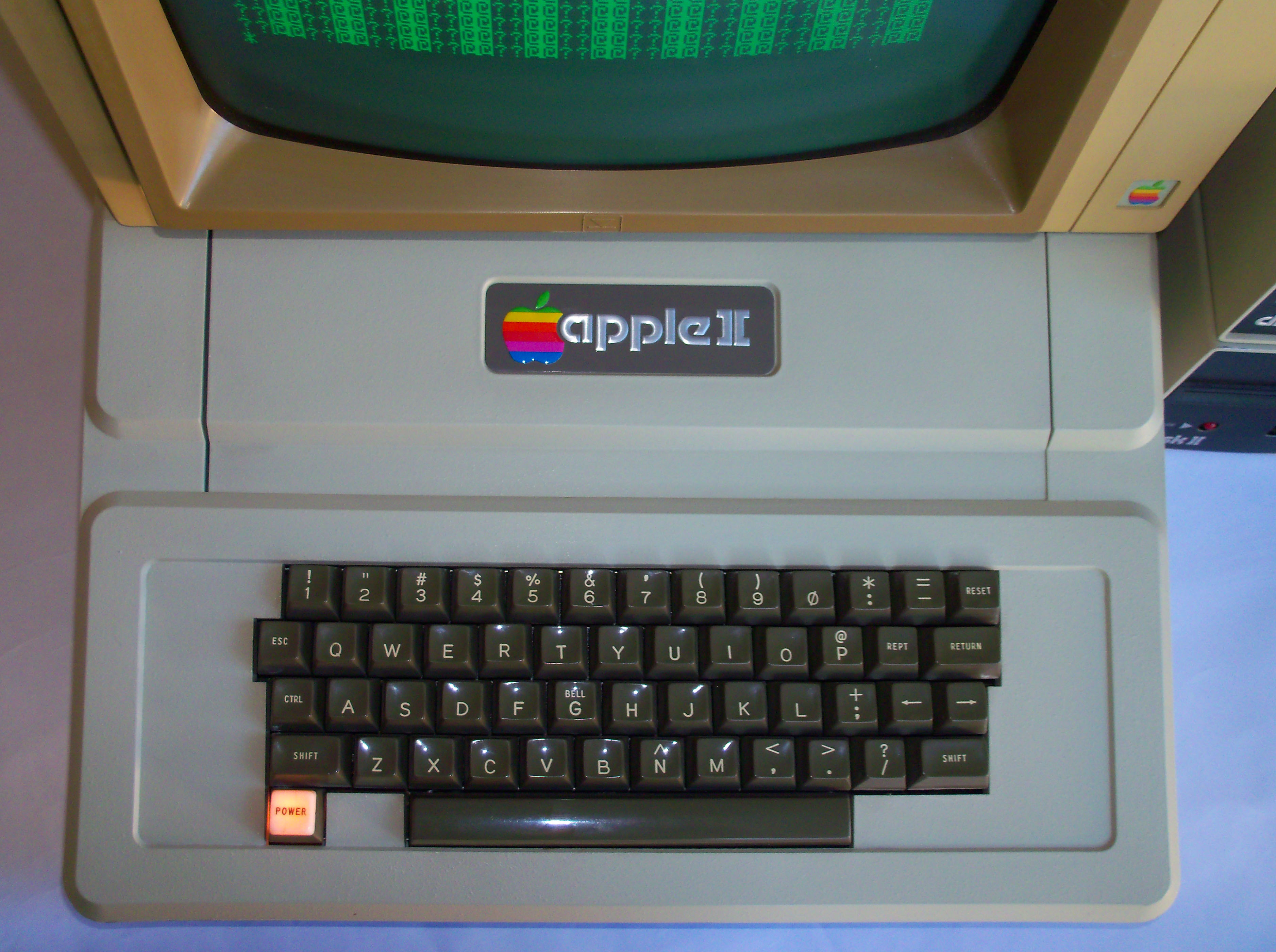
Not just terminals and UNIX workstation keyboards--Apple's very first keyboard on the Apple II. (I don't think Apple shipped a keyboard with the Apple I.) Of course it helped that there was no lower case, obviating the need for Caps Lock, and who needs Tab, but there were Shift keys.
I do both. Press and release = escape; press and hold = control.
Oh that's neat. I guess you use Karabiner?
https://apple.stackexchange.com/questions/132564/how-can-i-r...
https://apple.stackexchange.com/questions/132564/how-can-i-r...
Yep!
I've done this for years and keep typical a capital C every time I try to copy something or send a break in a terminal when I use someone else's machine.
More people need to map Caps Lock to Control. It just makes sense, and it's where control use to be on many old Sun keyboards.
More people need to map Caps Lock to Control. It just makes sense, and it's where control use to be on many old Sun keyboards.
You could have both, I've never needed to hold down escape or tap control.
That said, I've had caps lock bound to backspace for years, so I'm not advocating for something I do myself.
That said, I've had caps lock bound to backspace for years, so I'm not advocating for something I do myself.
Same. That plus the realization that you can adjust volume or screen brightness by holding the brightness/volume button and then simply sliding left or right made it actually intuitively usable. It's still a little gimmicky and probably not worth the effort.
I've had my Caps Lock key mapped to 'delete word' after having it mapped to several other things while trying to combat RSI and am loving it. Great for both writing/editing prose as well as code.
Vim user, I did the same. I do prefer the caps lock placement too since I’m doing it so often. But it still makes the TouchBar a total waste of space (and it adds cost)
That is a bit of twisted logic. It does not say anything positive about touchbar, but conflates a negative in a somewhat dishonest way and ignores the core of this topic, that it is now compulsory. For instance, prison has forced people to change their life for the better, but that does not logically lead to "I am glad to have prison (compulsory for everyone)"
Ah! Thats what I might do... At work we just have Bluetooth keyboards so its not as annoying to us thankfully since the Magic Keyboard has all the keys and the keys dont suck as much. I make too many typos on the new MBP keyboards I never made on a previous Mac.
It’s unfortunate that so many design decisions are made with little regard for the true utility of what’s being designed, of which the touch bar has essentially zero.
What utility did the previous bar have?
Volume changing? Screen brightness? Those are better with the touchbar.
Escape key for vim or whatever? Switch your caps lock with escape! You should have been doing that the whole time!
The actual function keys? I don't use them enough to need them showing up all the time. And an extra key to get them up again is no big deal.
I agree that the touch bar doesn't add a whole lot of utility, but I can't see the argument of it removing any utility.
Volume changing? Screen brightness? Those are better with the touchbar.
Escape key for vim or whatever? Switch your caps lock with escape! You should have been doing that the whole time!
The actual function keys? I don't use them enough to need them showing up all the time. And an extra key to get them up again is no big deal.
I agree that the touch bar doesn't add a whole lot of utility, but I can't see the argument of it removing any utility.
What utility did the other keyboard have? Well it meant you could adjust volume, brightness, press escape etc, WITHOUT LOOKING.
So many times I would want to adjust volume, keyboard brightness, display brightness by muscle memory and feedback alone, which isn't possible with the horrible touch bar.
I literally am still using my beloved Macbook Pro 2015 because I can't stand the damn thing. At my old job I had to use one of the new MBP machines at work and the keyboard + touch bar killed me every time.
I won't be buying a new MBP unless Apple fixes the keyboard and makes the touch bar optional. In fact, with the new improvements to Linux in Windows I may just got for a new AMD based Windows laptop instead, which is huge for me because I've been Macbook Pro since Apple first went to Intel...
So many times I would want to adjust volume, keyboard brightness, display brightness by muscle memory and feedback alone, which isn't possible with the horrible touch bar.
I literally am still using my beloved Macbook Pro 2015 because I can't stand the damn thing. At my old job I had to use one of the new MBP machines at work and the keyboard + touch bar killed me every time.
I won't be buying a new MBP unless Apple fixes the keyboard and makes the touch bar optional. In fact, with the new improvements to Linux in Windows I may just got for a new AMD based Windows laptop instead, which is huge for me because I've been Macbook Pro since Apple first went to Intel...
> Volume changing? That's better with the touchbar.
Not really. My wife has low vision. Changing the volume used to be a muscle memory sort of thing. Now it's an awkward fumbling mess, especially if she's in the middle of a meeting and trying to mute her laptop.
We've locked the buttons to a static position so she knows where to press but there's still no tactile feedback.
Not really. My wife has low vision. Changing the volume used to be a muscle memory sort of thing. Now it's an awkward fumbling mess, especially if she's in the middle of a meeting and trying to mute her laptop.
We've locked the buttons to a static position so she knows where to press but there's still no tactile feedback.
Accessibility is a good reason to not like it, that's very fair. That alone puts it from my original neutral position to it being a negative overall.
> tactile feedback
Not tactile, haptic only but there is https://github.com/niw/HapticKey
Not tactile, haptic only but there is https://github.com/niw/HapticKey
The issue is it takes away a significant amount of utility without adding any. Volume/brightness is slightly better, but you can get the same effect by holding down the physical button. Some users like to use Caps Lock for Ctrl, and this is an instance of the touchbar forcing a loss of utility with no gain.
Function keys are used heavily in IDEs, and forcing a large reach of fn + f# key isn't adding any utility either.
I have yet to see a situation where the touchbar adds some utility that merits the loss in other areas for users.
Function keys are used heavily in IDEs, and forcing a large reach of fn + f# key isn't adding any utility either.
I have yet to see a situation where the touchbar adds some utility that merits the loss in other areas for users.
It's very sensitive, I brush the Siri activation and "focus URL bar" all the time, at best causing a break in my flow while I get back to where I was and at worst losing data because I'm now typing into the void. I also have to look at it to figure out where things are, which slows me down.
Physical keys were a huge improvement. I'd have loved it if it was programmable keys with little LED displays, but being a flat, easily triggered surface makes it a big loss for me.
Physical keys were a huge improvement. I'd have loved it if it was programmable keys with little LED displays, but being a flat, easily triggered surface makes it a big loss for me.
> Escape key for vim or whatever? Switch your caps lock with escape! You should have been doing that the whole time!
Control is already mapped there because apple put fn at the bottom left corner! Esc is the only key i think i really need that is missing. It needs to be a physical key. Why design something where the right way to use it is immediately remap keys?
Control is already mapped there because apple put fn at the bottom left corner! Esc is the only key i think i really need that is missing. It needs to be a physical key. Why design something where the right way to use it is immediately remap keys?
There is utility in having an absolute consistent location for certain things, like volume. So I would not say universally "touchbar does it better"
> Switch your caps lock with escape! You should have been doing that the whole time!
There are many touch typists who've been trained to use caps lock all the time.
The moment I need to type more than 2 upper-case characters in a row, caps lock it is. In combination with Vim.
The touch bar (or better: the removal of Esc) is a huge regression.
There are many touch typists who've been trained to use caps lock all the time.
The moment I need to type more than 2 upper-case characters in a row, caps lock it is. In combination with Vim.
The touch bar (or better: the removal of Esc) is a huge regression.
I already have caps lock set to control and have literally decades of muscle memory associated with that.
I don’t know where to start... I hope you’re never in a position to design something that people have to use.
Personal attacks will get you banned here. Also, please don't post unsubstantive comments.
If you'd read the guidelines and follow them, we'd be grateful. https://news.ycombinator.com/newsguidelines.html
If you'd read the guidelines and follow them, we'd be grateful. https://news.ycombinator.com/newsguidelines.html
I'm legitimately curious. Please help me understand.
Again, I don't see how its worth all the hassle and surely extra cost for Apple to push it, but really don't see how it's any worse than the previous bar.
Again, I don't see how its worth all the hassle and surely extra cost for Apple to push it, but really don't see how it's any worse than the previous bar.
Even if it isn't worse, users aren't familiar with it, so you're telling them to get used to a new interface even though it offers them no benefit. That's poor design.
[deleted]
The previous bar was:
- consistent button locations across any apps. An F1 is an F1 whether you are in Finder, in Safari, or in a programming IDE.
By default Touchbar displays whatever the developers of the currently focused app put there. So switching to any app will change the touchbar rather unpredictably.
- consistent physical button locations. For any shortcut that involves physical buttons you don't have to look at your keyboard. You could change the volume easily because it was mapped to Fn + F<X> (or just to F<X>) that just was there.
On Touch Bar for any button that's not on the far left or on the far right edge of the touchbar, you have to look down. It becomes significantly worse as you move towards the middle of the touchbar.
- Physical buttons have affordances built-in. If you can't long-press, you can just tap on a button repeatedly. If you accidentally brush against a button or even rest your fingers on a button, it won't trigger. A physical button has tactile shape, so you can feel your way around a button to see feel you hit it correctly, or if your finger is between buttons.
Touch Bar has none of that.
Default volume and brightness controls all but require long press and slide (a huge problem for a huge number of users).
Accidental brush against Touch Bar will trigger it.
Resting a finger on the Touch Bar will trigger it.
There's no tactile feedback on the buttons.
--------
In general, Touch Bar is significantly worse in usability while providing very little in terms of usefulness. So bad that in just a second minor update Apple brought back the F1 layout that you can set for it in System Preferences.
- consistent button locations across any apps. An F1 is an F1 whether you are in Finder, in Safari, or in a programming IDE.
By default Touchbar displays whatever the developers of the currently focused app put there. So switching to any app will change the touchbar rather unpredictably.
- consistent physical button locations. For any shortcut that involves physical buttons you don't have to look at your keyboard. You could change the volume easily because it was mapped to Fn + F<X> (or just to F<X>) that just was there.
On Touch Bar for any button that's not on the far left or on the far right edge of the touchbar, you have to look down. It becomes significantly worse as you move towards the middle of the touchbar.
- Physical buttons have affordances built-in. If you can't long-press, you can just tap on a button repeatedly. If you accidentally brush against a button or even rest your fingers on a button, it won't trigger. A physical button has tactile shape, so you can feel your way around a button to see feel you hit it correctly, or if your finger is between buttons.
Touch Bar has none of that.
Default volume and brightness controls all but require long press and slide (a huge problem for a huge number of users).
Accidental brush against Touch Bar will trigger it.
Resting a finger on the Touch Bar will trigger it.
There's no tactile feedback on the buttons.
--------
In general, Touch Bar is significantly worse in usability while providing very little in terms of usefulness. So bad that in just a second minor update Apple brought back the F1 layout that you can set for it in System Preferences.
It's a touchscreen instead of physical buttons. People had the same concerns about the iPhone screen replacing the hardware keypad on smartphones. In that instance, the improved flexibility of the touchscreen was more than enough to compensate for the reduced affordances. We'll see about the Touchbar. I like it a lot--for example, having the mute button persistently handy (and obvious) during web conferences.
Touchbar affordances are better than the iPhone in that the persistent touch buttons are immediately above hardware buttons. My mute button is directly above the + key. My volume control is directly above the - key. My brightness control is directly above the 0 key. I can get a finger there without looking and immediately adjust by sliding left or right.
Touchbar affordances are better than the iPhone in that the persistent touch buttons are immediately above hardware buttons. My mute button is directly above the + key. My volume control is directly above the - key. My brightness control is directly above the 0 key. I can get a finger there without looking and immediately adjust by sliding left or right.
What does iPhone have to do with a physical keyboard on a laptop? Literally nothing.
> Touchbar affordances are better than the iPhone
Nowhere in my text did I once mention the iPhone. I did mention, insistently, and several times, the actual physical keyboard on the laptop.
And yes, a laptop keyboard is very different from a phone.
> Touchbar affordances are better than the iPhone
Nowhere in my text did I once mention the iPhone. I did mention, insistently, and several times, the actual physical keyboard on the laptop.
And yes, a laptop keyboard is very different from a phone.
No tactile feedback, for one.
Here's my test. Take a Touchbar-equipped Mac, and a non-touchbar equipped Mac. Sit them side by side. Play a video or song on both of them.
Then, one hand on one mac and your other hand on the other mac, turn the volume up and down using the keyboard and touchbar.
One hand gets confused on where to go on about your third or fourth time turning it back up or down. There's nothing for your fingers to call home.
It's the exact same problem when you try to use a touch screen phone as a game controller, vs an actual gamepad.
Here's my test. Take a Touchbar-equipped Mac, and a non-touchbar equipped Mac. Sit them side by side. Play a video or song on both of them.
Then, one hand on one mac and your other hand on the other mac, turn the volume up and down using the keyboard and touchbar.
One hand gets confused on where to go on about your third or fourth time turning it back up or down. There's nothing for your fingers to call home.
It's the exact same problem when you try to use a touch screen phone as a game controller, vs an actual gamepad.
Imagine a random manufacturer, let's say HP, was the one bringing a touchbar to their notebooks. Some press, a lot of laughter but quickly, nobody would talk anymore about them and/or buy that notebooks.
With Apple, people keep on complaining OVER years. The touchbar, the prices, the crappy keyboards... the reason? IDK, maybe they are locked-in and can't move to another platform but there is only one single reason to be locked-in on macOS: if you develop apps for iOS, otherwise every other platform is currently way better and switching is a matter of days. Once I had the keyboard trouble on a $4K MBP I switched instantly and never returned to macOS.
With Apple, people keep on complaining OVER years. The touchbar, the prices, the crappy keyboards... the reason? IDK, maybe they are locked-in and can't move to another platform but there is only one single reason to be locked-in on macOS: if you develop apps for iOS, otherwise every other platform is currently way better and switching is a matter of days. Once I had the keyboard trouble on a $4K MBP I switched instantly and never returned to macOS.
I'm addicted to CMD+C/CMD+V.
I've tried making it happen in Linuxes and windows, but always with failures in one app or another, or having to configure each individual application I use independently.
The keyboard is the reason I love mac for running my Linux clusters. If I didn't have that, I would have the fantastic UX features like instant scrolling. Scrolling anywhere else is a choppy and laggy nightmare for me.
I've tried making it happen in Linuxes and windows, but always with failures in one app or another, or having to configure each individual application I use independently.
The keyboard is the reason I love mac for running my Linux clusters. If I didn't have that, I would have the fantastic UX features like instant scrolling. Scrolling anywhere else is a choppy and laggy nightmare for me.
Just put Ctrl on Caps and then ctrl+c and +v is on par or or even better. Don't know anyone who is using the original control. Even better: create a tap/hold key with Esc/Ctrl on Caps. Then you have a superior keyboard experience because the alt keys are better positioned and usable. On Macs you have just Cmd as the only sane/reachable modifier key compared to crtl and alt on Windows/Linux. However you could also somehow get this setup on a Mac with fiddling with Karabiner. But here again Windows' Autohotkey is superior.
Re choppy scrolling, I have a Windows precision touchpad on my notebook and it's super close to a MBP but what is even much better than a MBP touchpad: get a Logitech mouse with a free wheel eg the G502, best scrolling experience and buttersmooth.
I thought also there is nothing else than macOS but there is even more good stuff outside. eg window management on Windows or linux eg with i3 there is just 100x better. on macos it's a joke to nonexistent.
Re choppy scrolling, I have a Windows precision touchpad on my notebook and it's super close to a MBP but what is even much better than a MBP touchpad: get a Logitech mouse with a free wheel eg the G502, best scrolling experience and buttersmooth.
I thought also there is nothing else than macOS but there is even more good stuff outside. eg window management on Windows or linux eg with i3 there is just 100x better. on macos it's a joke to nonexistent.
Nobody really cares what Dell or HP are putting out. All eyes have been on Apple for a long time and lots of people who have never even used a Mac have a lot to say about them.
I and many others care about high quality laptops. Dell XPS and Thinkpads being two examples.
There's an entire world of excellent, powerful and cost-effective hardware outside of Apple's bubble.
There's an entire world of excellent, powerful and cost-effective hardware outside of Apple's bubble.
I, too, switch to another OS every time my keyboard has a problem.
The non-touch bar pro that was previously available was a pretty old model, right? First generation butterfly keyboard?
If that's the case I'm not sure it makes sense to read too much into this. They will probably reintroduce a non-touch bar option when they refresh the pro line later this year.
If that's the case I'm not sure it makes sense to read too much into this. They will probably reintroduce a non-touch bar option when they refresh the pro line later this year.
I believe it's the second gen butterly keyboard. It's a good laptop for every day use, but it came out late 2016, pretty long ago now.
I got a touchbar model immediately when it was released from my job. It arrived shipped next-day-air in the morning, and by lunch, I gave it to another employee who wanted an upgrade. Haven't touched another Mac since then, and this reinforces(to me) that I made the right decision. I don't know any of you work with those things... That design decision solidified for me that Apple wasn't interested in my demographic(sysop/programmer/etc) using their laptops.
That said, I did get a lot of "oohs" and "aahs" from other employees coming to look at it. Those went away when I'd open vim and ask them to take it for a test drive.
That said, I did get a lot of "oohs" and "aahs" from other employees coming to look at it. Those went away when I'd open vim and ask them to take it for a test drive.
One step forward, two steps back. They're finally getting rid of the horrible butterfly keyboard in favor of a more traditional scissor switch, but they're gonna make damn sure you have a touch bar.
I'm pretty sure the keyboard mechanism has not changed in this revision.
No, not in this revision. I was speaking more generally.
Apple kills the (s/non-Touch Bar//) MacBook-Pro.
There is nothing "Pro" about a touch bar, even for fields outside of software. Apparently Ive's departure means Apple is not returning to function-over-form.
There is nothing "Pro" about a touch bar, even for fields outside of software. Apparently Ive's departure means Apple is not returning to function-over-form.
Wholeheartedly disagree. I use the Touch Bar religiously for media production including scrubbing through audio/video and adjusting dials/filters/tones and I've remapped it to include my most used functions in things like VSCode and even iTerm.
I get that it's not for everyone but to generalize and say that it's not "Pro" is delusional.
I get that it's not for everyone but to generalize and say that it's not "Pro" is delusional.
The biggest proof that the touch bar isn’t a pro feature is the fact that you can’t buy an Apple keyboard with a touch bar.
I don’t know about the US, but Danish workplace regulations require an “external” keyboard. You’re not allowed to work all day on a laptop keyboard. Similarly you also need a height adjustable screen. Using your laptop as a laptop is suppose to be a exception.
So if you can’t sit directly in front of your laptop and touch bar 99% of the time you can’t actually use it for work.
I don’t know about the US, but Danish workplace regulations require an “external” keyboard. You’re not allowed to work all day on a laptop keyboard. Similarly you also need a height adjustable screen. Using your laptop as a laptop is suppose to be a exception.
So if you can’t sit directly in front of your laptop and touch bar 99% of the time you can’t actually use it for work.
As an oftentimes Emacs user and a sometimes Vim user, I need more keys not less. I especially want more modifiers in consistent locations. Laptops frequently move these around, put a fn key where ctrl normally goes, or don’t even provide a ctrl key for the right hand. Apple does all of this.
Further, why does the spacebar have to be so wide? It makes the Alt and System (mapped to Hyper, Meta, leader keys whatever) harder to reach without looking. Microsoft offers an new ergo keyboard with a split keyboard, but then doesn’t provide a way to map the left and right pieces to separate bindings.
Further, why does the spacebar have to be so wide? It makes the Alt and System (mapped to Hyper, Meta, leader keys whatever) harder to reach without looking. Microsoft offers an new ergo keyboard with a split keyboard, but then doesn’t provide a way to map the left and right pieces to separate bindings.
I've asked a lot of non-programmers about the Touch Bar. Musicians, graphic designers, teachers, writers, managers, architects. If I describe the Touch Bar, they are able to confirm that their laptop has one but are not conscious of it as a significant change in design. It's just a different way to change the volume. They are neither aware that it's supposed to be more useful than that, nor aware of why anybody would be bothered by it. To them, having the Touch Bar or not is about as meaningful as whether their gas cap is on the left side of the car or the right.
The Touch Bar is just poorly executed— for the gimmick instead of the experience. It would be good if it had haptic feedback and was activated by a force touch like the trackpad does.
Allow me to touch it without pressing anything. Let me slide my finger and feel a click whenever I "hover" a different button. Add an option to show me an indication on screen of what I'm hovering, so I don't have to look down. Then when I decide to "press" the button, trick my brain into thinking there's moving parts like the trackpad does.
Give me the buttons of the future.
The big problem for me is that it's a touch-screen instead. Keyboards and trackpads are designed to have you rest your hands on them until you press, so it's awkward to have something that doesn't let you "rest" on it. They both are meant to be used while looking directly at the screen, so it's annoying to have to look down to know what you're pressing.
Allow me to touch it without pressing anything. Let me slide my finger and feel a click whenever I "hover" a different button. Add an option to show me an indication on screen of what I'm hovering, so I don't have to look down. Then when I decide to "press" the button, trick my brain into thinking there's moving parts like the trackpad does.
Give me the buttons of the future.
The big problem for me is that it's a touch-screen instead. Keyboards and trackpads are designed to have you rest your hands on them until you press, so it's awkward to have something that doesn't let you "rest" on it. They both are meant to be used while looking directly at the screen, so it's annoying to have to look down to know what you're pressing.
The answer is obvious to me.
Add back the physical top row, but keep the touch bar. Just put it above the physical top row.
I like the idea of the touch bar for customization and various use cases, but I don't do that now, because I want my top row to continue to act as simply and consistently as possible.
For example, the contextual menus for programs. I think the whole concept is really interesting and adds a cool layer of interaction. However, I don't want to give up my quick access to my normal functions like volume, expose, etc. So the end result is that I just turn all the contextual options off. So I've never had a chance to fall in love with the touch bar, because all I use it for is a crappy version of what my top row use to be.
Add back the physical top row, but keep the touch bar. Just put it above the physical top row.
I like the idea of the touch bar for customization and various use cases, but I don't do that now, because I want my top row to continue to act as simply and consistently as possible.
For example, the contextual menus for programs. I think the whole concept is really interesting and adds a cool layer of interaction. However, I don't want to give up my quick access to my normal functions like volume, expose, etc. So the end result is that I just turn all the contextual options off. So I've never had a chance to fall in love with the touch bar, because all I use it for is a crappy version of what my top row use to be.
As much as the Touch Bar doesn't bother me and having the physical F keys seems a step back to me, I think this is the right answer anyways. They'd appease both sides of the argument and they wouldn't lose much at all. Even if they had to make the trackpad a little smaller, it's fucking gigantic on the newest models so losing a small bit of it wouldn't hurt anyone at all.
Having talked to a lot of people... the Touch Bar is not meant for regular computer users or for developers.
The Touch Bar is meant for graphics, audio and film professionals. That’s the “Pro”. It’s an incredibly flexible “picker/slider” for colors, volumes, mixing, and so on.
I know HN hates the touch bar... and I personally have no use for it... but we’re not the market for it. There is a market for it, but it’s not us.
I think it’s helpful to acknowledge that in these conversations, rather than act like Apple is making dumb decision in a vacuum.
(And I’m personally happy there’s now a retina MacBook Air without it, which will probably be my next machine.)
The Touch Bar is meant for graphics, audio and film professionals. That’s the “Pro”. It’s an incredibly flexible “picker/slider” for colors, volumes, mixing, and so on.
I know HN hates the touch bar... and I personally have no use for it... but we’re not the market for it. There is a market for it, but it’s not us.
I think it’s helpful to acknowledge that in these conversations, rather than act like Apple is making dumb decision in a vacuum.
(And I’m personally happy there’s now a retina MacBook Air without it, which will probably be my next machine.)
Who are these graphics, audio, and film professionals who asked for a Touch Bar?
Is there any way to essentially lock the touchbar in a fixed configuration? Like I'm a programmer and willing to write a mac native app if that's what I have to do, but I want the same set of things there and I don't want other programs to be able to hijack the buttons I have locked there.
If I could do that, then I can live with it, since then it is just a massive battery drain instead of being a massive battery drain as well as extremely inconvenient.
If I could do that, then I can live with it, since then it is just a massive battery drain instead of being a massive battery drain as well as extremely inconvenient.
That's doable in settings. Mine displays nothing but fn keys all the time.
I have a conceptual issue with the Touch Bar. I’m struggling to understand what the Touch bar can achieve that a toolbar that exists on the screen would not be better at. Especially on a laptop with the great trackpads that the MacBooks have.
About the only benefit is that it doesn’t take up screen space, but in that case a single trackpad gesture which brings up a touchbar like toolbar right where your mouse pointer is seems like a much nicer input mechanism.
About the only benefit is that it doesn’t take up screen space, but in that case a single trackpad gesture which brings up a touchbar like toolbar right where your mouse pointer is seems like a much nicer input mechanism.
I initially got a macbook seven years ago to work at a mobile shop and dabble in iOS. I liked the form factor and the *nix basis, so I've stayed with them a bit.
Between the touch bar (which bothered me enough to downgrade my work laptop to not have it), keyboard problems, and migrating away from their BSD roots, I'm completely done. I don't care if Linux desktop is clunky or bad, at least I can use it on a laptop that doesn't suck.
Between the touch bar (which bothered me enough to downgrade my work laptop to not have it), keyboard problems, and migrating away from their BSD roots, I'm completely done. I don't care if Linux desktop is clunky or bad, at least I can use it on a laptop that doesn't suck.
I dunno...the story is that Apple killed two machines today:
- The non-touchbar MacBook Pro (RIP, function row)
- The 12" "MacBook" (which I adored, largely because it was so tiny)
What's strange is that it appears that this was a streamlining effort—but if you get into the weeds and look at the "base" model 13" MacBook Pro, it's not the same machine: it has two Thunderbolt ports, rather than four, despite sharing the same moniker as the higher-end MacBook Pro. Go up a model, and you get four for more money along with the better processor, which isn't immediately clear, either.
That means it's got fewer thunderbolt lanes, as well, which is a classic nickel and dime move that's going to make it even more confusing given most people just buy the base model.
Now, my question is: are they clearing the decks at the low-end 12" for a clamshell/ARM laptop? It seems incredibly obvious that it'll start at the bottom to avoid disrupting the pros.
- The 12" "MacBook" (which I adored, largely because it was so tiny)
What's strange is that it appears that this was a streamlining effort—but if you get into the weeds and look at the "base" model 13" MacBook Pro, it's not the same machine: it has two Thunderbolt ports, rather than four, despite sharing the same moniker as the higher-end MacBook Pro. Go up a model, and you get four for more money along with the better processor, which isn't immediately clear, either.
That means it's got fewer thunderbolt lanes, as well, which is a classic nickel and dime move that's going to make it even more confusing given most people just buy the base model.
Now, my question is: are they clearing the decks at the low-end 12" for a clamshell/ARM laptop? It seems incredibly obvious that it'll start at the bottom to avoid disrupting the pros.
My laptop is connected to an external monitor and keyboard more than 90% of the time. I use the function keys on the external keyboard.
Is the touchbar useful? Is it good? Who cares, it is not getting used. Given Apple's butterfly keyboard issues using the laptop keyboard as your primary keyboard isn't really an option anyway. For the limited amount of time I use the laptop keyboard the touchbar certainly isn't worth it.
If Apple sold a decent external keyboard, not the fucking aluminum chiclet keyboard, with a touchbar I would certainly be willing to consider the touchbar on whatever merits it has, but as a tiny touch enabled 3rd screen above an infrequently used keyboard it is irrelevant. I, like many people, thought that the Optimus OLED keyboard with programmable dynamic keycaps was neat. I'd be willing to give a touchbar external keyboard a fair shake.
Is the touchbar useful? Is it good? Who cares, it is not getting used. Given Apple's butterfly keyboard issues using the laptop keyboard as your primary keyboard isn't really an option anyway. For the limited amount of time I use the laptop keyboard the touchbar certainly isn't worth it.
If Apple sold a decent external keyboard, not the fucking aluminum chiclet keyboard, with a touchbar I would certainly be willing to consider the touchbar on whatever merits it has, but as a tiny touch enabled 3rd screen above an infrequently used keyboard it is irrelevant. I, like many people, thought that the Optimus OLED keyboard with programmable dynamic keycaps was neat. I'd be willing to give a touchbar external keyboard a fair shake.
It just occurred to me that the situation with the Touch Bar is similar to what Apple has done with 3D Touch... it seems like Apple is making a bet that more complicated input devices are better, which is a total about face from their past positions. Notably the 1-button mouse, and the original buttonless iPhone.
I think it's a bad call. To me, these input devices create a lot of confusion for very little benefit. I think it's a sign Apple has given up on the philosophy of trying to make everything accessible to the average user.
They have gone over to Microsoft's philosophy, which was that UIs should be like an iceberg, with a deep well of hidden functionality for advanced users to discover, and then a separate "normal people" UI layered on top of that.
I think there's a MASSIVE opportunity right now for someone to build a new OS, designed around a very limited set of inputs, and a highly constrained widget library. With an emphasis on speed, putting as little as possible on the screen, and like Apple of old, having simple apps that let people do things pros typically do.
For example, you could design a UI that would allow you to easily cut together clips from multiple videos. This was hard, and then iMovie made it easy, but now it is hard again. Those kinds of features make good ads, and lead to good word of mouth.
Basically, take Steve Jobs' original strategy with the iMac/iPhone and do it over again. Apple has totally departed that path.
I think it's a bad call. To me, these input devices create a lot of confusion for very little benefit. I think it's a sign Apple has given up on the philosophy of trying to make everything accessible to the average user.
They have gone over to Microsoft's philosophy, which was that UIs should be like an iceberg, with a deep well of hidden functionality for advanced users to discover, and then a separate "normal people" UI layered on top of that.
I think there's a MASSIVE opportunity right now for someone to build a new OS, designed around a very limited set of inputs, and a highly constrained widget library. With an emphasis on speed, putting as little as possible on the screen, and like Apple of old, having simple apps that let people do things pros typically do.
For example, you could design a UI that would allow you to easily cut together clips from multiple videos. This was hard, and then iMovie made it easy, but now it is hard again. Those kinds of features make good ads, and lead to good word of mouth.
Basically, take Steve Jobs' original strategy with the iMac/iPhone and do it over again. Apple has totally departed that path.
> it seems like Apple is making a bet that more complicated input devices are better, which is a total about face from their past positions.
Swapping hardware buttons for touchscreen controls has been a huge success for Apple for over a decade, with the iPhone, iPod Touch, iPad, even the Apple Watch. The Touchbar is just another step down that path.
It's arguable whether a fixed set of hardware "F" buttons are more usable, or well-labeled touchscreen buttons. Again, a decade of evidence suggests that software-defined touchscreen buttons are more usable. An iPad is much easier to use than a Mac. You can hand an iPad to a 5-year-old and they get it right away.
> They have gone over to Microsoft's philosophy, which was that UIs should be like an iceberg, with a deep well of hidden functionality for advanced users to discover, and then a separate "normal people" UI layered on top of that.
Apple invented that paradigm by adding keyboard shortcuts to a GUI. They have continued it by adding a command line interface and multitouch gestures to Mac OS.
The Touchbar is similar. If you take it out of the box it is simple and easy to use. But if you are an advanced user, there are all sorts of options to customize it.
Swapping hardware buttons for touchscreen controls has been a huge success for Apple for over a decade, with the iPhone, iPod Touch, iPad, even the Apple Watch. The Touchbar is just another step down that path.
It's arguable whether a fixed set of hardware "F" buttons are more usable, or well-labeled touchscreen buttons. Again, a decade of evidence suggests that software-defined touchscreen buttons are more usable. An iPad is much easier to use than a Mac. You can hand an iPad to a 5-year-old and they get it right away.
> They have gone over to Microsoft's philosophy, which was that UIs should be like an iceberg, with a deep well of hidden functionality for advanced users to discover, and then a separate "normal people" UI layered on top of that.
Apple invented that paradigm by adding keyboard shortcuts to a GUI. They have continued it by adding a command line interface and multitouch gestures to Mac OS.
The Touchbar is similar. If you take it out of the box it is simple and easy to use. But if you are an advanced user, there are all sorts of options to customize it.
> Swapping hardware buttons for touchscreen controls has been a huge success for Apple for over a decade, with the iPhone, iPod Touch, iPad, even the Apple Watch. The Touchbar is just another step down that path.
It isn't a step down that path though. With the iPhone/iPod/iPad the new interface completely changes how you use the device (moving to a phone without physical keys for example). The Macbook touchbar doesn't do that, it just makes things a bit awkward by adding an additional way to interface with your device.
It isn't a step down that path though. With the iPhone/iPod/iPad the new interface completely changes how you use the device (moving to a phone without physical keys for example). The Macbook touchbar doesn't do that, it just makes things a bit awkward by adding an additional way to interface with your device.
> Swapping hardware buttons for touchscreen controls has been a huge success for Apple for over a decade, with the iPhone
They didn't swap in this case though, they added. Equivalent to the touchscreen + keyboard phones of yore.
In terms of degrees of freedom, the touchbar adds a lot. It's not a simple swap. The iPhone input system has fewer degrees of freedom than a blackberry did.
They didn't swap in this case though, they added. Equivalent to the touchscreen + keyboard phones of yore.
In terms of degrees of freedom, the touchbar adds a lot. It's not a simple swap. The iPhone input system has fewer degrees of freedom than a blackberry did.
Terrible news. Well I guess I'll cling to my non-touch bar Macbook Pro for as long as possible and hopefully they'll go back on this decision in the future...
Damn, can we get a macbook that works? I think the touchbar is fundamentally flawed in that if I'm looking at the screen I can't look at the touchbar, and vice versa, and there's no tactile feedback at all, basically the opposite characteristics that a keyboard should have.
> The Pro still starts at $1,299 ($1,199 for students) with 8GB of RAM
Well, using Linux makes more sense after new MBP specs, every time.
Well, using Linux makes more sense after new MBP specs, every time.
8 GB of RAM isn't top-of-the-line, but it's plenty for a lot of people.
Swore I'd never buy another Mac but bought one this week (had a Dell XPS15 for a year and a half) to supervise a cross-platform app development project and many things were annoying me with NixOS (clean but not quite there yet for desktop use and may never be: too many missing packages) which had replaced Gentoo (~biannual reinstall required due to portage rot), neither of which work perfectly on laptop hardware. (Also much of my Linux work is now embedded or remote and banks here in China require Windows VMs.) Wound up just going for it, not disappointed but fairly expensive as always.
It's true, the touch bar is annoying, and I am a vi user so escape is critical. But it's not really any more annoying than adjusting between apple keyboards and PC keyboards: a bit of muscle memory. I just wish you could disable the whole thing entirely, at least the lights, while keeping the escape key. Haven't figured out right click on the touchpad yet, it's currently quite irritating. The press-to-drag brightness is kinda cool, and the fingerprint lock is also cute. The Mac is about 1/2 the weight of the Dell, although the Dell was last-year's model on sale 1.5 years ago so that's to be expected. My back will thank me on business trips. USB-C is the biggest physical adjustment, and I'm all for it. Yet to select an appropriate external keyboard (might buy Apple) or HDMI adaptor (won't buy Apple), happy to take recommendations.
It's true, the touch bar is annoying, and I am a vi user so escape is critical. But it's not really any more annoying than adjusting between apple keyboards and PC keyboards: a bit of muscle memory. I just wish you could disable the whole thing entirely, at least the lights, while keeping the escape key. Haven't figured out right click on the touchpad yet, it's currently quite irritating. The press-to-drag brightness is kinda cool, and the fingerprint lock is also cute. The Mac is about 1/2 the weight of the Dell, although the Dell was last-year's model on sale 1.5 years ago so that's to be expected. My back will thank me on business trips. USB-C is the biggest physical adjustment, and I'm all for it. Yet to select an appropriate external keyboard (might buy Apple) or HDMI adaptor (won't buy Apple), happy to take recommendations.
I wrote a tool that I'd like your opinion of. It should solve your "OS rot" problem.
https://godarch.com/
https://godarch.com/
"Just use a VM/container/jail/dedicated machine" is a great solution to any problem except, now you have n+1 problems. I am a huge fan of functional/declarative environments, hence NixOS, but these approaches have limitations. General purpose computing's attraction isn't emulating single purpose microcontrollers...
The Touch Bar is all about accidentally grazing some unknown button with part of your hand and then trying to figure out what just happened and how to get back to the thing you were trying to do.
Instead of the Touch Bar, I'd be happy if a new MBP had an ethernet port, usb ports, headphone ports, mini-display ports, an SD card slot, and a lock slot.
oh yeah, that's what my 2012 MBP has.
oh yeah, that's what my 2012 MBP has.
Clicking the link to the article takes me to https://guce.advertising.com/collectIdentifiers?sessionId=3_...
This is blocked at my DNS level. Why is engadget.com forwarding to this address?
I just unblocked guce.advertising.com and it forwarded to engadget, so this must be some sort of tracking system.
This is blocked at my DNS level. Why is engadget.com forwarding to this address?
I just unblocked guce.advertising.com and it forwarded to engadget, so this must be some sort of tracking system.
I came to say the same thing... that is super annoying. Happy to just not read the article in this case. :)
I’m a developer and love the Touch Bar. I’ve never had a problem pressing the escape key and I use VIM and other applications that make use of it on a regular basis.
While I’m not a fan of replacing physical controls with touch-sensitive counterparts in safety-critical settings like cars and airplanes I think the Touch Bar is a significantly underrated improvement that I use and enjoy constantly.
I wonder how many other users feel the same way but never comment?
While I’m not a fan of replacing physical controls with touch-sensitive counterparts in safety-critical settings like cars and airplanes I think the Touch Bar is a significantly underrated improvement that I use and enjoy constantly.
I wonder how many other users feel the same way but never comment?
Lack of haptic feedback aside, the Touch Bar is objectively better than the function keys it replaced:
It can display more options, many different types of controls, and you can see what each control does without needing to memorize it or having to look it up like you would with the F# keys.
Why go back to a limited set of ambiguous numbers that do a different thing in each app? I can't even remember the last time I needed to use a F# key in a Mac app.
People saying they'd pay extra for a non-Touch Bar Mac, consider some free apps to customize it to your preferences:
[0] https://medium.com/@brendanleglaunec/making-the-macbook-touc...
[1] https://folivora.ai - BetterTouchTool for customizing the Touch Bar, Trackpad, Magic Mouse etc.
[2] https://pock.dev - Display the Dock in the Touch Bar + play controls + some status
It can display more options, many different types of controls, and you can see what each control does without needing to memorize it or having to look it up like you would with the F# keys.
Why go back to a limited set of ambiguous numbers that do a different thing in each app? I can't even remember the last time I needed to use a F# key in a Mac app.
People saying they'd pay extra for a non-Touch Bar Mac, consider some free apps to customize it to your preferences:
[0] https://medium.com/@brendanleglaunec/making-the-macbook-touc...
[1] https://folivora.ai - BetterTouchTool for customizing the Touch Bar, Trackpad, Magic Mouse etc.
[2] https://pock.dev - Display the Dock in the Touch Bar + play controls + some status
Apple ET: are customers actually surprised and delighted with the touch bar? I’ve yet to meet one who is.
Is the baseline MacBook Air sufficient for a CS major? I don’t want to spend extra for the pro.
Yep! The base model will be fine for academia; however, you might want to invest in the 16GB of RAM as Chrome and other electron apps will consume all your memory leaving your computer crawling.
When you start working, you'll probably want to invest in the pro line for a faster CPU especially if you start booting up multiple services (databases, servers, etc.), mobile development, or crunching large sets of data.
When you start working, you'll probably want to invest in the pro line for a faster CPU especially if you start booting up multiple services (databases, servers, etc.), mobile development, or crunching large sets of data.
I use the 2018 MacBook Air, 1.6ghz 16gb ram as a developer / development manager and it is faster than the 2015 pro it replaced with similar specs. The only thing I've seen it slow down on is compiling Rust, but I think that's just because that operation is slow.
Jetbrains IDEs works fine, not sure about XCode haven't done much with this machine yet in Mac Development.
Jetbrains IDEs works fine, not sure about XCode haven't done much with this machine yet in Mac Development.
Don't know why you are getting down voted. I have the same machine and use it for development. Works just fine for me, and I have a couple of VMs running with my stack on it.
The only thing I've found lacking is the Kerbal Space Program doesn't run very well on it. It runs but the fam quickly ramps up to 100% and get annoying.
The only thing I've found lacking is the Kerbal Space Program doesn't run very well on it. It runs but the fam quickly ramps up to 100% and get annoying.
Not sure of the Air specs, but I generally recommend paying for 16gb of memory. I found google docs and other web apps quickly consumed my 8gb memory. But, if you don't mind closing tabs and being mindful of running programs you can get by with 8.
If you ever find yourself CPU bound then you can spin up a VM image and run those jobs remotely.
While running low on storage isn't a problem either as several cloud options exist for that.
If you ever find yourself CPU bound then you can spin up a VM image and run those jobs remotely.
While running low on storage isn't a problem either as several cloud options exist for that.
> I found google docs and other web apps quickly consumed my 8gb memory. But, if you don't mind closing tabs and being mindful of running programs you can get by with 8.
I gather you're using Chrome? Safari seems to "do this for you" in a sometimes frustrating way. Similar to the iPhone, Safari on the desktop seems to aggressively unload webpages when they're not focused. This means large Google Docs get reloaded every time you switch windows. I haven't used Firefox heavily for this kind of work, but it seems to behave better than both.
Chrome with to wrong tabs open can absolutely murder your battery life, too.
I gather you're using Chrome? Safari seems to "do this for you" in a sometimes frustrating way. Similar to the iPhone, Safari on the desktop seems to aggressively unload webpages when they're not focused. This means large Google Docs get reloaded every time you switch windows. I haven't used Firefox heavily for this kind of work, but it seems to behave better than both.
Chrome with to wrong tabs open can absolutely murder your battery life, too.
I am a safari user and don’t keep _that_ many tabs. I experienced tab reloading, which I didn’t mind. But even after a week of use I found I benefitted from rebooting to clear out memory.
I'm a little surprised so much of your 8gb went away using Safari if you don't keep too much open. Safari is generally great, but I've had to deal with abysmally large Google Sheets and had it reload every time I switched away even though it was the only window/tab open--Firefox wasn't too much better, it would constantly recalculate formulas. I feel like I got that behavior in Safari one or two other times with heavy SPA, but normally it uses much less battery and seems to use much less RAM than Firefox or Chrome.
I also haven't seen much of a need at all for regular rebooting. Looking back it seems like I'll reboot my laptop every 2-3 weeks, usually for an app that has a kernel driver, to boot into Windows, or to troubleshoot an egregious problem like my sound or bluetooth breaking. I've never done it for RAM, but I have closed browsers to save battery/RAM.
I also haven't seen much of a need at all for regular rebooting. Looking back it seems like I'll reboot my laptop every 2-3 weeks, usually for an app that has a kernel driver, to boot into Windows, or to troubleshoot an egregious problem like my sound or bluetooth breaking. I've never done it for RAM, but I have closed browsers to save battery/RAM.
I don't think you even need a MacBook Air. I've always used Linux for development. If you're not tied to MacOS, get a Thinkpad with Ryzen + Radeon. It will run better on Linux. If you want the MacOS experience, get a Air.
Irrespective of what you get, you cannot do serious compute on a laptop. Because actually using it at full power kills your battery.
Irrespective of what you get, you cannot do serious compute on a laptop. Because actually using it at full power kills your battery.
Speaking from my past experience, any computer would suffice. But if you want to run decent IDE and don't want to wait for minutes for compilation (for some database and system classes), you might want to buy a laptop with decent CPU.(gen 7/8 i5 and above should suffice).
Buying apple product is already "spending extra".
Buying apple product is already "spending extra".
I have a CS degree and never, once, compiled anything that took more than a few seconds in undergrad (mostly Java). I used a 2013 MacBook Air. What are you compiling that’s taking minutes? I’m curious.
Database implementation in C++. It has many components(~40 header files and 20 test cases). If I make change to one of the "essential header", such as BufferManager.h, it will recompile almost everything.
I would say yes, of course there could be edge cases but I guess if you have to train some ML model you hopefully will have access to some machine with a proper graphics card. The average programming project will be handled just fine by an Air. (I did professional iOS-development on a 11-inch MacBook Air for a while)
Don’t get the 128gb. You will run out of it very quickly. Especially if it is your primary computer.
I did all of CS grad school on an 11" Macbook Air with a Core 2 Duo. It was fine, even the machine learning class. The datasets were never big enough to be an issue; and if they had been my fallback plan was to use the lab servers instead.
I would say a surface pro would be more useful. Or dev edition xps 13 if I were to choose.
Surface pro with the surface pen is a killer feature for note taking.
Surface pro with the surface pen is a killer feature for note taking.
For those of you who've remapped Caps Lock as Escape, what do you do when you need to type a long string of capital letters? Do you have some other key combination mapped to caps lock, or do you just hold shift the whole time?
In those rare occasions in sublime text I select all, cmd+k, cmd+u.
If I was typing all-cap constants, I just type the variable in lowercase and use the autocomplete feature
If I was typing all-cap constants, I just type the variable in lowercase and use the autocomplete feature
I can't think of the last time I've done that, but I can type at almost full speed holding down right shift with my pinky.
I genuinely love my Touchbar. It's an extension of my macbook.
I use it to show my active TODO, time and date, when I am on break and soon current calendar event running + Karabiner profile.
https://github.com/nikitavoloboev/my-mac-os/tree/master/btt
People who like to hate on it, didn't invest time in learning that you can program it to show what you want. And as for physical keys, with Karabiner, there is no need for those keys as they are too far away from home row anyway.
I use it to show my active TODO, time and date, when I am on break and soon current calendar event running + Karabiner profile.
https://github.com/nikitavoloboev/my-mac-os/tree/master/btt
People who like to hate on it, didn't invest time in learning that you can program it to show what you want. And as for physical keys, with Karabiner, there is no need for those keys as they are too far away from home row anyway.
I love to hate on it, because it is impossible to "program it to show what I want". I want keys I can feel. I want to not silently trigger whatever goddamn touchbar "button" because one of my fingers grazes over it. I want to be able to hit the appropriate "button" by touch.
"And as for physical keys, with Karabiner, there is no need for those keys as they are too far away from home row anyway."
Or you know, we could just have the physical keys.
So maybe slow your roll on how all of the haters just didn't "invest the time". Sometimes stuff doesn't work for people and it's not a learning curve issue.
I can appreciate that it may work for some folks. Maybe you should appreciate that it doesn't work for others.
"And as for physical keys, with Karabiner, there is no need for those keys as they are too far away from home row anyway."
Or you know, we could just have the physical keys.
So maybe slow your roll on how all of the haters just didn't "invest the time". Sometimes stuff doesn't work for people and it's not a learning curve issue.
I can appreciate that it may work for some folks. Maybe you should appreciate that it doesn't work for others.
> People who like to hate on it, didn't invest time in learning that you can program it to show what you want.
How much time investment is required? I inadvertently spent a month travelling with a Touchbar MacBook, and it only took me a few days to get it configured for all my uses, and it was fine. However, when I switched back to a non-Touchbar system, it felt like an immediate and significant upgrade in keyboard capability. (Plus the non-Touchbar systems are cheaper.)
How much time investment is required? I inadvertently spent a month travelling with a Touchbar MacBook, and it only took me a few days to get it configured for all my uses, and it was fine. However, when I switched back to a non-Touchbar system, it felt like an immediate and significant upgrade in keyboard capability. (Plus the non-Touchbar systems are cheaper.)
I mean, you’re basically using the touchbar as a secondary screen.
Which is, to be honest, a much better use of the touchbar than anything else I’ve seen.
But it still doesn’t change the fact that it’s not a great input mechanism. Your usage, however, makes me wonder if Apple would have been better off promoting it as a secondary monitoring screen, which has Touch capabilities, as opposed to primarily an input mechanism.
Of course, that brings up the question why it couldn’t be a bar on the actual screen your looking at, or if you don’t want it to be omnipresent something that comes up with a KB shortcut, but I guess there is some value in a monitoring screen that is visible at the nod of the head.
I especially like the idea of putting your current active task. It can be a nice reminder on doing a fairly passive action, such as tilting your head, as opposed to a more active keyboard press.
Which is, to be honest, a much better use of the touchbar than anything else I’ve seen.
But it still doesn’t change the fact that it’s not a great input mechanism. Your usage, however, makes me wonder if Apple would have been better off promoting it as a secondary monitoring screen, which has Touch capabilities, as opposed to primarily an input mechanism.
Of course, that brings up the question why it couldn’t be a bar on the actual screen your looking at, or if you don’t want it to be omnipresent something that comes up with a KB shortcut, but I guess there is some value in a monitoring screen that is visible at the nod of the head.
I especially like the idea of putting your current active task. It can be a nice reminder on doing a fairly passive action, such as tilting your head, as opposed to a more active keyboard press.
> People who like to hate on it, didn't invest time in learning that you can program it to show what you want.
I already program different things most of my time. Why tale away my convenience (aka part of keyboard) and make me program something on top of what I'm already programming?
Three years on Touch Bar is still a solution in search of a compelling problem.
I already program different things most of my time. Why tale away my convenience (aka part of keyboard) and make me program something on top of what I'm already programming?
Three years on Touch Bar is still a solution in search of a compelling problem.
How are they messing up hardware?! That's supposed to be their biggest strength.
My 5 year old macbook pro has a 128GB SSD. With the size of docker images and software modules that fills up in no time.
My 5 year old macbook pro has a 128GB SSD. With the size of docker images and software modules that fills up in no time.
I had to remap my ESC key to the caps lock button just so I can get a physical button because of the touchbar. This will only make that arrangement the default for all my setups.
I have one the 13" non-touchbar, and am dissatisfied for other reasons, but actually kind of like the idea of it existing. I personally don't think I'd do anything with it, but as a developer, it seems neat to have another platform—or aspect of a platform—to build on and extend your apps into. Much like VSCode having extensions that allow you to order pizza while you're coding, the idea of it seems like something need to write code for.
I can go to BestBuy and get a 1TB SSD for $140. Is there any reason to pay $200 more for the MacBook Pros with bigger SSDs, rather that buying the drive separately?
You won't be able to put that SSD you buy in the laptop.
I have a 2012 MacBook Pro, and I upgraded the SSD by myself. Has something changed? I see articles online that suggest it's still pretty easy to unscrew the cover and plug in a new SSD.
RAM and storage are soldered to the motherboard: https://www.ifixit.com/Answers/View/501498/Is+it+possible+to...
I believe they are soldered on nowadays
I wonder if this is going to encourage developers to finally make full use of the Touch Bar.
To date, support has been spotty, even within Apple's own programs. Now programs without Touch Bar support will stand out. It's not something that can be seen as a gimmick anymore, even if to many it is.
(Still, I think dumping the escape key was a mistake.)
To date, support has been spotty, even within Apple's own programs. Now programs without Touch Bar support will stand out. It's not something that can be seen as a gimmick anymore, even if to many it is.
(Still, I think dumping the escape key was a mistake.)
They also killed the regular Macbook in favor of the Air (which is a long time coming, but I wish they'd killed the Air instead).
I never understood why the Air and the standard Macbook continued to coexist, one of them had to go.
This makes their product line make a lot more sense:
Macbook Air, Macbook Pro (I'd probably drop the 'Air')
iMac, iMac Pro
Mac Mini, Mac Pro
I never understood why the Air and the standard Macbook continued to coexist, one of them had to go.
This makes their product line make a lot more sense:
Macbook Air, Macbook Pro (I'd probably drop the 'Air')
iMac, iMac Pro
Mac Mini, Mac Pro
[deleted]
This is Apple's way of blowing out the last of their unpopular inventory. People are avoiding it, but they have laptops to move.
It will go away in a year or two, but they need to apply a marketing rationale (newer! better!) to their course change.
We all know it sucks, but PR says they need to save face.
It will go away in a year or two, but they need to apply a marketing rationale (newer! better!) to their course change.
We all know it sucks, but PR says they need to save face.
Apple not caring what developers want seems to me extension of developers not caring what users want.
I find that an under appreciated use case for the touch bar is UI discovery. I'm a fairly savvy computer user, but there have been many times when using new software that the touch bar has shown me a feature that I did not know there was a shortcut for.
[deleted]
Touch Bar as a concept is a good idea, but it should be an accessory, not a built-in thing.
It’s the reason I use a Das Keyboard instead of the laptop keyboard when doing just about everything now. It’s too easy to fat finger that blasted thing.
It’s the reason I use a Das Keyboard instead of the laptop keyboard when doing just about everything now. It’s too easy to fat finger that blasted thing.
Used a Das, loved it, but was too loud for my environment. (Even brown with dampers) I did switch to the Magic keyboard with 10-key - ergonomics aside, works great, with all the F keys and shortcut keys you give up on MBP.
Dude, I'm getting a Dell. And running MacOs in a VM for occasional ios dev.
I wonder if this means that tech companies will start offering better Windows notebooks (maybe even *nix pre-installed notebooks) for use as a daily driver, as an alternative to the Macbook Pro offerings.
I guess at least they've added a touchbar to the lowest end model instead of just removing that model from the lineup which is what I initially thought they'd do.
Idea: Add gesture support.
Two finger slide for brightness or volume. Different from/to direction with 2+ fingers, maps to different functions, to ease use without looking down.
Two finger slide for brightness or volume. Different from/to direction with 2+ fingers, maps to different functions, to ease use without looking down.
Eh? It already has gesture support. You can flick the volume and brightness buttons to change the levels one step at a time or you can drag on them to pop-up a slider control.
Unless you're suggesting global gestures where two-fingers anywhere on the TB would control volume. In that case, I'd have to see a use-case. I can see that going horribly wrong and being triggered accidentally all the time.
Unless you're suggesting global gestures where two-fingers anywhere on the TB would control volume. In that case, I'd have to see a use-case. I can see that going horribly wrong and being triggered accidentally all the time.
I meant multi finger gestures, similar to the touchpad.
If you hit anywhere on the Touch Bar (or maybe left/right side) with two fingers and drag, you could map to volume/brightness.
When you press the wrong key and drag, the buttons disappear and you have to wait a moment for it to clear, difficult UX if you aren’t looking.
If you hit anywhere on the Touch Bar (or maybe left/right side) with two fingers and drag, you could map to volume/brightness.
When you press the wrong key and drag, the buttons disappear and you have to wait a moment for it to clear, difficult UX if you aren’t looking.
Absolute deal killer for me. I’ll get good use of my current MBP but in the horizon I see a migration out of the walled garden.
Wait till they replace the keys with iPhone keyboard.
Wait till they replace the keys with iPhone keyboard.
I am still using the 2013 MBP primarily because:
- It has ALL THE PORTS
- No gimmicky touch bar
- No butter-a$$ keyboard
If Apple doesn't revert these dumb changes, I will simply get a Dell or something else.
- It has ALL THE PORTS
- No gimmicky touch bar
- No butter-a$$ keyboard
If Apple doesn't revert these dumb changes, I will simply get a Dell or something else.
The touchbar is garbage, why for the love of all that is good does Apple continue investing in it, having found 0 killer apps for it?
Has anyone ever used the word completion or quick emoji picker on the touch bar? I've found both of those to be very useful!
Huge mistake. The Touch Bar is a bad user experience.
Pro users need a physical ESC and F keys, that seems fairly obvious.
Pro users need a physical ESC and F keys, that seems fairly obvious.
Anyone know if the new Macbook Air is still using the butterfly keyboard or the new scissor?
According to Macrumors they have the 3rd Generation butterfly keyboard: https://www.macrumors.com/2019/07/09/all-2019-macbooks-have-...
Still butterfly; the expectation is that the rumored 16" Pro will be the first with the new scissor switches.
I honestly don’t understand how an infinitely and easy customisable high-resolution million-colour second display, supporting multi-touch gestures, could be called useless by the majority of commenters on the site called Hacker News.
I was taught to touch type. I was taught that looking at the keyboard is a failure to type properly. What value does the touch bar offer me?
Geez. Give me back a physical ESC button. I've had to remap the caps lock so that I'm not fumbling around to trigger escape. If this was one of Jony Ives' designs, don't let the door hit you on the way out, mofo.
Noooooooooooooo
Seriously I’m 100% Mac, but the touchbar is consistently awful
Seriously I’m 100% Mac, but the touchbar is consistently awful
I think I want to remap ` to ESC and ctrl-' to `
For fucks sake.
[deleted]
Wait, what?!?
Why do we endure this.
Hackintosh it is.
Who on earth even asked for this Touch Bar in the first place? The move always struck me as out of touch on the same level as "install this creepy U2 album on everyone's iPhone against their will".
The touchbar looks nice. I am a religious apple fanatic so image is all important to me. My god, i had loads of chicks coming to my mac and sliding there fingers in it. I had to slap a few naughty hands lol.
Sad to see it go. Those were the days.
All of these worked flawlessly when I had physical keys, but now it's hard to know what I'm pressing without looking, and sometimes the controls become unresponsive to touches or drags.
I'm a programmer/business owner, so perhaps it's useful for other sorts of creative professionals, but it feels like a total gimmick to me.
I applaud Apple's innovative spirit, but the touchbar wasn't useful at launch, it isn't useful now, and they don't seem to have put any effort into making it better. I hope they kill it with the next Macbook pro release and just go the touchscreen route like everyone else.